
diff options
| -rw-r--r-- | .gitignore | 1 | ||||
| -rw-r--r-- | python-ascii-magic.spec | 1475 | ||||
| -rw-r--r-- | sources | 1 |
3 files changed, 1477 insertions, 0 deletions
@@ -0,0 +1 @@ +/ascii_magic-2.3.0.tar.gz diff --git a/python-ascii-magic.spec b/python-ascii-magic.spec new file mode 100644 index 0000000..9fc1f3a --- /dev/null +++ b/python-ascii-magic.spec @@ -0,0 +1,1475 @@ +%global _empty_manifest_terminate_build 0 +Name: python-ascii-magic +Version: 2.3.0 +Release: 1 +Summary: Converts pictures into ASCII art +License: MIT License +URL: https://github.com/LeandroBarone/python-ascii_magic +Source0: https://mirrors.nju.edu.cn/pypi/web/packages/85/11/f578208d58bc70308df3468cedacd1e965ce23f3cec9e591f2e864ab77bc/ascii_magic-2.3.0.tar.gz +BuildArch: noarch + +Requires: python3-colorama +Requires: python3-Pillow + +%description +# ASCII Magic + +Python package that converts images into ASCII art for terminals and HTML. Thanks to [Colorama](https://github.com/tartley/colorama) it's compatible with the Windows terminal. + +Code based on [ProfOak's Ascii Py](https://github.com/ProfOak/Ascii_py/). + +# Changelog + +### v2.3 - Feb 2023 +- Craiyon support: from_craiyon() + +### v2.2 - Feb 2023 +- Stable Diffusion support: from_stable_diffusion() + +### v2.1 - Feb 2023 +- DALL-E support: from_dalle() + +### v2.0 - Feb 2023 +- Complete rewrite, full OOP, no longer compatible with 1.x +- Added support for foreground color +- to_html() + +### v1.6 - Sep 2021 +- OOP functionality +- to_file() + +### v1.5 - Nov 2020 +- First public release + +# How to install + + pip install ascii_magic + +# Quickstart + +```python +from ascii_magic import AsciiArt + +my_art = AsciiArt.from_image('moon.jpg') +my_art.to_terminal() +``` + +Result: + +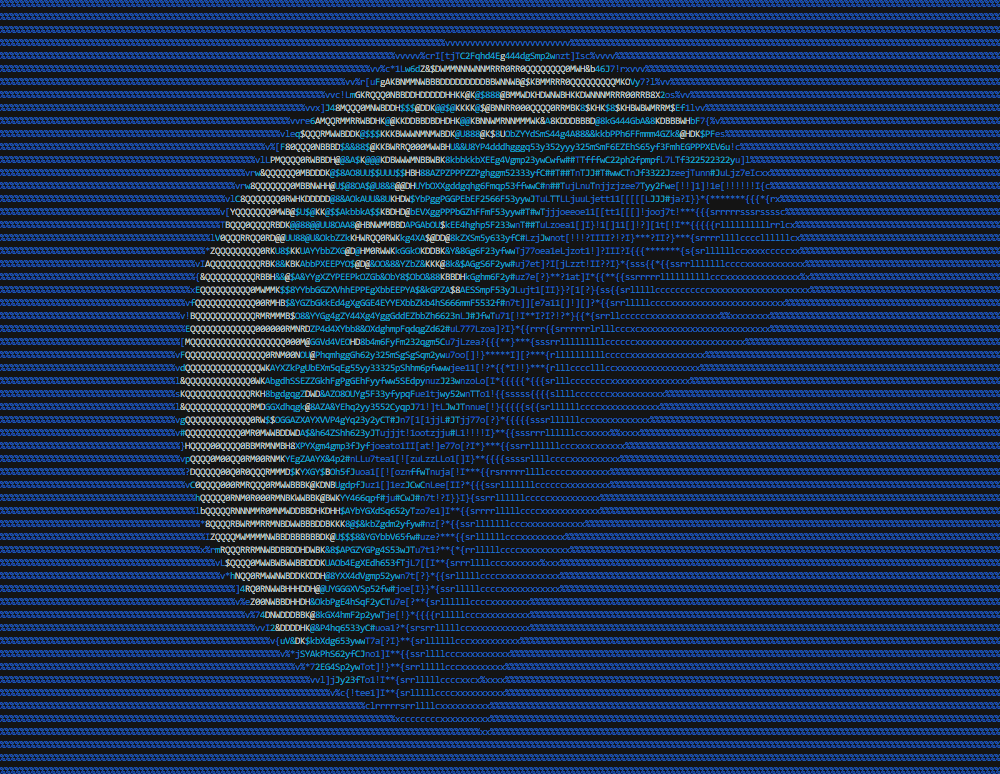 + + +# The class AsciiArt + +This module's entire functionality is contained within the class AsciiArt, which has a collection class methods, such as ```AsciiArt.from_image()```, that return ```AsciiArt``` objects with pictures from different sources: files, URLs, the clipboard, etc. + +These objects have multiple methods, such as ```my_art.to_terminal()```, that generate ASCII art pieces from the picture. These methods have parameters such as ```columns``` that allow you to change the appearance of the art piece. + +For convenience, the module ```ascii_magic``` also exposes a collection of functions with the same name as the class methods mentioned above, which do exactly the same. + +Example: + +```python +from ascii_magic import AsciiArt, from_image + +# This: +my_art = AsciiArt.from_image('lion.jpg') +my_art.to_terminal() + +# Does the same as this: +my_art = from_image('lion.jpg') +my_art.to_terminal() +``` + +This class is essentially a wrapper for a Pillow image. The property ```AsciiArt.image``` exposes the underlying Pillow object so you can manipulate it directly. + +Example: + +```python +from ascii_magic import AsciiArt +from PIL import ImageEnhance + +my_art = AsciiArt.from_image('lion.jpg') +my_art.image = ImageEnhance.Brightness(my_art.image).enhance(0.2) +my_art.to_terminal() +``` + +## quick_test() + +Loads a random Unsplash picture with the default parameters and prints it to the terminal, allowing you to verify in a single line of code that everything is running O.K. + +```python +AsciiArt.quick_test() -> None +``` + +Example: + +```python +from ascii_magic import AsciiArt + +AsciiArt.quick_test() +``` + +## from_image() + +Creates an ```AsciiArt``` object from an image file. + +```python +from_image(path: str) -> AsciiArt +``` + +Parameters: + +- ```path (str)```: an image file compatible with Pillow, such as a jpeg or png + +Example: + +```python +from ascii_magic import AsciiArt, Back + +my_art = AsciiArt.from_image('lion.jpg') +my_art.to_terminal(columns=200, back=Back.BLUE) +``` + +Result: + +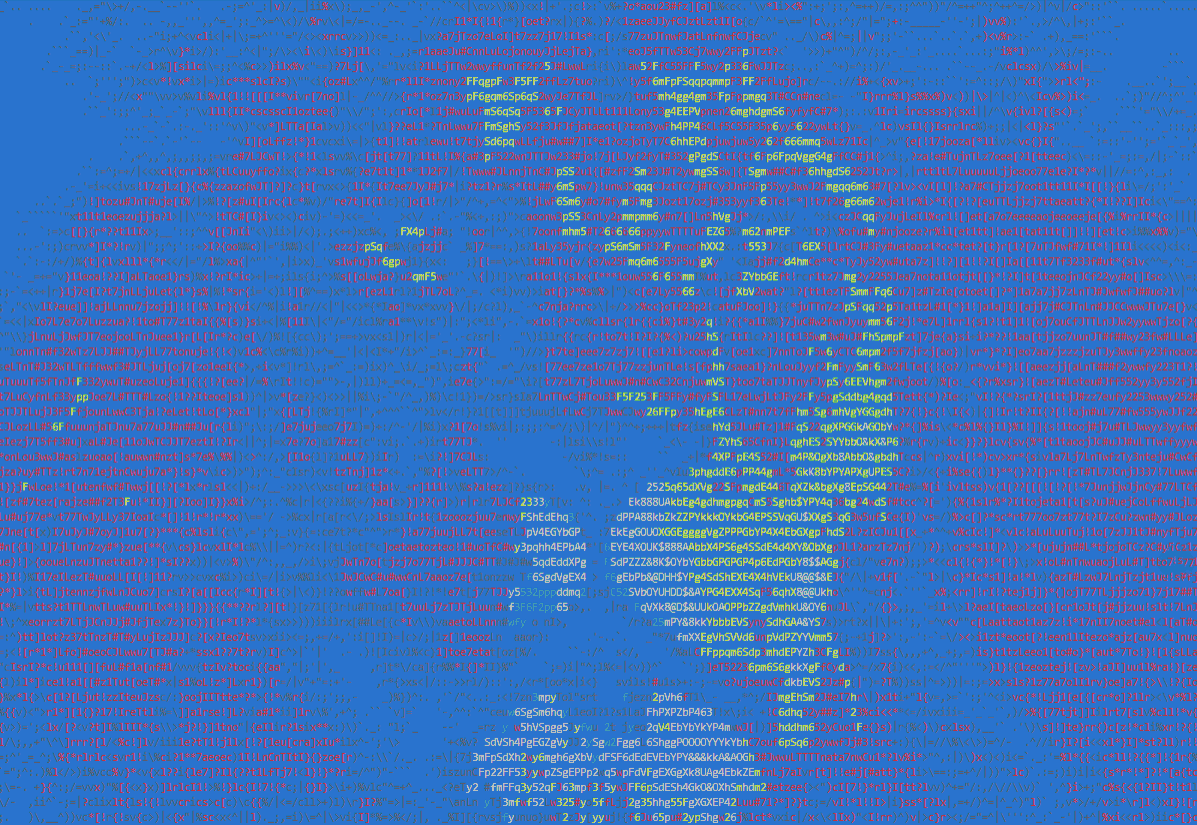 + +Example: + +```python +from ascii_magic import AsciiArt + +my_art = AsciiArt.from_image('lion.jpg') +my_art.to_html_file('ascii_art.html', columns=200, width_ratio=2) +``` + +Result: + +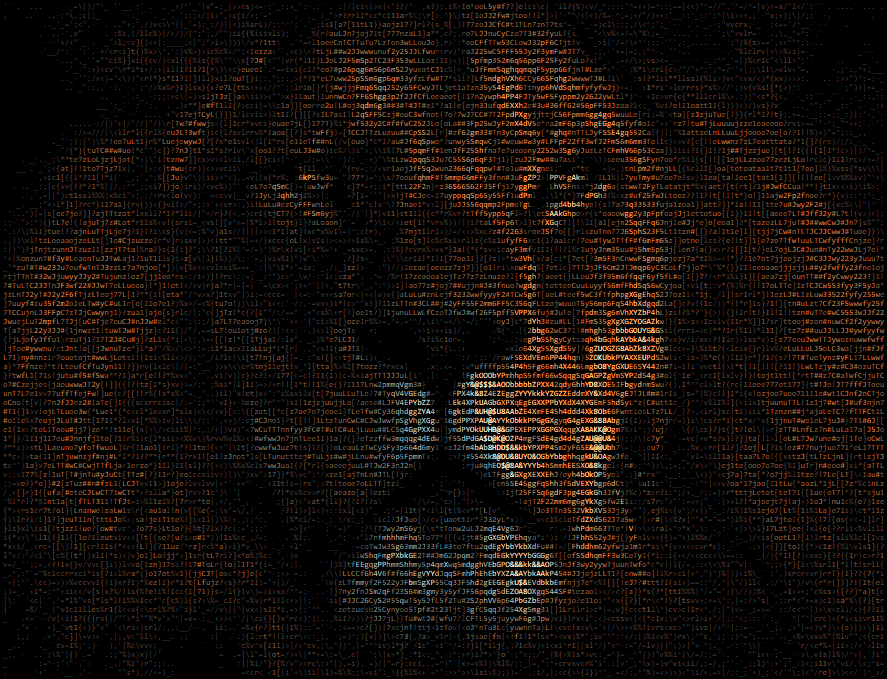 + +Example: + +```python +from ascii_magic import AsciiArt + +my_art = AsciiArt.from_image('lion.jpg') +my_art.to_terminal(columns=200, monochrome=True) + +``` + +Result: + +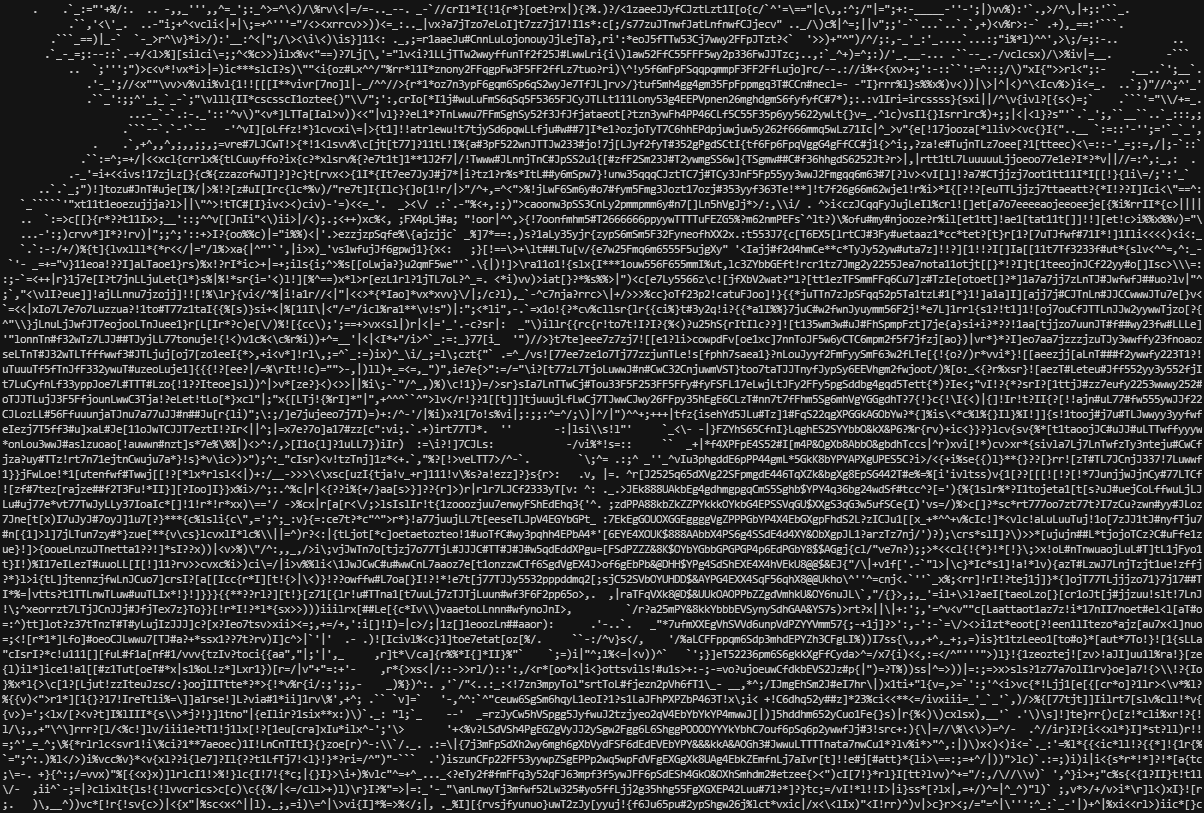 + + +## from_craiyon() + +Creates an ```AsciiArt``` object with [Craiyon](https://www.craiyon.com/), previously known as DALL-E Mini, a machine learning model that can generate realistic images from a description in natural language. + +```python +from_craiyon(prompt: str) -> AsciiArt +``` + +Parameters: + +- ```prompt (str)```: a description of an image in natural language + +Example: + +```python +from ascii_magic import AsciiArt + +my_art = AsciiArt.from_craiyon('A portrait of a cow with noble clothes') +my_art.to_html_file('cow_craiyon.html', columns=200) +``` + +Result: + +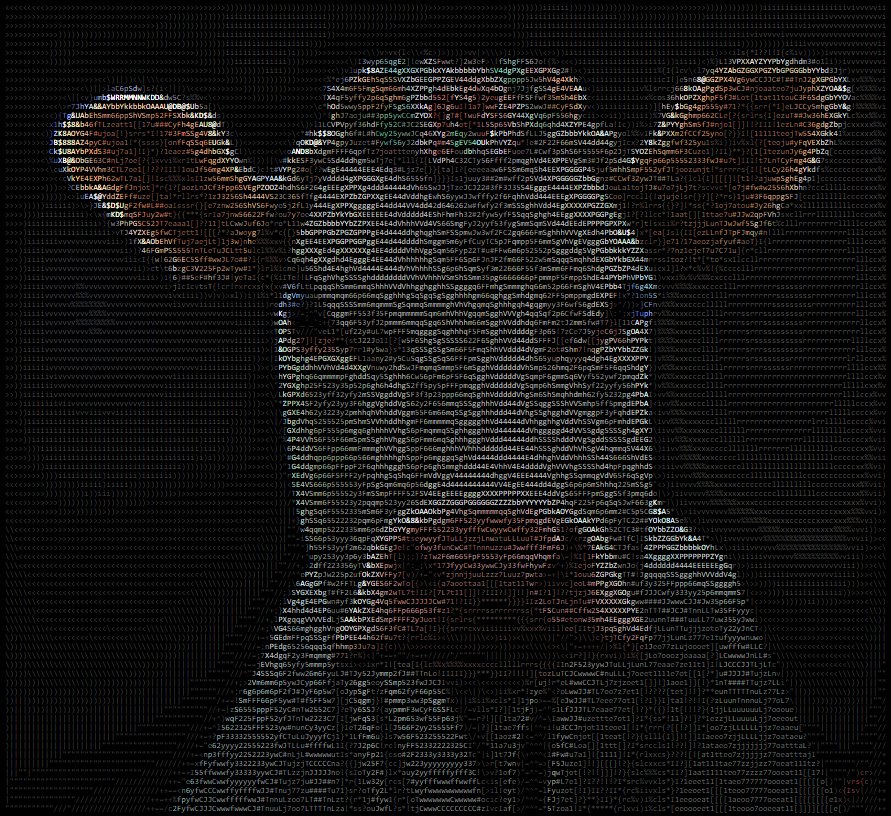 + +## from_dalle() + +Creates an ```AsciiArt``` object with [DALL-E](https://openai.com/dall-e/), a machine learning model that can generate realistic images from a description in natural language. Requires a [DALL-E API key](https://platform.openai.com/account/api-keys). The API key can be configured in the module as described in the OpenAI documentation (```openai.api_key = api_key```) or through this function call. + +```python +from_dalle( + prompt: str, + api_key: Optional[str] +) -> AsciiArt +``` + +Parameters: + +- ```prompt (str)```: a description of an image in natural language +- ```api_key (str, optional)```: a DALL-E API key + +Example: + +```python +from ascii_magic import AsciiArt + +api_key = 'SK-AFAKEDALLEAPIKEY' +my_art = AsciiArt.from_dalle('A portrait of a cow with noble clothes', api_key) +my_art.to_html_file('cow_dalle.html', columns=200) +``` + +Result: + +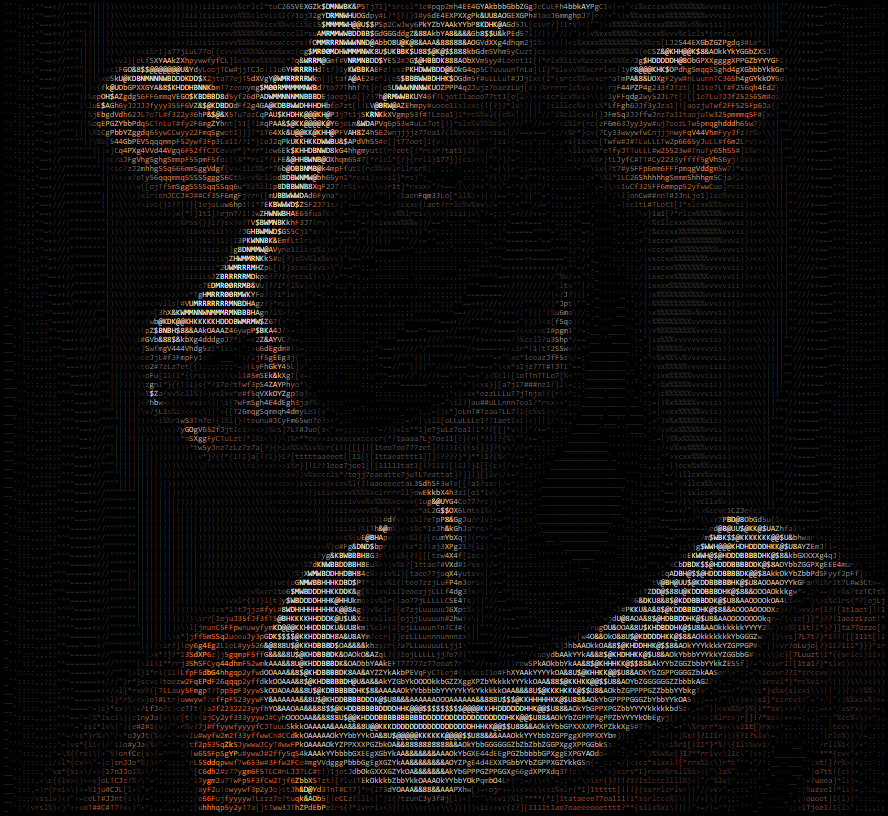 +## from_stable_diffusion() + +Creates an ```AsciiArt``` object with [Stable Diffusion](https://stability.ai/), a machine learning model that can generate realistic images from a description in natural language. Requires a [Stable Diffusion API key](https://platform.stability.ai/). + +```python +from_stable_diffusion( + prompt: str, + api_key: str, + steps: int = 30, + engine: Optional[str], +) -> AsciiArt +``` + +Parameters: + +- ```prompt (str)```: a description of an image in natural language +- ```api_key (str, optional)```: a Stable Diffusion API key +- ```steps (int, optional)```: amount of inference steps performed (see Stable Diffusion documentation) +- ```engine (str, optional)```: set the engine to use for generation (see Stable Diffusion documentation) + +Example: + +```python +from ascii_magic import AsciiArt + +api_key = 'SK-AFAKESTABLEDIFFUSIONAPIKEY' +my_art = AsciiArt.from_stable_diffusion('A portrait of a cow with noble clothes', api_key) +my_art.to_html_file('cow_stable_diffusion.html', columns=200) +``` + +Result: + +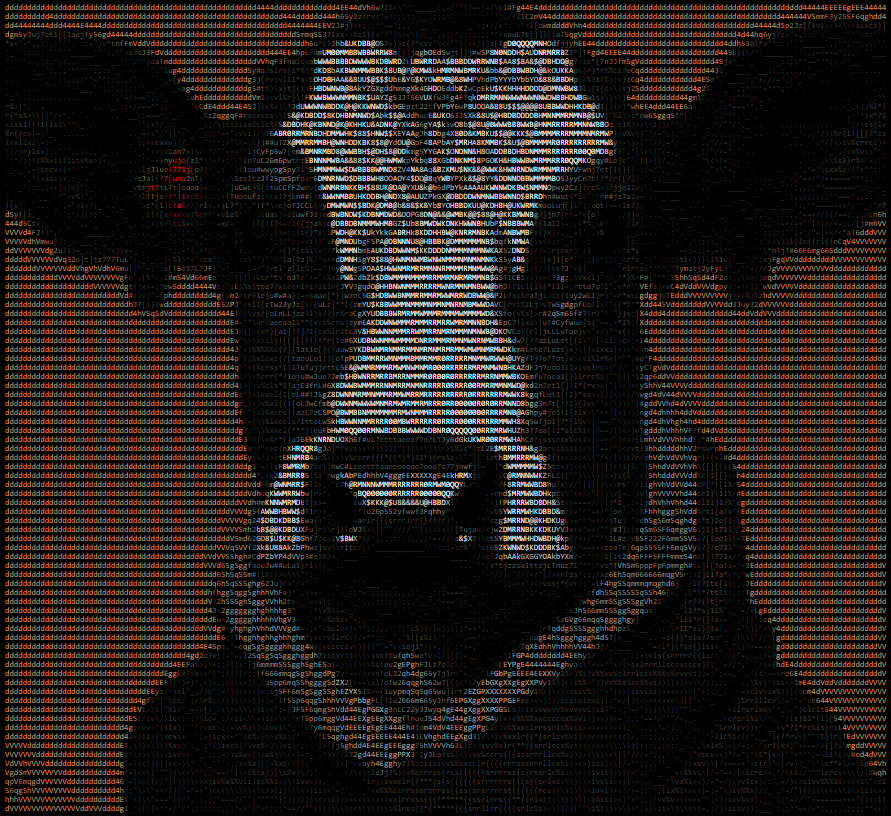 + +## from_url() + +Creates an ```AsciiArt``` object from an image URL. Raises an ```urllib.error.URLError``` if something goes wrong while requesting the image, but you can also catch it as an ```OSError``` if you don't want to import ```urllib``` into your project. + +```python +from_url(url: str) -> AsciiArt +``` + +Parameters: + +- ```url (str)```: an URL which will be loaded via urllib (supports redirects) + +Example: + +```python +from ascii_magic import AsciiArt + +try: + my_art = AsciiArt.from_url('https://source.unsplash.com/800x600?nature') +except OSError as e: + print(f'Could not load the image, server said: {e.code} {e.msg}') +my_art.to_terminal() +``` + +## from_clipboard() + +Creates an ```AsciiArt``` object from the contents of the clipboard. Raises an ```OSError``` if the clipboard doesn't contain an image. Requires [PyGObject](https://pygobject.readthedocs.io/en/latest/getting_started.html) under Linux. + +```python +from_clipboard() -> AsciiArt +``` + +Example: + +```python +from ascii_magic import AsciiArt + +try: + my_art = AsciiArt.from_clipboard() +except OSError: + print('The clipboard does not contain an image') +my_art.to_terminal() +``` + +## from_pillow_image() + +Creates an ```AsciiArt``` object from an image object created with Pillow. This allows you to handle the image loading yourself. + +```python +from_pillow_image(img: PIL.Image) -> AsciiArt +``` + +Parameters: + +- ```img (obj)```: an image object created with Pillow + +Example: + +```python +from ascii_magic import AsciiArt +from PIL import Image + +img = Image.open('lion.jpg') +my_art = AsciiArt.from_pillow_image(img) +my_art.to_terminal() +``` + + +# The AsciiArt object + +An ```AsciiArt``` object created as explained above has a collection of methods, such as ```to_ascii()```, that allows you to create and display ASCII art pieces. All of them return a string, and some have additional functionality, as described below. + + +## to_ascii() + +Returns a string containing ASCII art and, by default, control characters that allows most terminals (also known as shells) to display color. + +The module ```ascii_magic``` exposes two enums to handle color: ```Front``` and ```Back``` which allow you to select terminal-compatible colors. + +```python +AsciiArt.to_ascii( + columns: int = 120, + width_ratio: float = 2.2, + monochrome: bool = False, + char: Optional[str], + front: Optional[Front], + back: Optional[Back] +) -> str +``` + +Parameters: + +- ```columns (int, optional)```: the number of characters per row, more columns = wider art +- ```width_ratio (float, optional)```: ASCII characters are not squares, so this adjusts the width to height ratio during generation +- ```monochrome (bool, optional)```: if set to True, disables the usage of control characters that display color +- ```char (str, optional)```: instead of using many different ASCII glyphs, you can use a single one, such as '#' +- ```front (enum, optional)```: overrides the foreground color with one of: + - ```Front.BLACK``` + - ```Front.RED``` + - ```Front.GREEN``` + - ```Front.YELLOW``` + - ```Front.BLUE``` + - ```Front.MAGENTA``` + - ```Front.CYAN``` + - ```Front.WHITE``` +- ```back (enum, optional)```: sets the background color to one of: + - ```Back.BLACK``` + - ```Back.RED``` + - ```Back.GREEN``` + - ```Back.YELLOW``` + - ```Back.BLUE``` + - ```Back.MAGENTA``` + - ```Back.CYAN``` + - ```Back.WHITE``` + +Example: + +```python +from ascii_magic import AsciiArt, Back + +my_art = AsciiArt.from_image('lion.jpg') +my_output = my_art.to_ascii(columns=200, back=Back.BLUE) +print(my_output) +``` + +Result: + + + + +## to_terminal() + +Identical to ```AsciiArt.to_ascii()```, but it also does a ```print()``` of the result, saving you one line of code ;) + +## to_file() + +Identical to ```AsciiArt.to_ascii()```, but it also saves the result to a text file. + +```python +AsciiArt.to_file( + path: str, + # ... same parameters as AsciiArt.to_ascii() +) -> str +``` +Parameters: + +- ```path (str)```: the output file path + +Example: + +```python +from ascii_magic import AsciiArt + +my_art = AsciiArt.from_image('lion.jpg') +my_art.to_file('lion.txt', monochrome=True) +``` + +## to_html() + +Returns a string with ASCII art created as HTML markup. Accepts the same parameters as ```AsciiArt.to_ascii()```, except for ```back``` and ```front``` colors. By default the HTML ASCII art is generated with a 24-bit palette (16 million colors). + +```python +AsciiArt.to_html( + full_color: bool = True, + # ... same parameters as AsciiArt.to_ascii(), except back and front colors +) -> str +``` + +Parameters: + +- ```full_color (bool, optional)```: if set to False, limits color palette to 8 colors + +Example: + +```python +from ascii_magic import AsciiArt + +my_art = AsciiArt.from_image('lion.jpg') +my_html_markup = my_art.to_html(columns=200) +``` + +## to_html_file() + +Identical to ```AsciiArt.to_html()```, but it also saves the markup to a barebones HTML file inside a ```<pre>``` tag with a bunch of default CSS styles that you can easily open in your browser. + +```python +AsciiArt.to_html_file( + path: str, + styles: str = '...', # See description below + additional_styles: str = '', + auto_open: bool = False + # ... same parameters as AsciiArt.to_html() +) -> str +``` + +Parameters: + +- ```path (str)```: the output file path +- ```styles (str, optional)```: a string with a bunch of CSS styles for the ```<pre>``` element, by default: + - display: inline-block; + - border-width: 4px 6px; + - border-color: black; + - border-style: solid; + - background-color: black; + - font-size: 8px; +- ```additional_styles (str, optional)```: use this to add your own CSS styles without removing the default ones +- ```auto_open (bool, optional)```: if True, the file will be opened with ```webbrowser.open()``` + + +Example: + +```python +from ascii_magic import AsciiArt + +my_art = AsciiArt.from_image('lion.jpg') +my_art.to_html_file('lion.html', columns=200, additional_styles='font-family: MonoLisa;') +``` + +Result: + + + +# Licence + +Copyright (c) 2020 Leandro Barone. + +Usage is provided under the MIT License. See LICENSE for the full details. + + + +%package -n python3-ascii-magic +Summary: Converts pictures into ASCII art +Provides: python-ascii-magic +BuildRequires: python3-devel +BuildRequires: python3-setuptools +BuildRequires: python3-pip +%description -n python3-ascii-magic +# ASCII Magic + +Python package that converts images into ASCII art for terminals and HTML. Thanks to [Colorama](https://github.com/tartley/colorama) it's compatible with the Windows terminal. + +Code based on [ProfOak's Ascii Py](https://github.com/ProfOak/Ascii_py/). + +# Changelog + +### v2.3 - Feb 2023 +- Craiyon support: from_craiyon() + +### v2.2 - Feb 2023 +- Stable Diffusion support: from_stable_diffusion() + +### v2.1 - Feb 2023 +- DALL-E support: from_dalle() + +### v2.0 - Feb 2023 +- Complete rewrite, full OOP, no longer compatible with 1.x +- Added support for foreground color +- to_html() + +### v1.6 - Sep 2021 +- OOP functionality +- to_file() + +### v1.5 - Nov 2020 +- First public release + +# How to install + + pip install ascii_magic + +# Quickstart + +```python +from ascii_magic import AsciiArt + +my_art = AsciiArt.from_image('moon.jpg') +my_art.to_terminal() +``` + +Result: + + + + +# The class AsciiArt + +This module's entire functionality is contained within the class AsciiArt, which has a collection class methods, such as ```AsciiArt.from_image()```, that return ```AsciiArt``` objects with pictures from different sources: files, URLs, the clipboard, etc. + +These objects have multiple methods, such as ```my_art.to_terminal()```, that generate ASCII art pieces from the picture. These methods have parameters such as ```columns``` that allow you to change the appearance of the art piece. + +For convenience, the module ```ascii_magic``` also exposes a collection of functions with the same name as the class methods mentioned above, which do exactly the same. + +Example: + +```python +from ascii_magic import AsciiArt, from_image + +# This: +my_art = AsciiArt.from_image('lion.jpg') +my_art.to_terminal() + +# Does the same as this: +my_art = from_image('lion.jpg') +my_art.to_terminal() +``` + +This class is essentially a wrapper for a Pillow image. The property ```AsciiArt.image``` exposes the underlying Pillow object so you can manipulate it directly. + +Example: + +```python +from ascii_magic import AsciiArt +from PIL import ImageEnhance + +my_art = AsciiArt.from_image('lion.jpg') +my_art.image = ImageEnhance.Brightness(my_art.image).enhance(0.2) +my_art.to_terminal() +``` + +## quick_test() + +Loads a random Unsplash picture with the default parameters and prints it to the terminal, allowing you to verify in a single line of code that everything is running O.K. + +```python +AsciiArt.quick_test() -> None +``` + +Example: + +```python +from ascii_magic import AsciiArt + +AsciiArt.quick_test() +``` + +## from_image() + +Creates an ```AsciiArt``` object from an image file. + +```python +from_image(path: str) -> AsciiArt +``` + +Parameters: + +- ```path (str)```: an image file compatible with Pillow, such as a jpeg or png + +Example: + +```python +from ascii_magic import AsciiArt, Back + +my_art = AsciiArt.from_image('lion.jpg') +my_art.to_terminal(columns=200, back=Back.BLUE) +``` + +Result: + + + +Example: + +```python +from ascii_magic import AsciiArt + +my_art = AsciiArt.from_image('lion.jpg') +my_art.to_html_file('ascii_art.html', columns=200, width_ratio=2) +``` + +Result: + + + +Example: + +```python +from ascii_magic import AsciiArt + +my_art = AsciiArt.from_image('lion.jpg') +my_art.to_terminal(columns=200, monochrome=True) + +``` + +Result: + + + + +## from_craiyon() + +Creates an ```AsciiArt``` object with [Craiyon](https://www.craiyon.com/), previously known as DALL-E Mini, a machine learning model that can generate realistic images from a description in natural language. + +```python +from_craiyon(prompt: str) -> AsciiArt +``` + +Parameters: + +- ```prompt (str)```: a description of an image in natural language + +Example: + +```python +from ascii_magic import AsciiArt + +my_art = AsciiArt.from_craiyon('A portrait of a cow with noble clothes') +my_art.to_html_file('cow_craiyon.html', columns=200) +``` + +Result: + + + +## from_dalle() + +Creates an ```AsciiArt``` object with [DALL-E](https://openai.com/dall-e/), a machine learning model that can generate realistic images from a description in natural language. Requires a [DALL-E API key](https://platform.openai.com/account/api-keys). The API key can be configured in the module as described in the OpenAI documentation (```openai.api_key = api_key```) or through this function call. + +```python +from_dalle( + prompt: str, + api_key: Optional[str] +) -> AsciiArt +``` + +Parameters: + +- ```prompt (str)```: a description of an image in natural language +- ```api_key (str, optional)```: a DALL-E API key + +Example: + +```python +from ascii_magic import AsciiArt + +api_key = 'SK-AFAKEDALLEAPIKEY' +my_art = AsciiArt.from_dalle('A portrait of a cow with noble clothes', api_key) +my_art.to_html_file('cow_dalle.html', columns=200) +``` + +Result: + + +## from_stable_diffusion() + +Creates an ```AsciiArt``` object with [Stable Diffusion](https://stability.ai/), a machine learning model that can generate realistic images from a description in natural language. Requires a [Stable Diffusion API key](https://platform.stability.ai/). + +```python +from_stable_diffusion( + prompt: str, + api_key: str, + steps: int = 30, + engine: Optional[str], +) -> AsciiArt +``` + +Parameters: + +- ```prompt (str)```: a description of an image in natural language +- ```api_key (str, optional)```: a Stable Diffusion API key +- ```steps (int, optional)```: amount of inference steps performed (see Stable Diffusion documentation) +- ```engine (str, optional)```: set the engine to use for generation (see Stable Diffusion documentation) + +Example: + +```python +from ascii_magic import AsciiArt + +api_key = 'SK-AFAKESTABLEDIFFUSIONAPIKEY' +my_art = AsciiArt.from_stable_diffusion('A portrait of a cow with noble clothes', api_key) +my_art.to_html_file('cow_stable_diffusion.html', columns=200) +``` + +Result: + + + +## from_url() + +Creates an ```AsciiArt``` object from an image URL. Raises an ```urllib.error.URLError``` if something goes wrong while requesting the image, but you can also catch it as an ```OSError``` if you don't want to import ```urllib``` into your project. + +```python +from_url(url: str) -> AsciiArt +``` + +Parameters: + +- ```url (str)```: an URL which will be loaded via urllib (supports redirects) + +Example: + +```python +from ascii_magic import AsciiArt + +try: + my_art = AsciiArt.from_url('https://source.unsplash.com/800x600?nature') +except OSError as e: + print(f'Could not load the image, server said: {e.code} {e.msg}') +my_art.to_terminal() +``` + +## from_clipboard() + +Creates an ```AsciiArt``` object from the contents of the clipboard. Raises an ```OSError``` if the clipboard doesn't contain an image. Requires [PyGObject](https://pygobject.readthedocs.io/en/latest/getting_started.html) under Linux. + +```python +from_clipboard() -> AsciiArt +``` + +Example: + +```python +from ascii_magic import AsciiArt + +try: + my_art = AsciiArt.from_clipboard() +except OSError: + print('The clipboard does not contain an image') +my_art.to_terminal() +``` + +## from_pillow_image() + +Creates an ```AsciiArt``` object from an image object created with Pillow. This allows you to handle the image loading yourself. + +```python +from_pillow_image(img: PIL.Image) -> AsciiArt +``` + +Parameters: + +- ```img (obj)```: an image object created with Pillow + +Example: + +```python +from ascii_magic import AsciiArt +from PIL import Image + +img = Image.open('lion.jpg') +my_art = AsciiArt.from_pillow_image(img) +my_art.to_terminal() +``` + + +# The AsciiArt object + +An ```AsciiArt``` object created as explained above has a collection of methods, such as ```to_ascii()```, that allows you to create and display ASCII art pieces. All of them return a string, and some have additional functionality, as described below. + + +## to_ascii() + +Returns a string containing ASCII art and, by default, control characters that allows most terminals (also known as shells) to display color. + +The module ```ascii_magic``` exposes two enums to handle color: ```Front``` and ```Back``` which allow you to select terminal-compatible colors. + +```python +AsciiArt.to_ascii( + columns: int = 120, + width_ratio: float = 2.2, + monochrome: bool = False, + char: Optional[str], + front: Optional[Front], + back: Optional[Back] +) -> str +``` + +Parameters: + +- ```columns (int, optional)```: the number of characters per row, more columns = wider art +- ```width_ratio (float, optional)```: ASCII characters are not squares, so this adjusts the width to height ratio during generation +- ```monochrome (bool, optional)```: if set to True, disables the usage of control characters that display color +- ```char (str, optional)```: instead of using many different ASCII glyphs, you can use a single one, such as '#' +- ```front (enum, optional)```: overrides the foreground color with one of: + - ```Front.BLACK``` + - ```Front.RED``` + - ```Front.GREEN``` + - ```Front.YELLOW``` + - ```Front.BLUE``` + - ```Front.MAGENTA``` + - ```Front.CYAN``` + - ```Front.WHITE``` +- ```back (enum, optional)```: sets the background color to one of: + - ```Back.BLACK``` + - ```Back.RED``` + - ```Back.GREEN``` + - ```Back.YELLOW``` + - ```Back.BLUE``` + - ```Back.MAGENTA``` + - ```Back.CYAN``` + - ```Back.WHITE``` + +Example: + +```python +from ascii_magic import AsciiArt, Back + +my_art = AsciiArt.from_image('lion.jpg') +my_output = my_art.to_ascii(columns=200, back=Back.BLUE) +print(my_output) +``` + +Result: + + + + +## to_terminal() + +Identical to ```AsciiArt.to_ascii()```, but it also does a ```print()``` of the result, saving you one line of code ;) + +## to_file() + +Identical to ```AsciiArt.to_ascii()```, but it also saves the result to a text file. + +```python +AsciiArt.to_file( + path: str, + # ... same parameters as AsciiArt.to_ascii() +) -> str +``` +Parameters: + +- ```path (str)```: the output file path + +Example: + +```python +from ascii_magic import AsciiArt + +my_art = AsciiArt.from_image('lion.jpg') +my_art.to_file('lion.txt', monochrome=True) +``` + +## to_html() + +Returns a string with ASCII art created as HTML markup. Accepts the same parameters as ```AsciiArt.to_ascii()```, except for ```back``` and ```front``` colors. By default the HTML ASCII art is generated with a 24-bit palette (16 million colors). + +```python +AsciiArt.to_html( + full_color: bool = True, + # ... same parameters as AsciiArt.to_ascii(), except back and front colors +) -> str +``` + +Parameters: + +- ```full_color (bool, optional)```: if set to False, limits color palette to 8 colors + +Example: + +```python +from ascii_magic import AsciiArt + +my_art = AsciiArt.from_image('lion.jpg') +my_html_markup = my_art.to_html(columns=200) +``` + +## to_html_file() + +Identical to ```AsciiArt.to_html()```, but it also saves the markup to a barebones HTML file inside a ```<pre>``` tag with a bunch of default CSS styles that you can easily open in your browser. + +```python +AsciiArt.to_html_file( + path: str, + styles: str = '...', # See description below + additional_styles: str = '', + auto_open: bool = False + # ... same parameters as AsciiArt.to_html() +) -> str +``` + +Parameters: + +- ```path (str)```: the output file path +- ```styles (str, optional)```: a string with a bunch of CSS styles for the ```<pre>``` element, by default: + - display: inline-block; + - border-width: 4px 6px; + - border-color: black; + - border-style: solid; + - background-color: black; + - font-size: 8px; +- ```additional_styles (str, optional)```: use this to add your own CSS styles without removing the default ones +- ```auto_open (bool, optional)```: if True, the file will be opened with ```webbrowser.open()``` + + +Example: + +```python +from ascii_magic import AsciiArt + +my_art = AsciiArt.from_image('lion.jpg') +my_art.to_html_file('lion.html', columns=200, additional_styles='font-family: MonoLisa;') +``` + +Result: + + + +# Licence + +Copyright (c) 2020 Leandro Barone. + +Usage is provided under the MIT License. See LICENSE for the full details. + + + +%package help +Summary: Development documents and examples for ascii-magic +Provides: python3-ascii-magic-doc +%description help +# ASCII Magic + +Python package that converts images into ASCII art for terminals and HTML. Thanks to [Colorama](https://github.com/tartley/colorama) it's compatible with the Windows terminal. + +Code based on [ProfOak's Ascii Py](https://github.com/ProfOak/Ascii_py/). + +# Changelog + +### v2.3 - Feb 2023 +- Craiyon support: from_craiyon() + +### v2.2 - Feb 2023 +- Stable Diffusion support: from_stable_diffusion() + +### v2.1 - Feb 2023 +- DALL-E support: from_dalle() + +### v2.0 - Feb 2023 +- Complete rewrite, full OOP, no longer compatible with 1.x +- Added support for foreground color +- to_html() + +### v1.6 - Sep 2021 +- OOP functionality +- to_file() + +### v1.5 - Nov 2020 +- First public release + +# How to install + + pip install ascii_magic + +# Quickstart + +```python +from ascii_magic import AsciiArt + +my_art = AsciiArt.from_image('moon.jpg') +my_art.to_terminal() +``` + +Result: + + + + +# The class AsciiArt + +This module's entire functionality is contained within the class AsciiArt, which has a collection class methods, such as ```AsciiArt.from_image()```, that return ```AsciiArt``` objects with pictures from different sources: files, URLs, the clipboard, etc. + +These objects have multiple methods, such as ```my_art.to_terminal()```, that generate ASCII art pieces from the picture. These methods have parameters such as ```columns``` that allow you to change the appearance of the art piece. + +For convenience, the module ```ascii_magic``` also exposes a collection of functions with the same name as the class methods mentioned above, which do exactly the same. + +Example: + +```python +from ascii_magic import AsciiArt, from_image + +# This: +my_art = AsciiArt.from_image('lion.jpg') +my_art.to_terminal() + +# Does the same as this: +my_art = from_image('lion.jpg') +my_art.to_terminal() +``` + +This class is essentially a wrapper for a Pillow image. The property ```AsciiArt.image``` exposes the underlying Pillow object so you can manipulate it directly. + +Example: + +```python +from ascii_magic import AsciiArt +from PIL import ImageEnhance + +my_art = AsciiArt.from_image('lion.jpg') +my_art.image = ImageEnhance.Brightness(my_art.image).enhance(0.2) +my_art.to_terminal() +``` + +## quick_test() + +Loads a random Unsplash picture with the default parameters and prints it to the terminal, allowing you to verify in a single line of code that everything is running O.K. + +```python +AsciiArt.quick_test() -> None +``` + +Example: + +```python +from ascii_magic import AsciiArt + +AsciiArt.quick_test() +``` + +## from_image() + +Creates an ```AsciiArt``` object from an image file. + +```python +from_image(path: str) -> AsciiArt +``` + +Parameters: + +- ```path (str)```: an image file compatible with Pillow, such as a jpeg or png + +Example: + +```python +from ascii_magic import AsciiArt, Back + +my_art = AsciiArt.from_image('lion.jpg') +my_art.to_terminal(columns=200, back=Back.BLUE) +``` + +Result: + + + +Example: + +```python +from ascii_magic import AsciiArt + +my_art = AsciiArt.from_image('lion.jpg') +my_art.to_html_file('ascii_art.html', columns=200, width_ratio=2) +``` + +Result: + + + +Example: + +```python +from ascii_magic import AsciiArt + +my_art = AsciiArt.from_image('lion.jpg') +my_art.to_terminal(columns=200, monochrome=True) + +``` + +Result: + + + + +## from_craiyon() + +Creates an ```AsciiArt``` object with [Craiyon](https://www.craiyon.com/), previously known as DALL-E Mini, a machine learning model that can generate realistic images from a description in natural language. + +```python +from_craiyon(prompt: str) -> AsciiArt +``` + +Parameters: + +- ```prompt (str)```: a description of an image in natural language + +Example: + +```python +from ascii_magic import AsciiArt + +my_art = AsciiArt.from_craiyon('A portrait of a cow with noble clothes') +my_art.to_html_file('cow_craiyon.html', columns=200) +``` + +Result: + + + +## from_dalle() + +Creates an ```AsciiArt``` object with [DALL-E](https://openai.com/dall-e/), a machine learning model that can generate realistic images from a description in natural language. Requires a [DALL-E API key](https://platform.openai.com/account/api-keys). The API key can be configured in the module as described in the OpenAI documentation (```openai.api_key = api_key```) or through this function call. + +```python +from_dalle( + prompt: str, + api_key: Optional[str] +) -> AsciiArt +``` + +Parameters: + +- ```prompt (str)```: a description of an image in natural language +- ```api_key (str, optional)```: a DALL-E API key + +Example: + +```python +from ascii_magic import AsciiArt + +api_key = 'SK-AFAKEDALLEAPIKEY' +my_art = AsciiArt.from_dalle('A portrait of a cow with noble clothes', api_key) +my_art.to_html_file('cow_dalle.html', columns=200) +``` + +Result: + + +## from_stable_diffusion() + +Creates an ```AsciiArt``` object with [Stable Diffusion](https://stability.ai/), a machine learning model that can generate realistic images from a description in natural language. Requires a [Stable Diffusion API key](https://platform.stability.ai/). + +```python +from_stable_diffusion( + prompt: str, + api_key: str, + steps: int = 30, + engine: Optional[str], +) -> AsciiArt +``` + +Parameters: + +- ```prompt (str)```: a description of an image in natural language +- ```api_key (str, optional)```: a Stable Diffusion API key +- ```steps (int, optional)```: amount of inference steps performed (see Stable Diffusion documentation) +- ```engine (str, optional)```: set the engine to use for generation (see Stable Diffusion documentation) + +Example: + +```python +from ascii_magic import AsciiArt + +api_key = 'SK-AFAKESTABLEDIFFUSIONAPIKEY' +my_art = AsciiArt.from_stable_diffusion('A portrait of a cow with noble clothes', api_key) +my_art.to_html_file('cow_stable_diffusion.html', columns=200) +``` + +Result: + + + +## from_url() + +Creates an ```AsciiArt``` object from an image URL. Raises an ```urllib.error.URLError``` if something goes wrong while requesting the image, but you can also catch it as an ```OSError``` if you don't want to import ```urllib``` into your project. + +```python +from_url(url: str) -> AsciiArt +``` + +Parameters: + +- ```url (str)```: an URL which will be loaded via urllib (supports redirects) + +Example: + +```python +from ascii_magic import AsciiArt + +try: + my_art = AsciiArt.from_url('https://source.unsplash.com/800x600?nature') +except OSError as e: + print(f'Could not load the image, server said: {e.code} {e.msg}') +my_art.to_terminal() +``` + +## from_clipboard() + +Creates an ```AsciiArt``` object from the contents of the clipboard. Raises an ```OSError``` if the clipboard doesn't contain an image. Requires [PyGObject](https://pygobject.readthedocs.io/en/latest/getting_started.html) under Linux. + +```python +from_clipboard() -> AsciiArt +``` + +Example: + +```python +from ascii_magic import AsciiArt + +try: + my_art = AsciiArt.from_clipboard() +except OSError: + print('The clipboard does not contain an image') +my_art.to_terminal() +``` + +## from_pillow_image() + +Creates an ```AsciiArt``` object from an image object created with Pillow. This allows you to handle the image loading yourself. + +```python +from_pillow_image(img: PIL.Image) -> AsciiArt +``` + +Parameters: + +- ```img (obj)```: an image object created with Pillow + +Example: + +```python +from ascii_magic import AsciiArt +from PIL import Image + +img = Image.open('lion.jpg') +my_art = AsciiArt.from_pillow_image(img) +my_art.to_terminal() +``` + + +# The AsciiArt object + +An ```AsciiArt``` object created as explained above has a collection of methods, such as ```to_ascii()```, that allows you to create and display ASCII art pieces. All of them return a string, and some have additional functionality, as described below. + + +## to_ascii() + +Returns a string containing ASCII art and, by default, control characters that allows most terminals (also known as shells) to display color. + +The module ```ascii_magic``` exposes two enums to handle color: ```Front``` and ```Back``` which allow you to select terminal-compatible colors. + +```python +AsciiArt.to_ascii( + columns: int = 120, + width_ratio: float = 2.2, + monochrome: bool = False, + char: Optional[str], + front: Optional[Front], + back: Optional[Back] +) -> str +``` + +Parameters: + +- ```columns (int, optional)```: the number of characters per row, more columns = wider art +- ```width_ratio (float, optional)```: ASCII characters are not squares, so this adjusts the width to height ratio during generation +- ```monochrome (bool, optional)```: if set to True, disables the usage of control characters that display color +- ```char (str, optional)```: instead of using many different ASCII glyphs, you can use a single one, such as '#' +- ```front (enum, optional)```: overrides the foreground color with one of: + - ```Front.BLACK``` + - ```Front.RED``` + - ```Front.GREEN``` + - ```Front.YELLOW``` + - ```Front.BLUE``` + - ```Front.MAGENTA``` + - ```Front.CYAN``` + - ```Front.WHITE``` +- ```back (enum, optional)```: sets the background color to one of: + - ```Back.BLACK``` + - ```Back.RED``` + - ```Back.GREEN``` + - ```Back.YELLOW``` + - ```Back.BLUE``` + - ```Back.MAGENTA``` + - ```Back.CYAN``` + - ```Back.WHITE``` + +Example: + +```python +from ascii_magic import AsciiArt, Back + +my_art = AsciiArt.from_image('lion.jpg') +my_output = my_art.to_ascii(columns=200, back=Back.BLUE) +print(my_output) +``` + +Result: + + + + +## to_terminal() + +Identical to ```AsciiArt.to_ascii()```, but it also does a ```print()``` of the result, saving you one line of code ;) + +## to_file() + +Identical to ```AsciiArt.to_ascii()```, but it also saves the result to a text file. + +```python +AsciiArt.to_file( + path: str, + # ... same parameters as AsciiArt.to_ascii() +) -> str +``` +Parameters: + +- ```path (str)```: the output file path + +Example: + +```python +from ascii_magic import AsciiArt + +my_art = AsciiArt.from_image('lion.jpg') +my_art.to_file('lion.txt', monochrome=True) +``` + +## to_html() + +Returns a string with ASCII art created as HTML markup. Accepts the same parameters as ```AsciiArt.to_ascii()```, except for ```back``` and ```front``` colors. By default the HTML ASCII art is generated with a 24-bit palette (16 million colors). + +```python +AsciiArt.to_html( + full_color: bool = True, + # ... same parameters as AsciiArt.to_ascii(), except back and front colors +) -> str +``` + +Parameters: + +- ```full_color (bool, optional)```: if set to False, limits color palette to 8 colors + +Example: + +```python +from ascii_magic import AsciiArt + +my_art = AsciiArt.from_image('lion.jpg') +my_html_markup = my_art.to_html(columns=200) +``` + +## to_html_file() + +Identical to ```AsciiArt.to_html()```, but it also saves the markup to a barebones HTML file inside a ```<pre>``` tag with a bunch of default CSS styles that you can easily open in your browser. + +```python +AsciiArt.to_html_file( + path: str, + styles: str = '...', # See description below + additional_styles: str = '', + auto_open: bool = False + # ... same parameters as AsciiArt.to_html() +) -> str +``` + +Parameters: + +- ```path (str)```: the output file path +- ```styles (str, optional)```: a string with a bunch of CSS styles for the ```<pre>``` element, by default: + - display: inline-block; + - border-width: 4px 6px; + - border-color: black; + - border-style: solid; + - background-color: black; + - font-size: 8px; +- ```additional_styles (str, optional)```: use this to add your own CSS styles without removing the default ones +- ```auto_open (bool, optional)```: if True, the file will be opened with ```webbrowser.open()``` + + +Example: + +```python +from ascii_magic import AsciiArt + +my_art = AsciiArt.from_image('lion.jpg') +my_art.to_html_file('lion.html', columns=200, additional_styles='font-family: MonoLisa;') +``` + +Result: + + + +# Licence + +Copyright (c) 2020 Leandro Barone. + +Usage is provided under the MIT License. See LICENSE for the full details. + + + +%prep +%autosetup -n ascii-magic-2.3.0 + +%build +%py3_build + +%install +%py3_install +install -d -m755 %{buildroot}/%{_pkgdocdir} +if [ -d doc ]; then cp -arf doc %{buildroot}/%{_pkgdocdir}; fi +if [ -d docs ]; then cp -arf docs %{buildroot}/%{_pkgdocdir}; fi +if [ -d example ]; then cp -arf example %{buildroot}/%{_pkgdocdir}; fi +if [ -d examples ]; then cp -arf examples %{buildroot}/%{_pkgdocdir}; fi +pushd %{buildroot} +if [ -d usr/lib ]; then + find usr/lib -type f -printf "/%h/%f\n" >> filelist.lst +fi +if [ -d usr/lib64 ]; then + find usr/lib64 -type f -printf "/%h/%f\n" >> filelist.lst +fi +if [ -d usr/bin ]; then + find usr/bin -type f -printf "/%h/%f\n" >> filelist.lst +fi +if [ -d usr/sbin ]; then + find usr/sbin -type f -printf "/%h/%f\n" >> filelist.lst +fi +touch doclist.lst +if [ -d usr/share/man ]; then + find usr/share/man -type f -printf "/%h/%f.gz\n" >> doclist.lst +fi +popd +mv %{buildroot}/filelist.lst . +mv %{buildroot}/doclist.lst . + +%files -n python3-ascii-magic -f filelist.lst +%dir %{python3_sitelib}/* + +%files help -f doclist.lst +%{_docdir}/* + +%changelog +* Fri May 05 2023 Python_Bot <Python_Bot@openeuler.org> - 2.3.0-1 +- Package Spec generated @@ -0,0 +1 @@ +f29dcf41540fe4e1bf0f07100c11cef5 ascii_magic-2.3.0.tar.gz |