
diff options
| author | CoprDistGit <infra@openeuler.org> | 2023-05-30 13:43:30 +0000 |
|---|---|---|
| committer | CoprDistGit <infra@openeuler.org> | 2023-05-30 13:43:30 +0000 |
| commit | 3eae8980e824e4d623c24955e7a67ac30c572e0c (patch) | |
| tree | 549e3af55659071fd93b4c935203aade5d208122 | |
| parent | 4886d2ec42ae4251dba859955de41295ae9b2761 (diff) | |
automatic import of python-cdk-pipelines-github
| -rw-r--r-- | .gitignore | 1 | ||||
| -rw-r--r-- | python-cdk-pipelines-github.spec | 2009 | ||||
| -rw-r--r-- | sources | 1 |
3 files changed, 2011 insertions, 0 deletions
@@ -0,0 +1 @@ +/cdk-pipelines-github-0.4.71.tar.gz diff --git a/python-cdk-pipelines-github.spec b/python-cdk-pipelines-github.spec new file mode 100644 index 0000000..6648265 --- /dev/null +++ b/python-cdk-pipelines-github.spec @@ -0,0 +1,2009 @@ +%global _empty_manifest_terminate_build 0 +Name: python-cdk-pipelines-github +Version: 0.4.71 +Release: 1 +Summary: GitHub Workflows support for CDK Pipelines +License: Apache-2.0 +URL: https://github.com/cdklabs/cdk-pipelines-github.git +Source0: https://mirrors.nju.edu.cn/pypi/web/packages/bb/c4/ae4f42f81ec48957d45f9f8d43d1d3ca1443415168d5042e5c4ac8e071c6/cdk-pipelines-github-0.4.71.tar.gz +BuildArch: noarch + +Requires: python3-aws-cdk-lib +Requires: python3-constructs +Requires: python3-jsii +Requires: python3-publication +Requires: python3-typeguard + +%description +# CDK Pipelines for GitHub Workflows + + + +[](https://constructs.dev/packages/cdk-pipelines-github) + +> The APIs in this module are experimental and under active development. +> They are subject to non-backward compatible changes or removal in any future version. These are +> not subject to the [Semantic Versioning](https://semver.org/) model and breaking changes will be +> announced in the release notes. This means that while you may use them, you may need to update +> your source code when upgrading to a newer version of this package. + +A construct library for painless Continuous Delivery of CDK applications, +deployed via +[GitHub Workflows](https://docs.github.com/en/actions/using-workflows/workflow-syntax-for-github-actions). + +The CDK already has a CI/CD solution, +[CDK Pipelines](https://docs.aws.amazon.com/cdk/api/v2/docs/aws-cdk-lib.pipelines-readme.html), +which creates an AWS CodePipeline that deploys CDK applications. This module +serves the same surface area, except that it is implemented with GitHub +Workflows. + +## Table of Contents + +* [CDK Pipelines for GitHub Workflows](#cdk-pipelines-for-github-workflows) + + * [Table of Contents](#table-of-contents) + * [Usage](#usage) + * [Initial Setup](#initial-setup) + * [AWS Credentials](#aws-credentials) + + * [GitHub Action Role](#github-action-role) + + * [`GitHubActionRole` Construct](#githubactionrole-construct) + * [GitHub Secrets](#github-secrets) + * [Runners with Preconfigured Credentials](#runners-with-preconfigured-credentials) + * [Using Docker in the Pipeline](#using-docker-in-the-pipeline) + + * [Authenticating to Docker registries](#authenticating-to-docker-registries) + * [Runner Types](#runner-types) + + * [GitHub Hosted Runner](#github-hosted-runner) + * [Self Hosted Runner](#self-hosted-runner) + * [Escape Hatches](#escape-hatches) + * [Additional Features](#additional-features) + + * [GitHub Action Step](#github-action-step) + * [Configure GitHub Environment](#configure-github-environment) + + * [Waves for Parallel Builds](#waves-for-parallel-builds) + * [Manual Approval Step](#manual-approval-step) + * [Pipeline YAML Comments](#pipeline-yaml-comments) + * [Tutorial](#tutorial) + * [Not supported yet](#not-supported-yet) + * [Contributing](#contributing) + * [License](#license) + +## Usage + +Assuming you have a +[`Stage`](https://docs.aws.amazon.com/cdk/api/v2/docs/aws-cdk-lib.Stage.html) +called `MyStage` that includes CDK stacks for your app and you want to deploy it +to two AWS environments (`BETA_ENV` and `PROD_ENV`): + +```python +from aws_cdk.pipelines import ShellStep + + +app = App() + +pipeline = GitHubWorkflow(app, "Pipeline", + synth=ShellStep("Build", + commands=["yarn install", "yarn build" + ] + ), + aws_creds=AwsCredentials.from_open_id_connect( + git_hub_action_role_arn="arn:aws:iam::<account-id>:role/GitHubActionRole" + ) +) + +# Build the stages +beta_stage = MyStage(app, "Beta", env=BETA_ENV) +prod_stage = MyStage(app, "Prod", env=PROD_ENV) + +# Add the stages for sequential build - earlier stages failing will stop later ones: +pipeline.add_stage(beta_stage) +pipeline.add_stage(prod_stage) + +# OR add the stages for parallel building of multiple stages with a Wave: +wave = pipeline.add_wave("Wave") +wave.add_stage(beta_stage) +wave.add_stage(prod_stage) + +app.synth() +``` + +When you run `cdk synth`, a `deploy.yml` workflow will be created under +`.github/workflows` in your repo. This workflow will deploy your application +based on the definition of the pipeline. In the example above, it will deploy +the two stages in sequence, and within each stage, it will deploy all the +stacks according to their dependency order and maximum parallelism. If your app +uses assets, assets will be published to the relevant destination environment. + +The `Pipeline` class from `cdk-pipelines-github` is derived from the base CDK +Pipelines class, so most features should be supported out of the box. See the +[CDK Pipelines](https://docs.aws.amazon.com/cdk/api/v2/docs/aws-cdk-lib.pipelines-readme.html) +documentation for more details. + +To express GitHub-specifc details, such as those outlined in [Additional Features](#additional-features), you have a few options: + +* Use a `GitHubStage` instead of `Stage` (or make a `GitHubStage` subclass instead of a `Stage` subclass) - this adds the `GitHubCommonProps` to the `Stage` properties + + * With this you can use `pipeline.addStage(myGitHubStage)` or `wave.addStage(myGitHubStage)` and the properties of the + stage will be used +* Using a `Stage` (or subclass thereof) or a `GitHubStage` (or subclass thereof) you can call `pipeline.addStageWithGitHubOptions(stage, stageOptions)` or `wave.addStageWithGitHubOptions(stage, stageOptions)` + + * In this case you're providing the same options along with the stage instead of embedded in the stage. + * Note that properties of a `GitHubStage` added with `addStageWithGitHubOptions()` will override the options provided to `addStageWithGitHubOptions()` + +**NOTES:** + +* Environments must be bootstrapped separately using `cdk bootstrap`. See [CDK + Environment + Bootstrapping](https://docs.aws.amazon.com/cdk/api/v2/docs/aws-cdk-lib.pipelines-readme.html#cdk-environment-bootstrapping) + for details. + +## Initial Setup + +Assuming you have your CDK app checked out on your local machine, here are the suggested steps +to develop your GitHub Workflow. + +* Set up AWS Credentials your local environment. It is highly recommended to authenticate via an OpenId + Connect IAM Role. You can set one up using the [`GithubActionRole`](#github-action-role) class provided + in this module. For more information (and alternatives), see [AWS Credentials](#aws-credentials). +* When you've updated your pipeline and are ready to deploy, run `cdk synth`. This creates a workflow file + in `.github/workflows/deploy.yml`. +* When you are ready to test your pipeline, commit your code changes as well as the `deploy.yml` file to + GitHub. GitHub will automatically try to run the workflow found under `.github/workflows/deploy.yml`. +* You will be able to see the result of the run on the `Actions` tab in your repository: + + 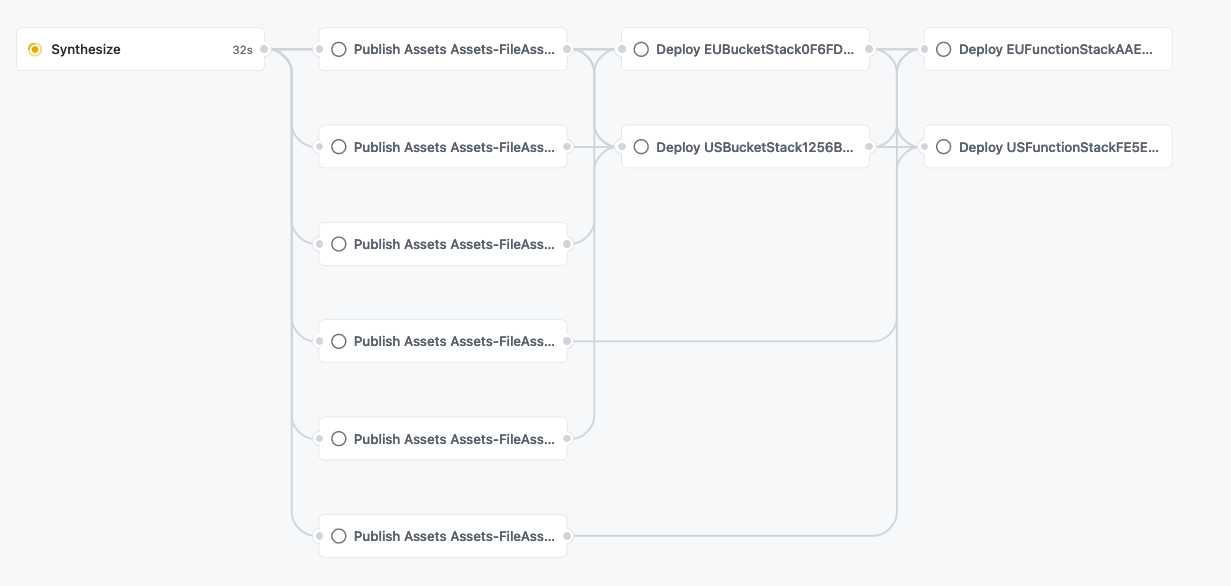 + +For an in-depth run-through on creating your own GitHub Workflow, see the +[Tutorial](#tutorial) section. + +## AWS Credentials + +There are two ways to supply AWS credentials to the workflow: + +* GitHub Action IAM Role (recommended). +* Long-lived AWS Credentials stored in GitHub Secrets. + +The GitHub Action IAM Role authenticates via the GitHub OpenID Connect provider +and is recommended, but it requires preparing your AWS account beforehand. This +approach allows your Workflow to exchange short-lived tokens directly from AWS. +With OIDC, benefits include: + +* No cloud secrets. +* Authentication and authorization management. +* Rotating credentials. + +You can read more +[here](https://docs.github.com/en/actions/deployment/security-hardening-your-deployments/about-security-hardening-with-openid-connect). + +### GitHub Action Role + +Authenticating via OpenId Connect means you do not need to store long-lived +credentials as GitHub Secrets. With OIDC, you provide a pre-provisioned IAM +role with optional role session name to your GitHub Workflow via the `awsCreds.fromOpenIdConnect` API: + +```python +from aws_cdk.pipelines import ShellStep + + +app = App() + +pipeline = GitHubWorkflow(app, "Pipeline", + synth=ShellStep("Build", + commands=["yarn install", "yarn build" + ] + ), + aws_creds=AwsCredentials.from_open_id_connect( + git_hub_action_role_arn="arn:aws:iam::<account-id>:role/GitHubActionRole", + role_session_name="optional-role-session-name" + ) +) +``` + +There are two ways to create this IAM role: + +* Use the `GitHubActionRole` construct (recommended and described below). +* Manually set up the role ([Guide](https://github.com/cdklabs/cdk-pipelines-github/blob/main/GITHUB_ACTION_ROLE_SETUP.md)). + +#### `GitHubActionRole` Construct + +Because this construct involves creating an IAM role in your account, it must +be created separate to your GitHub Workflow and deployed via a normal +`cdk deploy` with your local AWS credentials. Upon successful deployment, the +arn of your newly created IAM role will be exposed as a `CfnOutput`. + +To utilize this construct, create a separate CDK stack with the following code +and `cdk deploy`: + +```python +class MyGitHubActionRole(Stack): + def __init__(self, scope, id, *, description=None, env=None, stackName=None, tags=None, synthesizer=None, terminationProtection=None, analyticsReporting=None): + super().__init__(scope, id, description=description, env=env, stackName=stackName, tags=tags, synthesizer=synthesizer, terminationProtection=terminationProtection, analyticsReporting=analyticsReporting) + + provider = GitHubActionRole(self, "github-action-role", + repos=["myUser/myRepo"] + ) + +app = App() +MyGitHubActionRole(app, "MyGitHubActionRole") +app.synth() +``` + +Note: If you have previously created the GitHub identity provider with url +`https://token.actions.githubusercontent.com`, the above example will fail +because you can only have one such provider defined per account. In this +case, you must provide the already created provider into your `GithubActionRole` +construct via the `provider` property. + +> Make sure the audience for the provider is `sts.amazonaws.com` in this case. + +```python +class MyGitHubActionRole(Stack): + def __init__(self, scope, id, *, description=None, env=None, stackName=None, tags=None, synthesizer=None, terminationProtection=None, analyticsReporting=None): + super().__init__(scope, id, description=description, env=env, stackName=stackName, tags=tags, synthesizer=synthesizer, terminationProtection=terminationProtection, analyticsReporting=analyticsReporting) + + provider = GitHubActionRole(self, "github-action-role", + repos=["myUser/myRepo"], + provider=GitHubActionRole.existing_git_hub_actions_provider(self) + ) +``` + +### GitHub Secrets + +Authenticating via this approach means that you will be manually creating AWS +credentials and duplicating them in GitHub secrets. The workflow expects the +GitHub repository to include secrets with AWS credentials under +`AWS_ACCESS_KEY_ID` and `AWS_SECRET_ACCESS_KEY`. You can override these defaults +by supplying the `awsCreds.fromGitHubSecrets` API to the workflow: + +```python +from aws_cdk.pipelines import ShellStep + + +app = App() + +pipeline = GitHubWorkflow(app, "Pipeline", + synth=ShellStep("Build", + commands=["yarn install", "yarn build" + ] + ), + aws_creds=AwsCredentials.from_git_hub_secrets( + access_key_id="MY_ID", # GitHub will look for the access key id under the secret `MY_ID` + secret_access_key="MY_KEY" + ) +) +``` + +### Runners with Preconfigured Credentials + +If your runners provide credentials themselves, you can configure `awsCreds` to +skip passing credentials: + +```python +from aws_cdk.pipelines import ShellStep + + +app = App() + +pipeline = GitHubWorkflow(app, "Pipeline", + synth=ShellStep("Build", + commands=["yarn install", "yarn build" + ] + ), + aws_creds=AwsCredentials.runner_has_preconfigured_creds() +) +``` + +### Using Docker in the Pipeline + +You can use Docker in GitHub Workflows in a similar fashion to CDK Pipelines. +For a full discussion on how to use Docker in CDK Pipelines, see +[Using Docker in the Pipeline](https://github.com/aws/aws-cdk/blob/master/packages/@aws-cdk/pipelines/README.md#using-docker-in-the-pipeline). + +Just like CDK Pipelines, you may need to authenticate to Docker registries to +avoid being throttled. + +#### Authenticating to Docker registries + +You can specify credentials to use for authenticating to Docker registries as +part of the Workflow definition. This can be useful if any Docker image assets — +in the pipeline or any of the application stages — require authentication, either +due to being in a different environment (e.g., ECR repo) or to avoid throttling +(e.g., DockerHub). + +```python +from aws_cdk.pipelines import ShellStep + + +app = App() + +pipeline = GitHubWorkflow(app, "Pipeline", + synth=ShellStep("Build", + commands=["yarn install", "yarn build" + ] + ), + docker_credentials=[ + # Authenticate to ECR + DockerCredential.ecr("<account-id>.dkr.ecr.<aws-region>.amazonaws.com"), + + # Authenticate to DockerHub + DockerCredential.docker_hub( + # These properties are defaults; feel free to omit + username_key="DOCKERHUB_USERNAME", + personal_access_token_key="DOCKERHUB_TOKEN" + ), + + # Authenticate to Custom Registries + DockerCredential.custom_registry("custom-registry", + username_key="CUSTOM_USERNAME", + password_key="CUSTOM_PASSWORD" + ) + ] +) +``` + +## Runner Types + +You can choose to run the workflow in either a GitHub hosted or [self-hosted](https://docs.github.com/en/actions/hosting-your-own-runners/about-self-hosted-runners) runner. + +### GitHub Hosted Runner + +The default is `Runner.UBUNTU_LATEST`. You can override this as shown below: + +```python +from aws_cdk.pipelines import ShellStep + + +app = App() + +pipeline = GitHubWorkflow(app, "Pipeline", + synth=ShellStep("Build", + commands=["yarn install", "yarn build" + ] + ), + runner=Runner.WINDOWS_LATEST +) +``` + +### Self Hosted Runner + +The following example shows how to configure the workflow to run on a self-hosted runner. Note that you do not need to pass in `self-hosted` explicitly as a label. + +```python +from aws_cdk.pipelines import ShellStep + + +app = App() + +pipeline = GitHubWorkflow(app, "Pipeline", + synth=ShellStep("Build", + commands=["yarn install", "yarn build" + ] + ), + runner=Runner.self_hosted(["label1", "label2"]) +) +``` + +## Escape Hatches + +You can override the `deploy.yml` workflow file post-synthesis however you like. + +```python +from aws_cdk.pipelines import ShellStep + + +app = App() + +pipeline = GitHubWorkflow(app, "Pipeline", + synth=ShellStep("Build", + commands=["yarn install", "yarn build" + ] + ) +) + +deploy_workflow = pipeline.workflow_file +# add `on: workflow_call: {}` to deploy.yml +deploy_workflow.patch(JsonPatch.add("/on/workflow_call", {})) +# remove `on: workflow_dispatch` from deploy.yml +deploy_workflow.patch(JsonPatch.remove("/on/workflow_dispatch")) +``` + +## Additional Features + +Below is a compilation of additional features available for GitHub Workflows. + +### GitHub Action Step + +If you want to call a GitHub Action in a step, you can utilize the `GitHubActionStep`. +`GitHubActionStep` extends `Step` and can be used anywhere a `Step` type is allowed. + +The `jobSteps` array is placed into the pipeline job at the relevant `jobs.<job_id>.steps` as [documented here](https://docs.github.com/en/actions/using-workflows/workflow-syntax-for-github-actions#jobsjob_idsteps). + +In this example, + +```python +from aws_cdk.pipelines import ShellStep + + +app = App() + +pipeline = GitHubWorkflow(app, "Pipeline", + synth=ShellStep("Build", + commands=["yarn install", "yarn build" + ] + ) +) + +# "Beta" stage with a pre-check that uses code from the repo and an action +stage = MyStage(app, "Beta", env=BETA_ENV) +pipeline.add_stage(stage, + pre=[GitHubActionStep("PreBetaDeployAction", + job_steps=[JobStep( + name="Checkout", + uses="actions/checkout@v3" + ), JobStep( + name="pre beta-deploy action", + uses="my-pre-deploy-action@1.0.0" + ), JobStep( + name="pre beta-deploy check", + run="npm run preDeployCheck" + ) + ] + )] +) + +app.synth() +``` + +### Configure GitHub Environment + +You can run your GitHub Workflow in select +[GitHub Environments](https://docs.github.com/en/actions/deployment/targeting-different-environments/using-environments-for-deployment). +Via the GitHub UI, you can configure environments with protection rules and secrets, and reference +those environments in your CDK app. A workflow that references an environment must follow any +protection rules for the environment before running or accessing the environment's secrets. + +Assuming (just like in the main [example](#usage)) you have a +[`Stage`](https://docs.aws.amazon.com/cdk/api/v2/docs/aws-cdk-lib.Stage.html) +called `MyStage` that includes CDK stacks for your app and you want to deploy it +to two AWS environments (`BETA_ENV` and `PROD_ENV`) as well as GitHub Environments +`beta` and `prod`: + +```python +from aws_cdk.pipelines import ShellStep + + +app = App() + +pipeline = GitHubWorkflow(app, "Pipeline", + synth=ShellStep("Build", + commands=["yarn install", "yarn build" + ] + ), + aws_creds=AwsCredentials.from_open_id_connect( + git_hub_action_role_arn="arn:aws:iam::<account-id>:role/GitHubActionRole" + ) +) + +pipeline.add_stage_with_git_hub_options(Stage(self, "Beta", + env=BETA_ENV +), + git_hub_environment=GitHubEnvironment(name="beta") +) +pipeline.add_stage_with_git_hub_options(MyStage(self, "Prod", + env=PROD_ENV +), + git_hub_environment=GitHubEnvironment(name="prod") +) + +app.synth() +``` + +#### Waves for Parallel Builds + +You can add a Wave to a pipeline, where each stage of a wave will build in parallel. + +> **Note**: The `pipeline.addWave()` call will return a `Wave` object that is actually a `GitHubWave` object, but +> due to JSII rules the return type of `addWave()` cannot be changed. If you need to use +> `wave.addStageWithGitHubOptions()` then you should call `pipeline.addGitHubWave()` instead, or you can +> use `GitHubStage`s to carry the GitHub properties. + +When deploying to multiple accounts or otherwise deploying mostly-unrelated stacks, using waves can be a huge win. + +Here's a relatively large (but real) example, **without** a wave: + +<img width="1955" alt="without-waves-light-mode" src="https://user-images.githubusercontent.com/386001/217436992-d8e46c23-6295-48ec-b139-add60b1f5a14.png"> + +You can see how dependencies get chained unnecessarily, where the `cUrl` step should be the final step (a test) for an account: + +<img width="1955" alt="without-waves-deps-light-mode" src="https://user-images.githubusercontent.com/386001/217437074-3c86d88e-6be7-4b10-97b1-6b51b100e4d6.png"> + +Here's the exact same stages deploying the same stacks to the same accounts, but **with** a wave: + +<img width="1955" alt="with-waves" src="https://user-images.githubusercontent.com/386001/217437228-72f6c278-7e97-4a88-91fa-089628ea0381.png"> + +And the dependency chains are reduced to only what is actually needed, with the `cUrl` calls as the final stage for each account: + +<img width="1955" alt="deps" src="https://user-images.githubusercontent.com/386001/217437265-1c10cd5f-3c7d-4e3a-af5c-acbdf3acff1b.png"> + +For additional information and a code example see [here](docs/waves.md). + +#### Manual Approval Step + +One use case for using GitHub Environments with your CDK Pipeline is to create a +manual approval step for specific environments via Environment protection rules. +From the GitHub UI, you can specify up to 5 required reviewers that must approve +before the deployment can proceed: + +<img width="1134" alt="require-reviewers" src="https://user-images.githubusercontent.com/7248260/163494925-627f5ca7-a34e-48fa-bec7-1e4924ab6c0c.png"> + +For more information and a tutorial for how to set this up, see this +[discussion](https://github.com/cdklabs/cdk-pipelines-github/issues/162). + +### Pipeline YAML Comments + +An "AUTOMATICALLY GENERATED FILE..." comment will by default be added to the top +of the pipeline YAML. This can be overriden as desired to add additional context +to the pipeline YAML. + +``` +declare const pipeline: GitHubWorkflow; + +pipeline.workflowFile.commentAtTop = `AUTOGENERATED FILE, DO NOT EDIT DIRECTLY! + +Deployed stacks from this pipeline: +${STACK_NAMES.map((s)=>`- ${s}\n`)}`; +``` + +This will generate the normal `deploy.yml` file, but with the additional comments: + +```yaml +# AUTOGENERATED FILE, DO NOT EDIT DIRECTLY! + +# Deployed stacks from this pipeline: +# - APIStack +# - AuroraStack + +name: deploy +on: + push: + branches: +< the rest of the pipeline YAML contents> +``` + +## Tutorial + +You can find an example usage in [test/example-app.ts](./test/example-app.ts) +which includes a simple CDK app and a pipeline. + +You can find a repository that uses this example here: [eladb/test-app-cdkpipeline](https://github.com/eladb/test-app-cdkpipeline). + +To run the example, clone this repository and install dependencies: + +```shell +cd ~/projects # or some other playground space +git clone https://github.com/cdklabs/cdk-pipelines-github +cd cdk-pipelines-github +yarn +``` + +Now, create a new GitHub repository and clone it as well: + +```shell +cd ~/projects +git clone https://github.com/myaccount/my-test-repository +``` + +You'll need to set up AWS credentials in your environment. Note that this tutorial uses +long-lived GitHub secrets as credentials for simplicity, but it is recommended to set up +a GitHub OIDC role instead. + +```shell +export AWS_ACCESS_KEY_ID=xxxx +export AWS_SECRET_ACCESS_KEY=xxxxx +``` + +Bootstrap your environments: + +```shell +export CDK_NEW_BOOTSTRAP=1 +npx cdk bootstrap aws://ACCOUNTID/us-east-1 +npx cdk bootstrap aws://ACCOUNTID/eu-west-2 +``` + +Now, run the `manual-test.sh` script when your working directory is the new repository: + +```shell +cd ~/projects/my-test-repository +~/projects/cdk-piplines/github/test/manual-test.sh +``` + +This will produce a `cdk.out` directory and a `.github/workflows/deploy.yml` file. + +Commit and push these files to your repo and you should see the deployment +workflow in action. Make sure your GitHub repository has `AWS_ACCESS_KEY_ID` and +`AWS_SECRET_ACCESS_KEY` secrets that can access the same account that you +synthesized against. + +> In this tutorial, you are supposed to commit `cdk.out` (i.e. the code is pre-synthed). +> Do not do this in your app; you should always synth during the synth step of the GitHub +> workflow. In the example app this is achieved through the `preSynthed: true` option. +> It is for example purposes only and is not something you should do in your app. +> +> ```python +> from aws_cdk.pipelines import ShellStep +> +> pipeline = GitHubWorkflow(App(), "Pipeline", +> synth=ShellStep("Build", +> commands=["echo \"nothing to do (cdk.out is committed)\""] +> ), +> # only the example app should do this. your app should synth in the synth step. +> pre_synthed=True +> ) +> ``` + +## Not supported yet + +Most features that exist in CDK Pipelines are supported. However, as the CDK Pipelines +feature are expands, the feature set for GitHub Workflows may lag behind. If you see a +feature that you feel should be supported by GitHub Workflows, please open a GitHub issue +to track it. + +## Contributing + +See [CONTRIBUTING](CONTRIBUTING.md) for more information. + +## License + +This project is licensed under the Apache-2.0 License. + + +%package -n python3-cdk-pipelines-github +Summary: GitHub Workflows support for CDK Pipelines +Provides: python-cdk-pipelines-github +BuildRequires: python3-devel +BuildRequires: python3-setuptools +BuildRequires: python3-pip +%description -n python3-cdk-pipelines-github +# CDK Pipelines for GitHub Workflows + + + +[](https://constructs.dev/packages/cdk-pipelines-github) + +> The APIs in this module are experimental and under active development. +> They are subject to non-backward compatible changes or removal in any future version. These are +> not subject to the [Semantic Versioning](https://semver.org/) model and breaking changes will be +> announced in the release notes. This means that while you may use them, you may need to update +> your source code when upgrading to a newer version of this package. + +A construct library for painless Continuous Delivery of CDK applications, +deployed via +[GitHub Workflows](https://docs.github.com/en/actions/using-workflows/workflow-syntax-for-github-actions). + +The CDK already has a CI/CD solution, +[CDK Pipelines](https://docs.aws.amazon.com/cdk/api/v2/docs/aws-cdk-lib.pipelines-readme.html), +which creates an AWS CodePipeline that deploys CDK applications. This module +serves the same surface area, except that it is implemented with GitHub +Workflows. + +## Table of Contents + +* [CDK Pipelines for GitHub Workflows](#cdk-pipelines-for-github-workflows) + + * [Table of Contents](#table-of-contents) + * [Usage](#usage) + * [Initial Setup](#initial-setup) + * [AWS Credentials](#aws-credentials) + + * [GitHub Action Role](#github-action-role) + + * [`GitHubActionRole` Construct](#githubactionrole-construct) + * [GitHub Secrets](#github-secrets) + * [Runners with Preconfigured Credentials](#runners-with-preconfigured-credentials) + * [Using Docker in the Pipeline](#using-docker-in-the-pipeline) + + * [Authenticating to Docker registries](#authenticating-to-docker-registries) + * [Runner Types](#runner-types) + + * [GitHub Hosted Runner](#github-hosted-runner) + * [Self Hosted Runner](#self-hosted-runner) + * [Escape Hatches](#escape-hatches) + * [Additional Features](#additional-features) + + * [GitHub Action Step](#github-action-step) + * [Configure GitHub Environment](#configure-github-environment) + + * [Waves for Parallel Builds](#waves-for-parallel-builds) + * [Manual Approval Step](#manual-approval-step) + * [Pipeline YAML Comments](#pipeline-yaml-comments) + * [Tutorial](#tutorial) + * [Not supported yet](#not-supported-yet) + * [Contributing](#contributing) + * [License](#license) + +## Usage + +Assuming you have a +[`Stage`](https://docs.aws.amazon.com/cdk/api/v2/docs/aws-cdk-lib.Stage.html) +called `MyStage` that includes CDK stacks for your app and you want to deploy it +to two AWS environments (`BETA_ENV` and `PROD_ENV`): + +```python +from aws_cdk.pipelines import ShellStep + + +app = App() + +pipeline = GitHubWorkflow(app, "Pipeline", + synth=ShellStep("Build", + commands=["yarn install", "yarn build" + ] + ), + aws_creds=AwsCredentials.from_open_id_connect( + git_hub_action_role_arn="arn:aws:iam::<account-id>:role/GitHubActionRole" + ) +) + +# Build the stages +beta_stage = MyStage(app, "Beta", env=BETA_ENV) +prod_stage = MyStage(app, "Prod", env=PROD_ENV) + +# Add the stages for sequential build - earlier stages failing will stop later ones: +pipeline.add_stage(beta_stage) +pipeline.add_stage(prod_stage) + +# OR add the stages for parallel building of multiple stages with a Wave: +wave = pipeline.add_wave("Wave") +wave.add_stage(beta_stage) +wave.add_stage(prod_stage) + +app.synth() +``` + +When you run `cdk synth`, a `deploy.yml` workflow will be created under +`.github/workflows` in your repo. This workflow will deploy your application +based on the definition of the pipeline. In the example above, it will deploy +the two stages in sequence, and within each stage, it will deploy all the +stacks according to their dependency order and maximum parallelism. If your app +uses assets, assets will be published to the relevant destination environment. + +The `Pipeline` class from `cdk-pipelines-github` is derived from the base CDK +Pipelines class, so most features should be supported out of the box. See the +[CDK Pipelines](https://docs.aws.amazon.com/cdk/api/v2/docs/aws-cdk-lib.pipelines-readme.html) +documentation for more details. + +To express GitHub-specifc details, such as those outlined in [Additional Features](#additional-features), you have a few options: + +* Use a `GitHubStage` instead of `Stage` (or make a `GitHubStage` subclass instead of a `Stage` subclass) - this adds the `GitHubCommonProps` to the `Stage` properties + + * With this you can use `pipeline.addStage(myGitHubStage)` or `wave.addStage(myGitHubStage)` and the properties of the + stage will be used +* Using a `Stage` (or subclass thereof) or a `GitHubStage` (or subclass thereof) you can call `pipeline.addStageWithGitHubOptions(stage, stageOptions)` or `wave.addStageWithGitHubOptions(stage, stageOptions)` + + * In this case you're providing the same options along with the stage instead of embedded in the stage. + * Note that properties of a `GitHubStage` added with `addStageWithGitHubOptions()` will override the options provided to `addStageWithGitHubOptions()` + +**NOTES:** + +* Environments must be bootstrapped separately using `cdk bootstrap`. See [CDK + Environment + Bootstrapping](https://docs.aws.amazon.com/cdk/api/v2/docs/aws-cdk-lib.pipelines-readme.html#cdk-environment-bootstrapping) + for details. + +## Initial Setup + +Assuming you have your CDK app checked out on your local machine, here are the suggested steps +to develop your GitHub Workflow. + +* Set up AWS Credentials your local environment. It is highly recommended to authenticate via an OpenId + Connect IAM Role. You can set one up using the [`GithubActionRole`](#github-action-role) class provided + in this module. For more information (and alternatives), see [AWS Credentials](#aws-credentials). +* When you've updated your pipeline and are ready to deploy, run `cdk synth`. This creates a workflow file + in `.github/workflows/deploy.yml`. +* When you are ready to test your pipeline, commit your code changes as well as the `deploy.yml` file to + GitHub. GitHub will automatically try to run the workflow found under `.github/workflows/deploy.yml`. +* You will be able to see the result of the run on the `Actions` tab in your repository: + +  + +For an in-depth run-through on creating your own GitHub Workflow, see the +[Tutorial](#tutorial) section. + +## AWS Credentials + +There are two ways to supply AWS credentials to the workflow: + +* GitHub Action IAM Role (recommended). +* Long-lived AWS Credentials stored in GitHub Secrets. + +The GitHub Action IAM Role authenticates via the GitHub OpenID Connect provider +and is recommended, but it requires preparing your AWS account beforehand. This +approach allows your Workflow to exchange short-lived tokens directly from AWS. +With OIDC, benefits include: + +* No cloud secrets. +* Authentication and authorization management. +* Rotating credentials. + +You can read more +[here](https://docs.github.com/en/actions/deployment/security-hardening-your-deployments/about-security-hardening-with-openid-connect). + +### GitHub Action Role + +Authenticating via OpenId Connect means you do not need to store long-lived +credentials as GitHub Secrets. With OIDC, you provide a pre-provisioned IAM +role with optional role session name to your GitHub Workflow via the `awsCreds.fromOpenIdConnect` API: + +```python +from aws_cdk.pipelines import ShellStep + + +app = App() + +pipeline = GitHubWorkflow(app, "Pipeline", + synth=ShellStep("Build", + commands=["yarn install", "yarn build" + ] + ), + aws_creds=AwsCredentials.from_open_id_connect( + git_hub_action_role_arn="arn:aws:iam::<account-id>:role/GitHubActionRole", + role_session_name="optional-role-session-name" + ) +) +``` + +There are two ways to create this IAM role: + +* Use the `GitHubActionRole` construct (recommended and described below). +* Manually set up the role ([Guide](https://github.com/cdklabs/cdk-pipelines-github/blob/main/GITHUB_ACTION_ROLE_SETUP.md)). + +#### `GitHubActionRole` Construct + +Because this construct involves creating an IAM role in your account, it must +be created separate to your GitHub Workflow and deployed via a normal +`cdk deploy` with your local AWS credentials. Upon successful deployment, the +arn of your newly created IAM role will be exposed as a `CfnOutput`. + +To utilize this construct, create a separate CDK stack with the following code +and `cdk deploy`: + +```python +class MyGitHubActionRole(Stack): + def __init__(self, scope, id, *, description=None, env=None, stackName=None, tags=None, synthesizer=None, terminationProtection=None, analyticsReporting=None): + super().__init__(scope, id, description=description, env=env, stackName=stackName, tags=tags, synthesizer=synthesizer, terminationProtection=terminationProtection, analyticsReporting=analyticsReporting) + + provider = GitHubActionRole(self, "github-action-role", + repos=["myUser/myRepo"] + ) + +app = App() +MyGitHubActionRole(app, "MyGitHubActionRole") +app.synth() +``` + +Note: If you have previously created the GitHub identity provider with url +`https://token.actions.githubusercontent.com`, the above example will fail +because you can only have one such provider defined per account. In this +case, you must provide the already created provider into your `GithubActionRole` +construct via the `provider` property. + +> Make sure the audience for the provider is `sts.amazonaws.com` in this case. + +```python +class MyGitHubActionRole(Stack): + def __init__(self, scope, id, *, description=None, env=None, stackName=None, tags=None, synthesizer=None, terminationProtection=None, analyticsReporting=None): + super().__init__(scope, id, description=description, env=env, stackName=stackName, tags=tags, synthesizer=synthesizer, terminationProtection=terminationProtection, analyticsReporting=analyticsReporting) + + provider = GitHubActionRole(self, "github-action-role", + repos=["myUser/myRepo"], + provider=GitHubActionRole.existing_git_hub_actions_provider(self) + ) +``` + +### GitHub Secrets + +Authenticating via this approach means that you will be manually creating AWS +credentials and duplicating them in GitHub secrets. The workflow expects the +GitHub repository to include secrets with AWS credentials under +`AWS_ACCESS_KEY_ID` and `AWS_SECRET_ACCESS_KEY`. You can override these defaults +by supplying the `awsCreds.fromGitHubSecrets` API to the workflow: + +```python +from aws_cdk.pipelines import ShellStep + + +app = App() + +pipeline = GitHubWorkflow(app, "Pipeline", + synth=ShellStep("Build", + commands=["yarn install", "yarn build" + ] + ), + aws_creds=AwsCredentials.from_git_hub_secrets( + access_key_id="MY_ID", # GitHub will look for the access key id under the secret `MY_ID` + secret_access_key="MY_KEY" + ) +) +``` + +### Runners with Preconfigured Credentials + +If your runners provide credentials themselves, you can configure `awsCreds` to +skip passing credentials: + +```python +from aws_cdk.pipelines import ShellStep + + +app = App() + +pipeline = GitHubWorkflow(app, "Pipeline", + synth=ShellStep("Build", + commands=["yarn install", "yarn build" + ] + ), + aws_creds=AwsCredentials.runner_has_preconfigured_creds() +) +``` + +### Using Docker in the Pipeline + +You can use Docker in GitHub Workflows in a similar fashion to CDK Pipelines. +For a full discussion on how to use Docker in CDK Pipelines, see +[Using Docker in the Pipeline](https://github.com/aws/aws-cdk/blob/master/packages/@aws-cdk/pipelines/README.md#using-docker-in-the-pipeline). + +Just like CDK Pipelines, you may need to authenticate to Docker registries to +avoid being throttled. + +#### Authenticating to Docker registries + +You can specify credentials to use for authenticating to Docker registries as +part of the Workflow definition. This can be useful if any Docker image assets — +in the pipeline or any of the application stages — require authentication, either +due to being in a different environment (e.g., ECR repo) or to avoid throttling +(e.g., DockerHub). + +```python +from aws_cdk.pipelines import ShellStep + + +app = App() + +pipeline = GitHubWorkflow(app, "Pipeline", + synth=ShellStep("Build", + commands=["yarn install", "yarn build" + ] + ), + docker_credentials=[ + # Authenticate to ECR + DockerCredential.ecr("<account-id>.dkr.ecr.<aws-region>.amazonaws.com"), + + # Authenticate to DockerHub + DockerCredential.docker_hub( + # These properties are defaults; feel free to omit + username_key="DOCKERHUB_USERNAME", + personal_access_token_key="DOCKERHUB_TOKEN" + ), + + # Authenticate to Custom Registries + DockerCredential.custom_registry("custom-registry", + username_key="CUSTOM_USERNAME", + password_key="CUSTOM_PASSWORD" + ) + ] +) +``` + +## Runner Types + +You can choose to run the workflow in either a GitHub hosted or [self-hosted](https://docs.github.com/en/actions/hosting-your-own-runners/about-self-hosted-runners) runner. + +### GitHub Hosted Runner + +The default is `Runner.UBUNTU_LATEST`. You can override this as shown below: + +```python +from aws_cdk.pipelines import ShellStep + + +app = App() + +pipeline = GitHubWorkflow(app, "Pipeline", + synth=ShellStep("Build", + commands=["yarn install", "yarn build" + ] + ), + runner=Runner.WINDOWS_LATEST +) +``` + +### Self Hosted Runner + +The following example shows how to configure the workflow to run on a self-hosted runner. Note that you do not need to pass in `self-hosted` explicitly as a label. + +```python +from aws_cdk.pipelines import ShellStep + + +app = App() + +pipeline = GitHubWorkflow(app, "Pipeline", + synth=ShellStep("Build", + commands=["yarn install", "yarn build" + ] + ), + runner=Runner.self_hosted(["label1", "label2"]) +) +``` + +## Escape Hatches + +You can override the `deploy.yml` workflow file post-synthesis however you like. + +```python +from aws_cdk.pipelines import ShellStep + + +app = App() + +pipeline = GitHubWorkflow(app, "Pipeline", + synth=ShellStep("Build", + commands=["yarn install", "yarn build" + ] + ) +) + +deploy_workflow = pipeline.workflow_file +# add `on: workflow_call: {}` to deploy.yml +deploy_workflow.patch(JsonPatch.add("/on/workflow_call", {})) +# remove `on: workflow_dispatch` from deploy.yml +deploy_workflow.patch(JsonPatch.remove("/on/workflow_dispatch")) +``` + +## Additional Features + +Below is a compilation of additional features available for GitHub Workflows. + +### GitHub Action Step + +If you want to call a GitHub Action in a step, you can utilize the `GitHubActionStep`. +`GitHubActionStep` extends `Step` and can be used anywhere a `Step` type is allowed. + +The `jobSteps` array is placed into the pipeline job at the relevant `jobs.<job_id>.steps` as [documented here](https://docs.github.com/en/actions/using-workflows/workflow-syntax-for-github-actions#jobsjob_idsteps). + +In this example, + +```python +from aws_cdk.pipelines import ShellStep + + +app = App() + +pipeline = GitHubWorkflow(app, "Pipeline", + synth=ShellStep("Build", + commands=["yarn install", "yarn build" + ] + ) +) + +# "Beta" stage with a pre-check that uses code from the repo and an action +stage = MyStage(app, "Beta", env=BETA_ENV) +pipeline.add_stage(stage, + pre=[GitHubActionStep("PreBetaDeployAction", + job_steps=[JobStep( + name="Checkout", + uses="actions/checkout@v3" + ), JobStep( + name="pre beta-deploy action", + uses="my-pre-deploy-action@1.0.0" + ), JobStep( + name="pre beta-deploy check", + run="npm run preDeployCheck" + ) + ] + )] +) + +app.synth() +``` + +### Configure GitHub Environment + +You can run your GitHub Workflow in select +[GitHub Environments](https://docs.github.com/en/actions/deployment/targeting-different-environments/using-environments-for-deployment). +Via the GitHub UI, you can configure environments with protection rules and secrets, and reference +those environments in your CDK app. A workflow that references an environment must follow any +protection rules for the environment before running or accessing the environment's secrets. + +Assuming (just like in the main [example](#usage)) you have a +[`Stage`](https://docs.aws.amazon.com/cdk/api/v2/docs/aws-cdk-lib.Stage.html) +called `MyStage` that includes CDK stacks for your app and you want to deploy it +to two AWS environments (`BETA_ENV` and `PROD_ENV`) as well as GitHub Environments +`beta` and `prod`: + +```python +from aws_cdk.pipelines import ShellStep + + +app = App() + +pipeline = GitHubWorkflow(app, "Pipeline", + synth=ShellStep("Build", + commands=["yarn install", "yarn build" + ] + ), + aws_creds=AwsCredentials.from_open_id_connect( + git_hub_action_role_arn="arn:aws:iam::<account-id>:role/GitHubActionRole" + ) +) + +pipeline.add_stage_with_git_hub_options(Stage(self, "Beta", + env=BETA_ENV +), + git_hub_environment=GitHubEnvironment(name="beta") +) +pipeline.add_stage_with_git_hub_options(MyStage(self, "Prod", + env=PROD_ENV +), + git_hub_environment=GitHubEnvironment(name="prod") +) + +app.synth() +``` + +#### Waves for Parallel Builds + +You can add a Wave to a pipeline, where each stage of a wave will build in parallel. + +> **Note**: The `pipeline.addWave()` call will return a `Wave` object that is actually a `GitHubWave` object, but +> due to JSII rules the return type of `addWave()` cannot be changed. If you need to use +> `wave.addStageWithGitHubOptions()` then you should call `pipeline.addGitHubWave()` instead, or you can +> use `GitHubStage`s to carry the GitHub properties. + +When deploying to multiple accounts or otherwise deploying mostly-unrelated stacks, using waves can be a huge win. + +Here's a relatively large (but real) example, **without** a wave: + +<img width="1955" alt="without-waves-light-mode" src="https://user-images.githubusercontent.com/386001/217436992-d8e46c23-6295-48ec-b139-add60b1f5a14.png"> + +You can see how dependencies get chained unnecessarily, where the `cUrl` step should be the final step (a test) for an account: + +<img width="1955" alt="without-waves-deps-light-mode" src="https://user-images.githubusercontent.com/386001/217437074-3c86d88e-6be7-4b10-97b1-6b51b100e4d6.png"> + +Here's the exact same stages deploying the same stacks to the same accounts, but **with** a wave: + +<img width="1955" alt="with-waves" src="https://user-images.githubusercontent.com/386001/217437228-72f6c278-7e97-4a88-91fa-089628ea0381.png"> + +And the dependency chains are reduced to only what is actually needed, with the `cUrl` calls as the final stage for each account: + +<img width="1955" alt="deps" src="https://user-images.githubusercontent.com/386001/217437265-1c10cd5f-3c7d-4e3a-af5c-acbdf3acff1b.png"> + +For additional information and a code example see [here](docs/waves.md). + +#### Manual Approval Step + +One use case for using GitHub Environments with your CDK Pipeline is to create a +manual approval step for specific environments via Environment protection rules. +From the GitHub UI, you can specify up to 5 required reviewers that must approve +before the deployment can proceed: + +<img width="1134" alt="require-reviewers" src="https://user-images.githubusercontent.com/7248260/163494925-627f5ca7-a34e-48fa-bec7-1e4924ab6c0c.png"> + +For more information and a tutorial for how to set this up, see this +[discussion](https://github.com/cdklabs/cdk-pipelines-github/issues/162). + +### Pipeline YAML Comments + +An "AUTOMATICALLY GENERATED FILE..." comment will by default be added to the top +of the pipeline YAML. This can be overriden as desired to add additional context +to the pipeline YAML. + +``` +declare const pipeline: GitHubWorkflow; + +pipeline.workflowFile.commentAtTop = `AUTOGENERATED FILE, DO NOT EDIT DIRECTLY! + +Deployed stacks from this pipeline: +${STACK_NAMES.map((s)=>`- ${s}\n`)}`; +``` + +This will generate the normal `deploy.yml` file, but with the additional comments: + +```yaml +# AUTOGENERATED FILE, DO NOT EDIT DIRECTLY! + +# Deployed stacks from this pipeline: +# - APIStack +# - AuroraStack + +name: deploy +on: + push: + branches: +< the rest of the pipeline YAML contents> +``` + +## Tutorial + +You can find an example usage in [test/example-app.ts](./test/example-app.ts) +which includes a simple CDK app and a pipeline. + +You can find a repository that uses this example here: [eladb/test-app-cdkpipeline](https://github.com/eladb/test-app-cdkpipeline). + +To run the example, clone this repository and install dependencies: + +```shell +cd ~/projects # or some other playground space +git clone https://github.com/cdklabs/cdk-pipelines-github +cd cdk-pipelines-github +yarn +``` + +Now, create a new GitHub repository and clone it as well: + +```shell +cd ~/projects +git clone https://github.com/myaccount/my-test-repository +``` + +You'll need to set up AWS credentials in your environment. Note that this tutorial uses +long-lived GitHub secrets as credentials for simplicity, but it is recommended to set up +a GitHub OIDC role instead. + +```shell +export AWS_ACCESS_KEY_ID=xxxx +export AWS_SECRET_ACCESS_KEY=xxxxx +``` + +Bootstrap your environments: + +```shell +export CDK_NEW_BOOTSTRAP=1 +npx cdk bootstrap aws://ACCOUNTID/us-east-1 +npx cdk bootstrap aws://ACCOUNTID/eu-west-2 +``` + +Now, run the `manual-test.sh` script when your working directory is the new repository: + +```shell +cd ~/projects/my-test-repository +~/projects/cdk-piplines/github/test/manual-test.sh +``` + +This will produce a `cdk.out` directory and a `.github/workflows/deploy.yml` file. + +Commit and push these files to your repo and you should see the deployment +workflow in action. Make sure your GitHub repository has `AWS_ACCESS_KEY_ID` and +`AWS_SECRET_ACCESS_KEY` secrets that can access the same account that you +synthesized against. + +> In this tutorial, you are supposed to commit `cdk.out` (i.e. the code is pre-synthed). +> Do not do this in your app; you should always synth during the synth step of the GitHub +> workflow. In the example app this is achieved through the `preSynthed: true` option. +> It is for example purposes only and is not something you should do in your app. +> +> ```python +> from aws_cdk.pipelines import ShellStep +> +> pipeline = GitHubWorkflow(App(), "Pipeline", +> synth=ShellStep("Build", +> commands=["echo \"nothing to do (cdk.out is committed)\""] +> ), +> # only the example app should do this. your app should synth in the synth step. +> pre_synthed=True +> ) +> ``` + +## Not supported yet + +Most features that exist in CDK Pipelines are supported. However, as the CDK Pipelines +feature are expands, the feature set for GitHub Workflows may lag behind. If you see a +feature that you feel should be supported by GitHub Workflows, please open a GitHub issue +to track it. + +## Contributing + +See [CONTRIBUTING](CONTRIBUTING.md) for more information. + +## License + +This project is licensed under the Apache-2.0 License. + + +%package help +Summary: Development documents and examples for cdk-pipelines-github +Provides: python3-cdk-pipelines-github-doc +%description help +# CDK Pipelines for GitHub Workflows + + + +[](https://constructs.dev/packages/cdk-pipelines-github) + +> The APIs in this module are experimental and under active development. +> They are subject to non-backward compatible changes or removal in any future version. These are +> not subject to the [Semantic Versioning](https://semver.org/) model and breaking changes will be +> announced in the release notes. This means that while you may use them, you may need to update +> your source code when upgrading to a newer version of this package. + +A construct library for painless Continuous Delivery of CDK applications, +deployed via +[GitHub Workflows](https://docs.github.com/en/actions/using-workflows/workflow-syntax-for-github-actions). + +The CDK already has a CI/CD solution, +[CDK Pipelines](https://docs.aws.amazon.com/cdk/api/v2/docs/aws-cdk-lib.pipelines-readme.html), +which creates an AWS CodePipeline that deploys CDK applications. This module +serves the same surface area, except that it is implemented with GitHub +Workflows. + +## Table of Contents + +* [CDK Pipelines for GitHub Workflows](#cdk-pipelines-for-github-workflows) + + * [Table of Contents](#table-of-contents) + * [Usage](#usage) + * [Initial Setup](#initial-setup) + * [AWS Credentials](#aws-credentials) + + * [GitHub Action Role](#github-action-role) + + * [`GitHubActionRole` Construct](#githubactionrole-construct) + * [GitHub Secrets](#github-secrets) + * [Runners with Preconfigured Credentials](#runners-with-preconfigured-credentials) + * [Using Docker in the Pipeline](#using-docker-in-the-pipeline) + + * [Authenticating to Docker registries](#authenticating-to-docker-registries) + * [Runner Types](#runner-types) + + * [GitHub Hosted Runner](#github-hosted-runner) + * [Self Hosted Runner](#self-hosted-runner) + * [Escape Hatches](#escape-hatches) + * [Additional Features](#additional-features) + + * [GitHub Action Step](#github-action-step) + * [Configure GitHub Environment](#configure-github-environment) + + * [Waves for Parallel Builds](#waves-for-parallel-builds) + * [Manual Approval Step](#manual-approval-step) + * [Pipeline YAML Comments](#pipeline-yaml-comments) + * [Tutorial](#tutorial) + * [Not supported yet](#not-supported-yet) + * [Contributing](#contributing) + * [License](#license) + +## Usage + +Assuming you have a +[`Stage`](https://docs.aws.amazon.com/cdk/api/v2/docs/aws-cdk-lib.Stage.html) +called `MyStage` that includes CDK stacks for your app and you want to deploy it +to two AWS environments (`BETA_ENV` and `PROD_ENV`): + +```python +from aws_cdk.pipelines import ShellStep + + +app = App() + +pipeline = GitHubWorkflow(app, "Pipeline", + synth=ShellStep("Build", + commands=["yarn install", "yarn build" + ] + ), + aws_creds=AwsCredentials.from_open_id_connect( + git_hub_action_role_arn="arn:aws:iam::<account-id>:role/GitHubActionRole" + ) +) + +# Build the stages +beta_stage = MyStage(app, "Beta", env=BETA_ENV) +prod_stage = MyStage(app, "Prod", env=PROD_ENV) + +# Add the stages for sequential build - earlier stages failing will stop later ones: +pipeline.add_stage(beta_stage) +pipeline.add_stage(prod_stage) + +# OR add the stages for parallel building of multiple stages with a Wave: +wave = pipeline.add_wave("Wave") +wave.add_stage(beta_stage) +wave.add_stage(prod_stage) + +app.synth() +``` + +When you run `cdk synth`, a `deploy.yml` workflow will be created under +`.github/workflows` in your repo. This workflow will deploy your application +based on the definition of the pipeline. In the example above, it will deploy +the two stages in sequence, and within each stage, it will deploy all the +stacks according to their dependency order and maximum parallelism. If your app +uses assets, assets will be published to the relevant destination environment. + +The `Pipeline` class from `cdk-pipelines-github` is derived from the base CDK +Pipelines class, so most features should be supported out of the box. See the +[CDK Pipelines](https://docs.aws.amazon.com/cdk/api/v2/docs/aws-cdk-lib.pipelines-readme.html) +documentation for more details. + +To express GitHub-specifc details, such as those outlined in [Additional Features](#additional-features), you have a few options: + +* Use a `GitHubStage` instead of `Stage` (or make a `GitHubStage` subclass instead of a `Stage` subclass) - this adds the `GitHubCommonProps` to the `Stage` properties + + * With this you can use `pipeline.addStage(myGitHubStage)` or `wave.addStage(myGitHubStage)` and the properties of the + stage will be used +* Using a `Stage` (or subclass thereof) or a `GitHubStage` (or subclass thereof) you can call `pipeline.addStageWithGitHubOptions(stage, stageOptions)` or `wave.addStageWithGitHubOptions(stage, stageOptions)` + + * In this case you're providing the same options along with the stage instead of embedded in the stage. + * Note that properties of a `GitHubStage` added with `addStageWithGitHubOptions()` will override the options provided to `addStageWithGitHubOptions()` + +**NOTES:** + +* Environments must be bootstrapped separately using `cdk bootstrap`. See [CDK + Environment + Bootstrapping](https://docs.aws.amazon.com/cdk/api/v2/docs/aws-cdk-lib.pipelines-readme.html#cdk-environment-bootstrapping) + for details. + +## Initial Setup + +Assuming you have your CDK app checked out on your local machine, here are the suggested steps +to develop your GitHub Workflow. + +* Set up AWS Credentials your local environment. It is highly recommended to authenticate via an OpenId + Connect IAM Role. You can set one up using the [`GithubActionRole`](#github-action-role) class provided + in this module. For more information (and alternatives), see [AWS Credentials](#aws-credentials). +* When you've updated your pipeline and are ready to deploy, run `cdk synth`. This creates a workflow file + in `.github/workflows/deploy.yml`. +* When you are ready to test your pipeline, commit your code changes as well as the `deploy.yml` file to + GitHub. GitHub will automatically try to run the workflow found under `.github/workflows/deploy.yml`. +* You will be able to see the result of the run on the `Actions` tab in your repository: + +  + +For an in-depth run-through on creating your own GitHub Workflow, see the +[Tutorial](#tutorial) section. + +## AWS Credentials + +There are two ways to supply AWS credentials to the workflow: + +* GitHub Action IAM Role (recommended). +* Long-lived AWS Credentials stored in GitHub Secrets. + +The GitHub Action IAM Role authenticates via the GitHub OpenID Connect provider +and is recommended, but it requires preparing your AWS account beforehand. This +approach allows your Workflow to exchange short-lived tokens directly from AWS. +With OIDC, benefits include: + +* No cloud secrets. +* Authentication and authorization management. +* Rotating credentials. + +You can read more +[here](https://docs.github.com/en/actions/deployment/security-hardening-your-deployments/about-security-hardening-with-openid-connect). + +### GitHub Action Role + +Authenticating via OpenId Connect means you do not need to store long-lived +credentials as GitHub Secrets. With OIDC, you provide a pre-provisioned IAM +role with optional role session name to your GitHub Workflow via the `awsCreds.fromOpenIdConnect` API: + +```python +from aws_cdk.pipelines import ShellStep + + +app = App() + +pipeline = GitHubWorkflow(app, "Pipeline", + synth=ShellStep("Build", + commands=["yarn install", "yarn build" + ] + ), + aws_creds=AwsCredentials.from_open_id_connect( + git_hub_action_role_arn="arn:aws:iam::<account-id>:role/GitHubActionRole", + role_session_name="optional-role-session-name" + ) +) +``` + +There are two ways to create this IAM role: + +* Use the `GitHubActionRole` construct (recommended and described below). +* Manually set up the role ([Guide](https://github.com/cdklabs/cdk-pipelines-github/blob/main/GITHUB_ACTION_ROLE_SETUP.md)). + +#### `GitHubActionRole` Construct + +Because this construct involves creating an IAM role in your account, it must +be created separate to your GitHub Workflow and deployed via a normal +`cdk deploy` with your local AWS credentials. Upon successful deployment, the +arn of your newly created IAM role will be exposed as a `CfnOutput`. + +To utilize this construct, create a separate CDK stack with the following code +and `cdk deploy`: + +```python +class MyGitHubActionRole(Stack): + def __init__(self, scope, id, *, description=None, env=None, stackName=None, tags=None, synthesizer=None, terminationProtection=None, analyticsReporting=None): + super().__init__(scope, id, description=description, env=env, stackName=stackName, tags=tags, synthesizer=synthesizer, terminationProtection=terminationProtection, analyticsReporting=analyticsReporting) + + provider = GitHubActionRole(self, "github-action-role", + repos=["myUser/myRepo"] + ) + +app = App() +MyGitHubActionRole(app, "MyGitHubActionRole") +app.synth() +``` + +Note: If you have previously created the GitHub identity provider with url +`https://token.actions.githubusercontent.com`, the above example will fail +because you can only have one such provider defined per account. In this +case, you must provide the already created provider into your `GithubActionRole` +construct via the `provider` property. + +> Make sure the audience for the provider is `sts.amazonaws.com` in this case. + +```python +class MyGitHubActionRole(Stack): + def __init__(self, scope, id, *, description=None, env=None, stackName=None, tags=None, synthesizer=None, terminationProtection=None, analyticsReporting=None): + super().__init__(scope, id, description=description, env=env, stackName=stackName, tags=tags, synthesizer=synthesizer, terminationProtection=terminationProtection, analyticsReporting=analyticsReporting) + + provider = GitHubActionRole(self, "github-action-role", + repos=["myUser/myRepo"], + provider=GitHubActionRole.existing_git_hub_actions_provider(self) + ) +``` + +### GitHub Secrets + +Authenticating via this approach means that you will be manually creating AWS +credentials and duplicating them in GitHub secrets. The workflow expects the +GitHub repository to include secrets with AWS credentials under +`AWS_ACCESS_KEY_ID` and `AWS_SECRET_ACCESS_KEY`. You can override these defaults +by supplying the `awsCreds.fromGitHubSecrets` API to the workflow: + +```python +from aws_cdk.pipelines import ShellStep + + +app = App() + +pipeline = GitHubWorkflow(app, "Pipeline", + synth=ShellStep("Build", + commands=["yarn install", "yarn build" + ] + ), + aws_creds=AwsCredentials.from_git_hub_secrets( + access_key_id="MY_ID", # GitHub will look for the access key id under the secret `MY_ID` + secret_access_key="MY_KEY" + ) +) +``` + +### Runners with Preconfigured Credentials + +If your runners provide credentials themselves, you can configure `awsCreds` to +skip passing credentials: + +```python +from aws_cdk.pipelines import ShellStep + + +app = App() + +pipeline = GitHubWorkflow(app, "Pipeline", + synth=ShellStep("Build", + commands=["yarn install", "yarn build" + ] + ), + aws_creds=AwsCredentials.runner_has_preconfigured_creds() +) +``` + +### Using Docker in the Pipeline + +You can use Docker in GitHub Workflows in a similar fashion to CDK Pipelines. +For a full discussion on how to use Docker in CDK Pipelines, see +[Using Docker in the Pipeline](https://github.com/aws/aws-cdk/blob/master/packages/@aws-cdk/pipelines/README.md#using-docker-in-the-pipeline). + +Just like CDK Pipelines, you may need to authenticate to Docker registries to +avoid being throttled. + +#### Authenticating to Docker registries + +You can specify credentials to use for authenticating to Docker registries as +part of the Workflow definition. This can be useful if any Docker image assets — +in the pipeline or any of the application stages — require authentication, either +due to being in a different environment (e.g., ECR repo) or to avoid throttling +(e.g., DockerHub). + +```python +from aws_cdk.pipelines import ShellStep + + +app = App() + +pipeline = GitHubWorkflow(app, "Pipeline", + synth=ShellStep("Build", + commands=["yarn install", "yarn build" + ] + ), + docker_credentials=[ + # Authenticate to ECR + DockerCredential.ecr("<account-id>.dkr.ecr.<aws-region>.amazonaws.com"), + + # Authenticate to DockerHub + DockerCredential.docker_hub( + # These properties are defaults; feel free to omit + username_key="DOCKERHUB_USERNAME", + personal_access_token_key="DOCKERHUB_TOKEN" + ), + + # Authenticate to Custom Registries + DockerCredential.custom_registry("custom-registry", + username_key="CUSTOM_USERNAME", + password_key="CUSTOM_PASSWORD" + ) + ] +) +``` + +## Runner Types + +You can choose to run the workflow in either a GitHub hosted or [self-hosted](https://docs.github.com/en/actions/hosting-your-own-runners/about-self-hosted-runners) runner. + +### GitHub Hosted Runner + +The default is `Runner.UBUNTU_LATEST`. You can override this as shown below: + +```python +from aws_cdk.pipelines import ShellStep + + +app = App() + +pipeline = GitHubWorkflow(app, "Pipeline", + synth=ShellStep("Build", + commands=["yarn install", "yarn build" + ] + ), + runner=Runner.WINDOWS_LATEST +) +``` + +### Self Hosted Runner + +The following example shows how to configure the workflow to run on a self-hosted runner. Note that you do not need to pass in `self-hosted` explicitly as a label. + +```python +from aws_cdk.pipelines import ShellStep + + +app = App() + +pipeline = GitHubWorkflow(app, "Pipeline", + synth=ShellStep("Build", + commands=["yarn install", "yarn build" + ] + ), + runner=Runner.self_hosted(["label1", "label2"]) +) +``` + +## Escape Hatches + +You can override the `deploy.yml` workflow file post-synthesis however you like. + +```python +from aws_cdk.pipelines import ShellStep + + +app = App() + +pipeline = GitHubWorkflow(app, "Pipeline", + synth=ShellStep("Build", + commands=["yarn install", "yarn build" + ] + ) +) + +deploy_workflow = pipeline.workflow_file +# add `on: workflow_call: {}` to deploy.yml +deploy_workflow.patch(JsonPatch.add("/on/workflow_call", {})) +# remove `on: workflow_dispatch` from deploy.yml +deploy_workflow.patch(JsonPatch.remove("/on/workflow_dispatch")) +``` + +## Additional Features + +Below is a compilation of additional features available for GitHub Workflows. + +### GitHub Action Step + +If you want to call a GitHub Action in a step, you can utilize the `GitHubActionStep`. +`GitHubActionStep` extends `Step` and can be used anywhere a `Step` type is allowed. + +The `jobSteps` array is placed into the pipeline job at the relevant `jobs.<job_id>.steps` as [documented here](https://docs.github.com/en/actions/using-workflows/workflow-syntax-for-github-actions#jobsjob_idsteps). + +In this example, + +```python +from aws_cdk.pipelines import ShellStep + + +app = App() + +pipeline = GitHubWorkflow(app, "Pipeline", + synth=ShellStep("Build", + commands=["yarn install", "yarn build" + ] + ) +) + +# "Beta" stage with a pre-check that uses code from the repo and an action +stage = MyStage(app, "Beta", env=BETA_ENV) +pipeline.add_stage(stage, + pre=[GitHubActionStep("PreBetaDeployAction", + job_steps=[JobStep( + name="Checkout", + uses="actions/checkout@v3" + ), JobStep( + name="pre beta-deploy action", + uses="my-pre-deploy-action@1.0.0" + ), JobStep( + name="pre beta-deploy check", + run="npm run preDeployCheck" + ) + ] + )] +) + +app.synth() +``` + +### Configure GitHub Environment + +You can run your GitHub Workflow in select +[GitHub Environments](https://docs.github.com/en/actions/deployment/targeting-different-environments/using-environments-for-deployment). +Via the GitHub UI, you can configure environments with protection rules and secrets, and reference +those environments in your CDK app. A workflow that references an environment must follow any +protection rules for the environment before running or accessing the environment's secrets. + +Assuming (just like in the main [example](#usage)) you have a +[`Stage`](https://docs.aws.amazon.com/cdk/api/v2/docs/aws-cdk-lib.Stage.html) +called `MyStage` that includes CDK stacks for your app and you want to deploy it +to two AWS environments (`BETA_ENV` and `PROD_ENV`) as well as GitHub Environments +`beta` and `prod`: + +```python +from aws_cdk.pipelines import ShellStep + + +app = App() + +pipeline = GitHubWorkflow(app, "Pipeline", + synth=ShellStep("Build", + commands=["yarn install", "yarn build" + ] + ), + aws_creds=AwsCredentials.from_open_id_connect( + git_hub_action_role_arn="arn:aws:iam::<account-id>:role/GitHubActionRole" + ) +) + +pipeline.add_stage_with_git_hub_options(Stage(self, "Beta", + env=BETA_ENV +), + git_hub_environment=GitHubEnvironment(name="beta") +) +pipeline.add_stage_with_git_hub_options(MyStage(self, "Prod", + env=PROD_ENV +), + git_hub_environment=GitHubEnvironment(name="prod") +) + +app.synth() +``` + +#### Waves for Parallel Builds + +You can add a Wave to a pipeline, where each stage of a wave will build in parallel. + +> **Note**: The `pipeline.addWave()` call will return a `Wave` object that is actually a `GitHubWave` object, but +> due to JSII rules the return type of `addWave()` cannot be changed. If you need to use +> `wave.addStageWithGitHubOptions()` then you should call `pipeline.addGitHubWave()` instead, or you can +> use `GitHubStage`s to carry the GitHub properties. + +When deploying to multiple accounts or otherwise deploying mostly-unrelated stacks, using waves can be a huge win. + +Here's a relatively large (but real) example, **without** a wave: + +<img width="1955" alt="without-waves-light-mode" src="https://user-images.githubusercontent.com/386001/217436992-d8e46c23-6295-48ec-b139-add60b1f5a14.png"> + +You can see how dependencies get chained unnecessarily, where the `cUrl` step should be the final step (a test) for an account: + +<img width="1955" alt="without-waves-deps-light-mode" src="https://user-images.githubusercontent.com/386001/217437074-3c86d88e-6be7-4b10-97b1-6b51b100e4d6.png"> + +Here's the exact same stages deploying the same stacks to the same accounts, but **with** a wave: + +<img width="1955" alt="with-waves" src="https://user-images.githubusercontent.com/386001/217437228-72f6c278-7e97-4a88-91fa-089628ea0381.png"> + +And the dependency chains are reduced to only what is actually needed, with the `cUrl` calls as the final stage for each account: + +<img width="1955" alt="deps" src="https://user-images.githubusercontent.com/386001/217437265-1c10cd5f-3c7d-4e3a-af5c-acbdf3acff1b.png"> + +For additional information and a code example see [here](docs/waves.md). + +#### Manual Approval Step + +One use case for using GitHub Environments with your CDK Pipeline is to create a +manual approval step for specific environments via Environment protection rules. +From the GitHub UI, you can specify up to 5 required reviewers that must approve +before the deployment can proceed: + +<img width="1134" alt="require-reviewers" src="https://user-images.githubusercontent.com/7248260/163494925-627f5ca7-a34e-48fa-bec7-1e4924ab6c0c.png"> + +For more information and a tutorial for how to set this up, see this +[discussion](https://github.com/cdklabs/cdk-pipelines-github/issues/162). + +### Pipeline YAML Comments + +An "AUTOMATICALLY GENERATED FILE..." comment will by default be added to the top +of the pipeline YAML. This can be overriden as desired to add additional context +to the pipeline YAML. + +``` +declare const pipeline: GitHubWorkflow; + +pipeline.workflowFile.commentAtTop = `AUTOGENERATED FILE, DO NOT EDIT DIRECTLY! + +Deployed stacks from this pipeline: +${STACK_NAMES.map((s)=>`- ${s}\n`)}`; +``` + +This will generate the normal `deploy.yml` file, but with the additional comments: + +```yaml +# AUTOGENERATED FILE, DO NOT EDIT DIRECTLY! + +# Deployed stacks from this pipeline: +# - APIStack +# - AuroraStack + +name: deploy +on: + push: + branches: +< the rest of the pipeline YAML contents> +``` + +## Tutorial + +You can find an example usage in [test/example-app.ts](./test/example-app.ts) +which includes a simple CDK app and a pipeline. + +You can find a repository that uses this example here: [eladb/test-app-cdkpipeline](https://github.com/eladb/test-app-cdkpipeline). + +To run the example, clone this repository and install dependencies: + +```shell +cd ~/projects # or some other playground space +git clone https://github.com/cdklabs/cdk-pipelines-github +cd cdk-pipelines-github +yarn +``` + +Now, create a new GitHub repository and clone it as well: + +```shell +cd ~/projects +git clone https://github.com/myaccount/my-test-repository +``` + +You'll need to set up AWS credentials in your environment. Note that this tutorial uses +long-lived GitHub secrets as credentials for simplicity, but it is recommended to set up +a GitHub OIDC role instead. + +```shell +export AWS_ACCESS_KEY_ID=xxxx +export AWS_SECRET_ACCESS_KEY=xxxxx +``` + +Bootstrap your environments: + +```shell +export CDK_NEW_BOOTSTRAP=1 +npx cdk bootstrap aws://ACCOUNTID/us-east-1 +npx cdk bootstrap aws://ACCOUNTID/eu-west-2 +``` + +Now, run the `manual-test.sh` script when your working directory is the new repository: + +```shell +cd ~/projects/my-test-repository +~/projects/cdk-piplines/github/test/manual-test.sh +``` + +This will produce a `cdk.out` directory and a `.github/workflows/deploy.yml` file. + +Commit and push these files to your repo and you should see the deployment +workflow in action. Make sure your GitHub repository has `AWS_ACCESS_KEY_ID` and +`AWS_SECRET_ACCESS_KEY` secrets that can access the same account that you +synthesized against. + +> In this tutorial, you are supposed to commit `cdk.out` (i.e. the code is pre-synthed). +> Do not do this in your app; you should always synth during the synth step of the GitHub +> workflow. In the example app this is achieved through the `preSynthed: true` option. +> It is for example purposes only and is not something you should do in your app. +> +> ```python +> from aws_cdk.pipelines import ShellStep +> +> pipeline = GitHubWorkflow(App(), "Pipeline", +> synth=ShellStep("Build", +> commands=["echo \"nothing to do (cdk.out is committed)\""] +> ), +> # only the example app should do this. your app should synth in the synth step. +> pre_synthed=True +> ) +> ``` + +## Not supported yet + +Most features that exist in CDK Pipelines are supported. However, as the CDK Pipelines +feature are expands, the feature set for GitHub Workflows may lag behind. If you see a +feature that you feel should be supported by GitHub Workflows, please open a GitHub issue +to track it. + +## Contributing + +See [CONTRIBUTING](CONTRIBUTING.md) for more information. + +## License + +This project is licensed under the Apache-2.0 License. + + +%prep +%autosetup -n cdk-pipelines-github-0.4.71 + +%build +%py3_build + +%install +%py3_install +install -d -m755 %{buildroot}/%{_pkgdocdir} +if [ -d doc ]; then cp -arf doc %{buildroot}/%{_pkgdocdir}; fi +if [ -d docs ]; then cp -arf docs %{buildroot}/%{_pkgdocdir}; fi +if [ -d example ]; then cp -arf example %{buildroot}/%{_pkgdocdir}; fi +if [ -d examples ]; then cp -arf examples %{buildroot}/%{_pkgdocdir}; fi +pushd %{buildroot} +if [ -d usr/lib ]; then + find usr/lib -type f -printf "/%h/%f\n" >> filelist.lst +fi +if [ -d usr/lib64 ]; then + find usr/lib64 -type f -printf "/%h/%f\n" >> filelist.lst +fi +if [ -d usr/bin ]; then + find usr/bin -type f -printf "/%h/%f\n" >> filelist.lst +fi +if [ -d usr/sbin ]; then + find usr/sbin -type f -printf "/%h/%f\n" >> filelist.lst +fi +touch doclist.lst +if [ -d usr/share/man ]; then + find usr/share/man -type f -printf "/%h/%f.gz\n" >> doclist.lst +fi +popd +mv %{buildroot}/filelist.lst . +mv %{buildroot}/doclist.lst . + +%files -n python3-cdk-pipelines-github -f filelist.lst +%dir %{python3_sitelib}/* + +%files help -f doclist.lst +%{_docdir}/* + +%changelog +* Tue May 30 2023 Python_Bot <Python_Bot@openeuler.org> - 0.4.71-1 +- Package Spec generated @@ -0,0 +1 @@ +68d85ce998956789a4e323ba5834698c cdk-pipelines-github-0.4.71.tar.gz |