
diff options
| author | CoprDistGit <infra@openeuler.org> | 2023-05-05 03:36:57 +0000 |
|---|---|---|
| committer | CoprDistGit <infra@openeuler.org> | 2023-05-05 03:36:57 +0000 |
| commit | daee6abff6261f154a530b4ea1840a6f09e40aae (patch) | |
| tree | 6fc3c4bb95be78f3473f3d533c5927949c88312c | |
| parent | 86f6eae00393c446a36bedd33c0d763bea036d44 (diff) | |
automatic import of python-paytonopeneuler20.03
| -rw-r--r-- | .gitignore | 1 | ||||
| -rw-r--r-- | python-payton.spec | 1050 | ||||
| -rw-r--r-- | sources | 1 |
3 files changed, 1052 insertions, 0 deletions
@@ -0,0 +1 @@ +/Payton-1.1.8.tar.gz diff --git a/python-payton.spec b/python-payton.spec new file mode 100644 index 0000000..f9ad07e --- /dev/null +++ b/python-payton.spec @@ -0,0 +1,1050 @@ +%global _empty_manifest_terminate_build 0 +Name: python-Payton +Version: 1.1.8 +Release: 1 +Summary: "3D Graphics Programming Toolkit" +License: BSD License +URL: https://github.com/sinanislekdemir/payton +Source0: https://mirrors.nju.edu.cn/pypi/web/packages/f9/93/b6b5fc2733e904982a893a9f98099b53c10f8e51fa021f73ba9cf479f7e9/Payton-1.1.8.tar.gz +BuildArch: noarch + +Requires: python3-Pillow +Requires: python3-PyOpenGL +Requires: python3-pyrr +Requires: python3-PySDL2 +Requires: python3-Cython +Requires: python3-numpy + +%description +# Payton 3D SDK + + +[](https://pepy.tech/project/payton) +[](https://pepy.tech/project/payton) + +Payton is a general-purpose 3D Software Development Kit. Simply, a 3D Programming Playground! + +* Payton is a playground. Kickstart any idea fast and easy, grow it. +* Create tools for the next step. Create map editors, small animations, small + algorithms or artificial intelligence for your game. Whenever you need to try a new idea, don't + bother to create a new application with all the details. Payton comes with all the necessary + defaults and that is what makes it unique. Almost everything has a pre-set. +* Game engines and other libraries are way too complex and it takes a long time + to start the initial playground. +* Payton never intends to take place as a game engine or a full-featured 3D + environment. There is already plenty of stuff for that purpose. +* Tools programming is easy. +* Easy to visualize what you want to achieve or do what you want to do. +* You can move forward from Payton to any other place if you like. + +We draw 2D graphs and charts in reports and we generally understand much more +easily when we visualize the data. But in some cases, visualizing exceeds 2 +dimensions. We require to have third and even fourth dimensions. (And on top of +those, the definition of the fourth dimension as time can get foggy in terms of +relativity.) + +Payton gives you the ability to extend your graphics into 4 dimensions. It is not +software but a software development toolkit/library built with Python. +This will give users the ability to read real-time data from sensors, cameras or +any other data sources in realtime and visualize them in real-time. The data source +can be a thermometer, a random number generator, a toy car connected to a speed +sensor, a map, a vehicle port or anything that generates time-based 3D data. +Furthermore, it can be a time-based formula. As this can get too complex, +software with that complexity will probably be too hard to use and understand +where Payton is designed to be as simple as it can be. So easy to program that +a newbie can kick-start it just by following the tutorials. + +## Contents of this Document: + +- [Payton 3D SDK](#payton-3d-sdk) + - [Contents of this Document:](#contents-of-this-document) + - [Features:](#features) + - [Install](#install) + - [Requirements:](#requirements) + - [Install using Pip:](#install-using-pip) + - [AWP3D Format and Exporter](#awp3d-format-and-exporter) + - [Using Payton with Anaconda](#using-payton-with-anaconda) + - [Upgrade to the latest version:](#upgrade-to-the-latest-version) + - [Getting Started](#getting-started) + - [Your first code](#your-first-code) + - [Controls](#controls) + - [Examples](#examples) + - [Example Index](#example-index) + - [Contribution](#contribution) + - [Screenshots and Videos](#screenshots-and-videos) + - [Some free-thoughts and decisions:](#some-free-thoughts-and-decisions) + + +## Features: + +* 3D Math Library +* Various base geometries: + * Cube + * Cylinder + * Triangular Mesh + * Plane + * Lines + * Particle System + * Sphere + * Dynamic Grid +* Clean default scene. +* Pre-defined keyboard-mouse and camera controls +* Pre-defined environment +* Clock system for parallel tasks and time based operations +* Simple collision detection +* Optional Physics Engine + * Basic support for Bullet Physics. _to be extended_ +* Extendable controllers +* Pre-defined lighting with shadows. +* Material support +* Clickable objects and virtual planes +* Shader support +* Basic GUI Support + * Window + * Panel + * Button + * EditBox (Multi-line support) +* 3D File formats: + * AWP3D Animated High-Poly 3D Object + * Wavefront OBJ + * Quake 2 MD2 with Animations +* Mesh Generation Tools + * Extrude Line in 3D + * Rotate Line around an axis in 3D + * Fill between lines +* Mesh modifiers: + * Merge Mesh + * Subdivide Mesh +* Extensive examples for every feature + + +## Install + +### Requirements: + +- LibSDL2 `sudo apt install libsdl2-dev` for debian/ubuntu based linux distros. For other platforms, you can see your favourite package manager. +- imagemagick `sudo apt install imagemagick` for debian/ubuntu based linux distros. For other platforms, you can see your favourite package manager. +- Python 3.7+ +- A Graphics card that supports OpenGL 3.3+ + +### Install using Pip: + +From a bash terminal: +```bash +pip3 install payton +``` + +This should install all dependencies. If you get any permission errors, you are probably installing the library to system-global so missing some permissions. If you do not want to use pipenv or virtualenv, then you might want to run above command as `sudo pip3 install payton` + +### Optional Bullet Physics Integration + +Payton supports Bullet Physics at a basic level for solid geometries. + +```bash +pip3 install pybullet +``` + +Once bullet physics is successfully installed in the same environment as Payton, it will automatically be activated and you will be able to use basic properties of it. +Check out the relevant examples. + +### Optional GTK3 Integration + +Instead of SDL2, you can use GTK3 (along with all nice GTK3 widgets) with Payton. +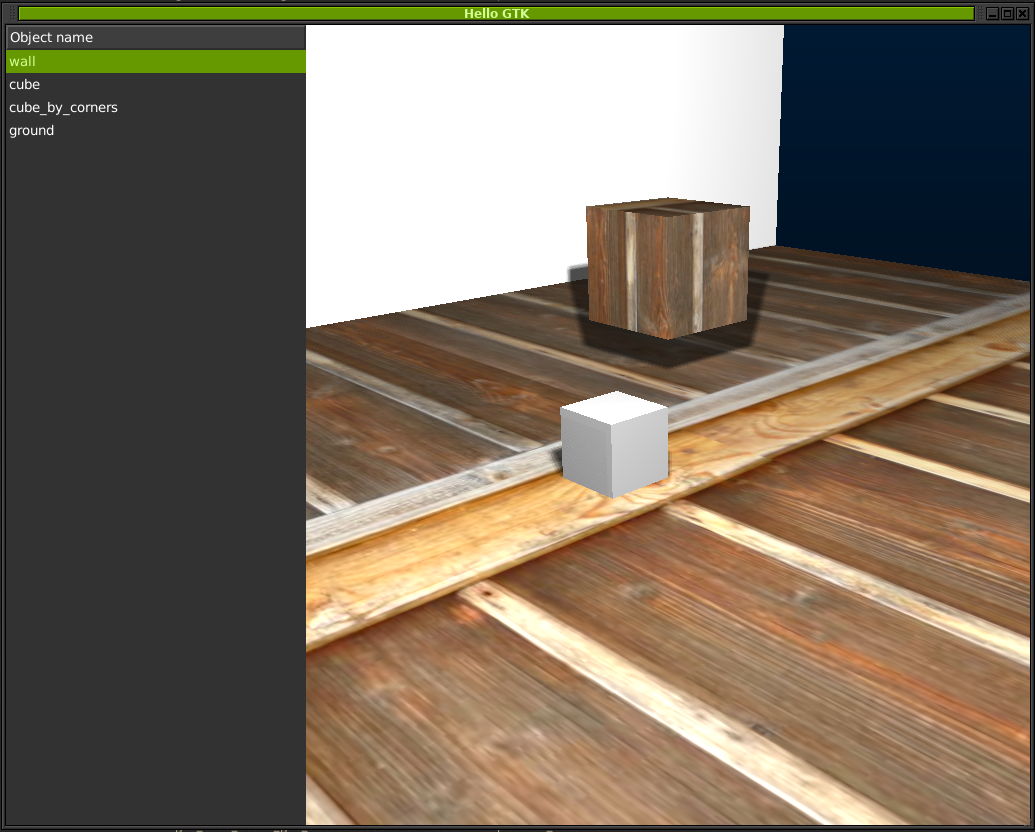 + +You need to [install Python GTK3 Bindings](https://pygobject.readthedocs.io/en/latest/getting_started.html). + +#### AWP3D Format and Exporter + +AWP3D is simply a ZIP file with every frame as Wavefront object. To export your animated +Blender objects, you can use the exporter add-on here: + +[https://github.com/sinanislekdemir/payton/tree/master/plugins/Blender%202.8-2.9](https://github.com/sinanislekdemir/payton/tree/master/plugins/Blender%202.8-2.9) + +#### Using Payton with Anaconda + +As of version `0.0.10`, Payton is installable on Anaconda. From Anaconda Prompt: + +```bash +pip install payton +``` + +Is sufficient to install Payton and it's dependencies on Anaconda. + +Payton will be available to use with Spyder or JupyterLab on local. + + + +### Upgrade to the latest version: + +Payton is under active maintenance. This means I am spending some time to fix the bugs or make it better. So you might want to upgrade it occasionally. + + pip3 install payton --upgrade + +should do the trick! + +## Getting Started + +### Your first code + +```python +from payton.scene import Scene + +scene = Scene() +scene.run() +``` + +This will create your first empty scene and show it inside an SDL window. + +## Controls + +| Key / Action | Description | +| --- | --- | +| Mouse Wheel | Zoom In - Zoom Out| +| Right Mouse Button Drag | Rotate Scene | +| Middle Mouse Button Drag | Pan Scene | +| Escape | Quit Simulation | +| C | Change Camera Mode (Perspective / Orthographic) | +| Space | UnPause / Pause Scene Clocks | +| G | Show / Hide Grid | +| W | Change Display Mode (Solid / Wireframe / Points) | +| F2 | Previous Camera | +| F3 | Next Camera | +| H | Open / Close Help Window | + +## Environment variables + +Some options can be configured from the environment variables. + +- `SDL_WINDOW_WIDTH`: Set window width. +- `SDL_WINDOW_HEIGHT`: Set window height. +- `GL_MULTISAMPLEBUFFERES`: Set OpenGL multisample buffer count for antialiasing. (usually 1 or 2) +- `GL_MULTISAMPLESAMPLES`: Set OpenGL multisample sampling count for antialiasing. (usually 1-16) + +Without `GL_MULTISAMPLEBUFFERS` AND `GL_MULTISAMPLESAMPLES`, you may notice pixelated graphics. There is no default set for those values because they can vary between graphic cards. + +## Examples + +Personally, I don’t really read the long descriptive documentation unless necessary. I like things simple and self-explaining. Therefore, instead of writing long documentations, I write simple examples to use each feature of Payton without digging much into the internals. + +Examples can be downloaded from [Payton Github Page](https://github.com/sinanislekdemir/payton/tree/master/examples). + +You can either download the whole repository [as a zip file](https://github.com/sinanislekdemir/payton/archive/master.zip) or you can just `git clone` it. + +*Tested in Windows 10 Paperspace, seems to be working as expected* + + +*Supports pyBullet solid geometry physics* +[](https://www.youtube.com/watch?v=Zt2vnUMLYVs) + +## Example Index + +* Basic Examples + * [Scene](https://github.com/sinanislekdemir/payton/blob/master/examples/basics/01_scene.py) + * Objects + * [Adding a cube](https://github.com/sinanislekdemir/payton/blob/master/examples/basics/02_cube.py) + * [Adding multiple cubes](https://github.com/sinanislekdemir/payton/blob/master/examples/basics/03_cubes.py) + * [Object parent-child relations](https://github.com/sinanislekdemir/payton/blob/master/examples/basics/05_children.py) + * [Cylinder object](https://github.com/sinanislekdemir/payton/blob/master/examples/basics/18_cylinder.py) + * [How to load complex triangular objects](https://github.com/sinanislekdemir/payton/blob/master/examples/basics/06_monkey.py) + * [Complex meshes](https://github.com/sinanislekdemir/payton/blob/master/examples/basics/09_mesh.py) + * [Point cloud](https://github.com/sinanislekdemir/payton/blob/master/examples/basics/11_point_cloud.py) + * [Particle System](https://github.com/sinanislekdemir/payton/blob/master/examples/basics/11_particle_system.py) + * [Plane Object](https://github.com/sinanislekdemir/payton/blob/master/examples/basics/13_plane.py) + * [Line object](https://github.com/sinanislekdemir/payton/blob/master/examples/basics/17_line.py) + * [Better Lines Example](https://github.com/sinanislekdemir/payton/blob/master/examples/basics/33_better_lines.py) + * [Mesh plane](https://github.com/sinanislekdemir/payton/blob/master/examples/basics/32_mesh_plane.py) + * [Quake 2 Objects](https://github.com/sinanislekdemir/payton/blob/master/examples/basics/26_quake2.py) + * [Ragdoll Object](https://github.com/sinanislekdemir/payton/blob/master/examples/basics/28_ragdoll.py) + * [How to use "clock"](https://github.com/sinanislekdemir/payton/blob/master/examples/basics/04_clock.py) + * [Object picking using mouse](https://github.com/sinanislekdemir/payton/blob/master/examples/basics/07_picking.py) + * [Load textures](https://github.com/sinanislekdemir/payton/blob/master/examples/basics/08_texture.py) + * [Vertex colors](https://github.com/sinanislekdemir/payton/blob/master/examples/basics/10_vertex_colors.py) + * Collision Detection + * [Simple example](https://github.com/sinanislekdemir/payton/blob/master/examples/basics/12_collision.py) + * [Complex example](https://github.com/sinanislekdemir/payton/blob/master/examples/basics/12_1_collision_detailed.py) + * Physics Engine + * [Cubes example](https://github.com/sinanislekdemir/payton/blob/master/examples/additional/01_bullet_hello.py) + * [Joint example](https://github.com/sinanislekdemir/payton/blob/master/examples/additional/02_joint_p2p.py) + * [GTK3 Python OpenGL Payton Integration](https://github.com/sinanislekdemir/payton/blob/master/examples/additional/03_gtk.py) + * [Rotating Objects](https://github.com/sinanislekdemir/payton/blob/master/examples/basics/14_rotate.py) + * [Graphical User Interface (GUI)](https://github.com/sinanislekdemir/payton/blob/master/examples/basics/15_gui.py) + * [Custom keyboard shortcuts](https://github.com/sinanislekdemir/payton/blob/master/examples/basics/16_keyboard.py) + * [Using multiple cameras](https://github.com/sinanislekdemir/payton/blob/master/examples/basics/19_multiple_cameras.py) + * [Changing background](https://github.com/sinanislekdemir/payton/blob/master/examples/basics/20_background.py) + * [Click plane (get cursor location in world coordinates)](https://github.com/sinanislekdemir/payton/blob/master/examples/basics/21_click_plane.py) + * [Using object motion history](https://github.com/sinanislekdemir/payton/blob/master/examples/basics/22_go_back.py) + * [Object Oriented Approach](https://github.com/sinanislekdemir/payton/blob/master/examples/basics/24_object_oriented.py) + * [Materials](https://github.com/sinanislekdemir/payton/blob/master/examples/basics/25_materials.py) + * [Exporting and importing your scene to json](https://github.com/sinanislekdemir/payton/blob/master/examples/basics/27_json.py) + * [Changing time of day](https://github.com/sinanislekdemir/payton/blob/master/examples/basics/29_day.py) + * [Near and Far Planes](https://github.com/sinanislekdemir/payton/blob/master/examples/basics/30_near_far_plane.py) + * [Spotlight Example](https://github.com/sinanislekdemir/payton/blob/master/examples/basics/31_spotlight.py) + * [Mesh Plane Example](https://github.com/sinanislekdemir/payton/blob/master/examples/basics/32_mesh_playne.py) + * [AWP3D Example](https://github.com/sinanislekdemir/payton/blob/master/examples/basics/34_awp3d.py) + * [AWP3D Example Ranges](https://github.com/sinanislekdemir/payton/blob/master/examples/basics/35_awp3d_range.py) +* Mid Level + * [Popping the baloons game](https://github.com/sinanislekdemir/payton/blob/master/examples/mid-level/balloon.py) + * [Build mesh using heightmap](https://github.com/sinanislekdemir/payton/blob/master/examples/mid-level/engrave.py) + * [Fetch Instagram Images and build 3D Wall](https://github.com/sinanislekdemir/payton/blob/master/examples/mid-level/instagram.py) + * [A bit more complex Quake Example](https://github.com/sinanislekdemir/payton/blob/master/examples/mid-level/quake2.py) + * [Ripple Example (Mesh Grid)](https://github.com/sinanislekdemir/payton/blob/master/examples/mid-level/ripple.py) + * [RPG-like Controls](https://github.com/sinanislekdemir/payton/blob/master/examples/mid-level/rpg.py) + * [Custom Shader](https://github.com/sinanislekdemir/payton/blob/master/examples/mid-level/shader.py) +* High Level + * Multiplayer + * [Server backend for a multiplayer game](https://github.com/sinanislekdemir/payton/blob/master/examples/high-level/multiplayer/server.py) + * [3D Blocks building game multiplayer](https://github.com/sinanislekdemir/payton/blob/master/examples/high-level/multiplayer/client3D.py) + +## Contribution + +* Please keep using type hints in the main library. +* Type hinting can be ignored for examples. +* Example codes should be plain and simple. +* Every new features should include sensible defaults. + * Nothing should be too verbose to use. +* Make sure that `make check` is clear before pushing your code. +* Running `isort .` is not mandatory but highly encouraged. +* Ever new feature should have an example code. +* There is a reason why some methods are longer than they should and complex. + * To reduce code jumps and stack switches. + * To run faster. + +## Screenshots and Videos + +[](https://www.youtube.com/watch?v=bKQ9G1J5JYM) + +[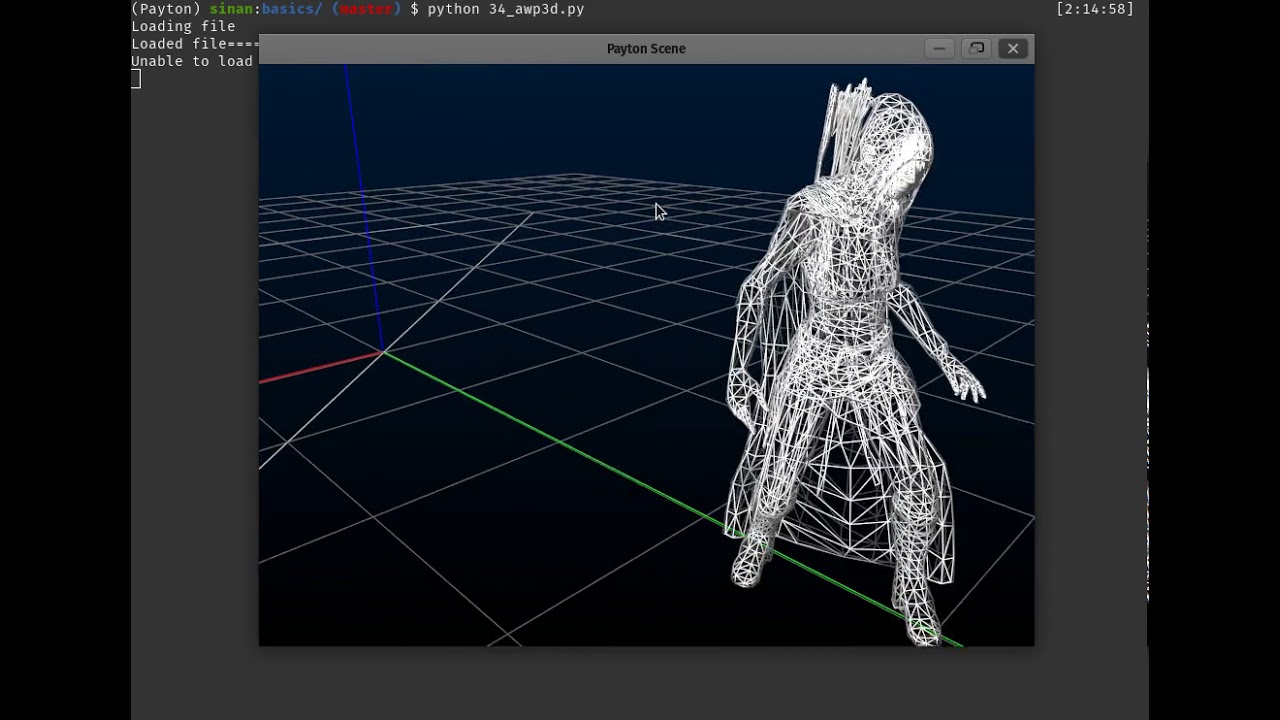](https://www.youtube.com/watch?v=3ATRVLNuCew) + +## Examples Showcase: + +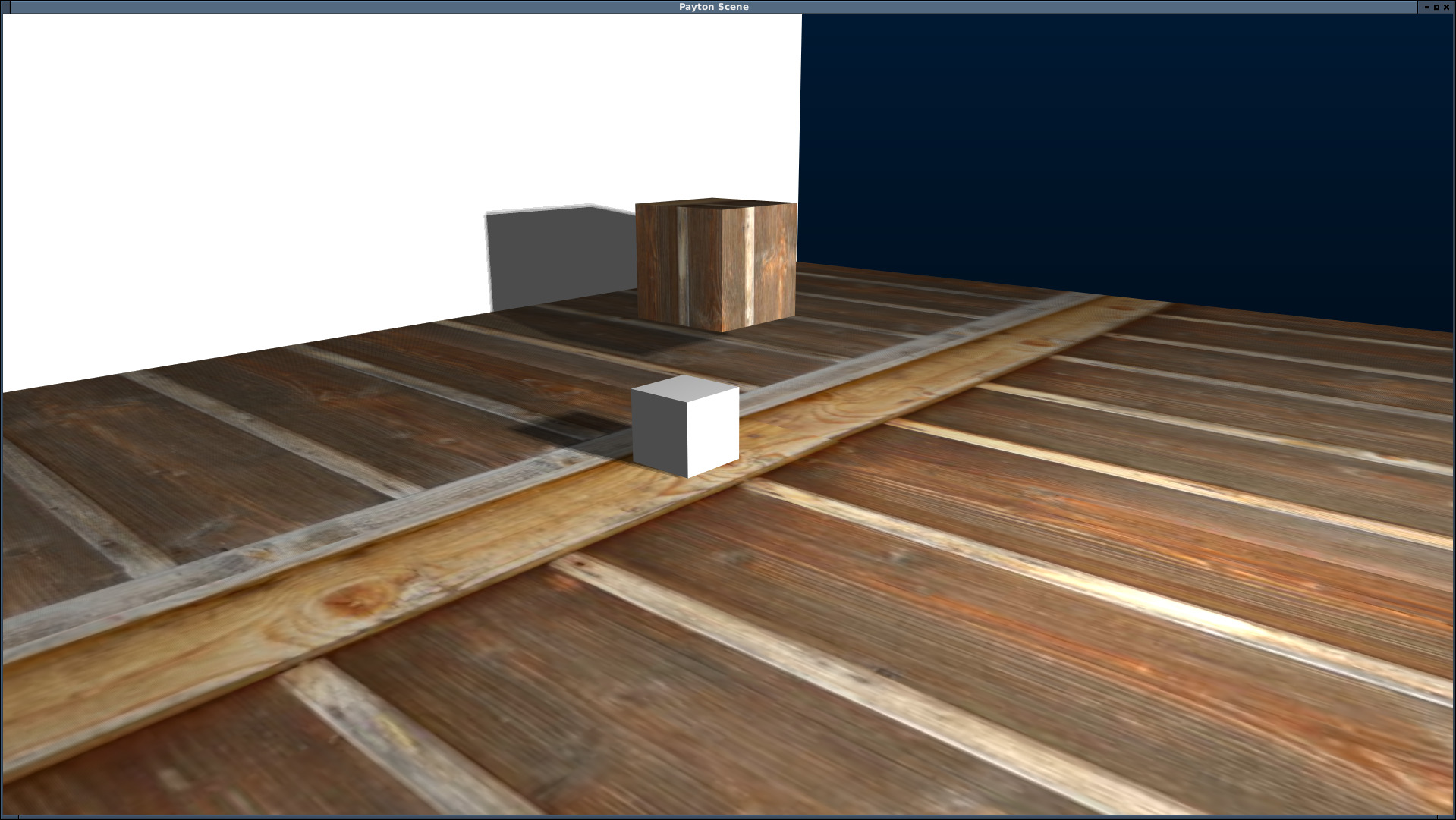 + + + + + + + + +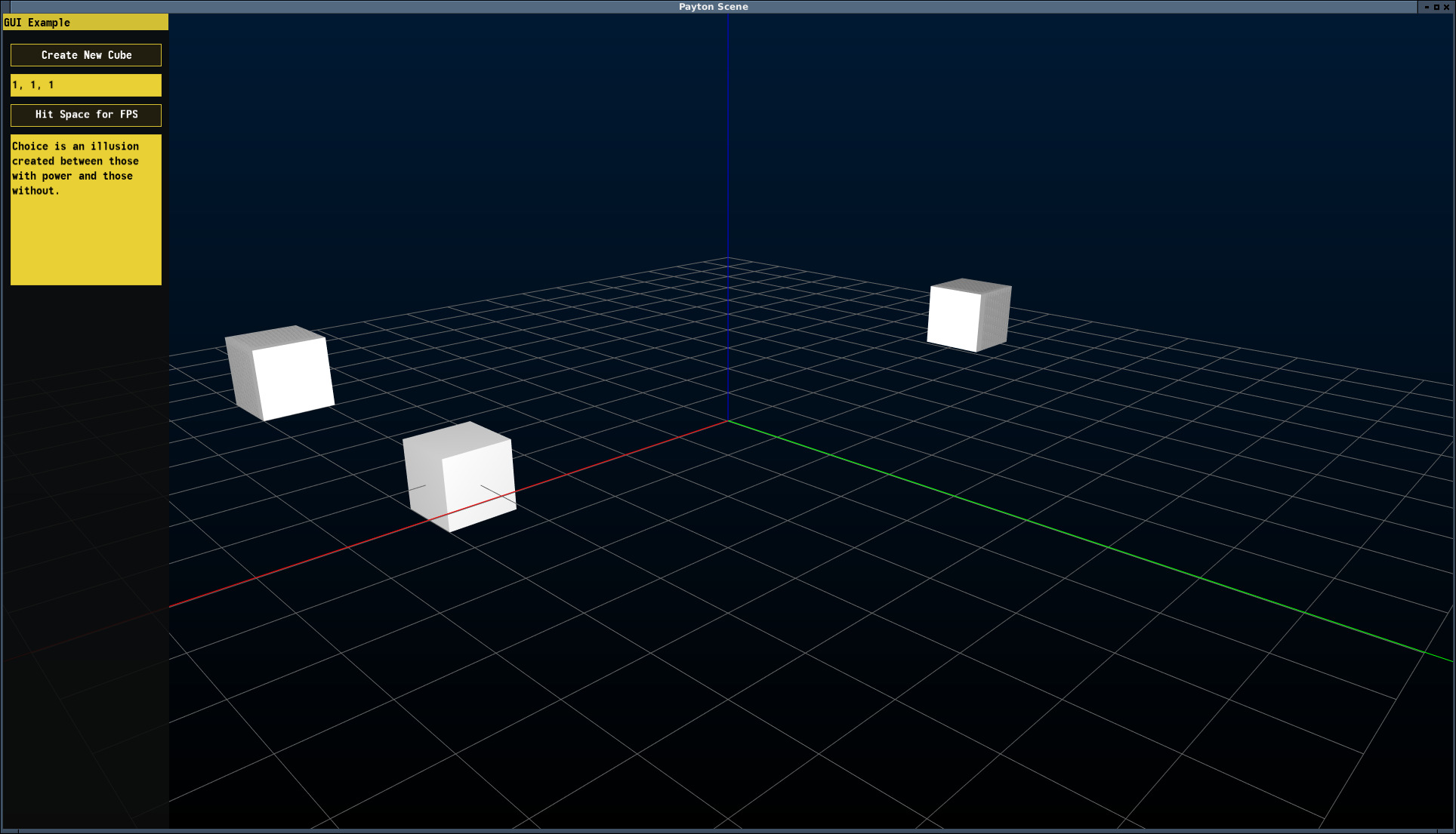 + +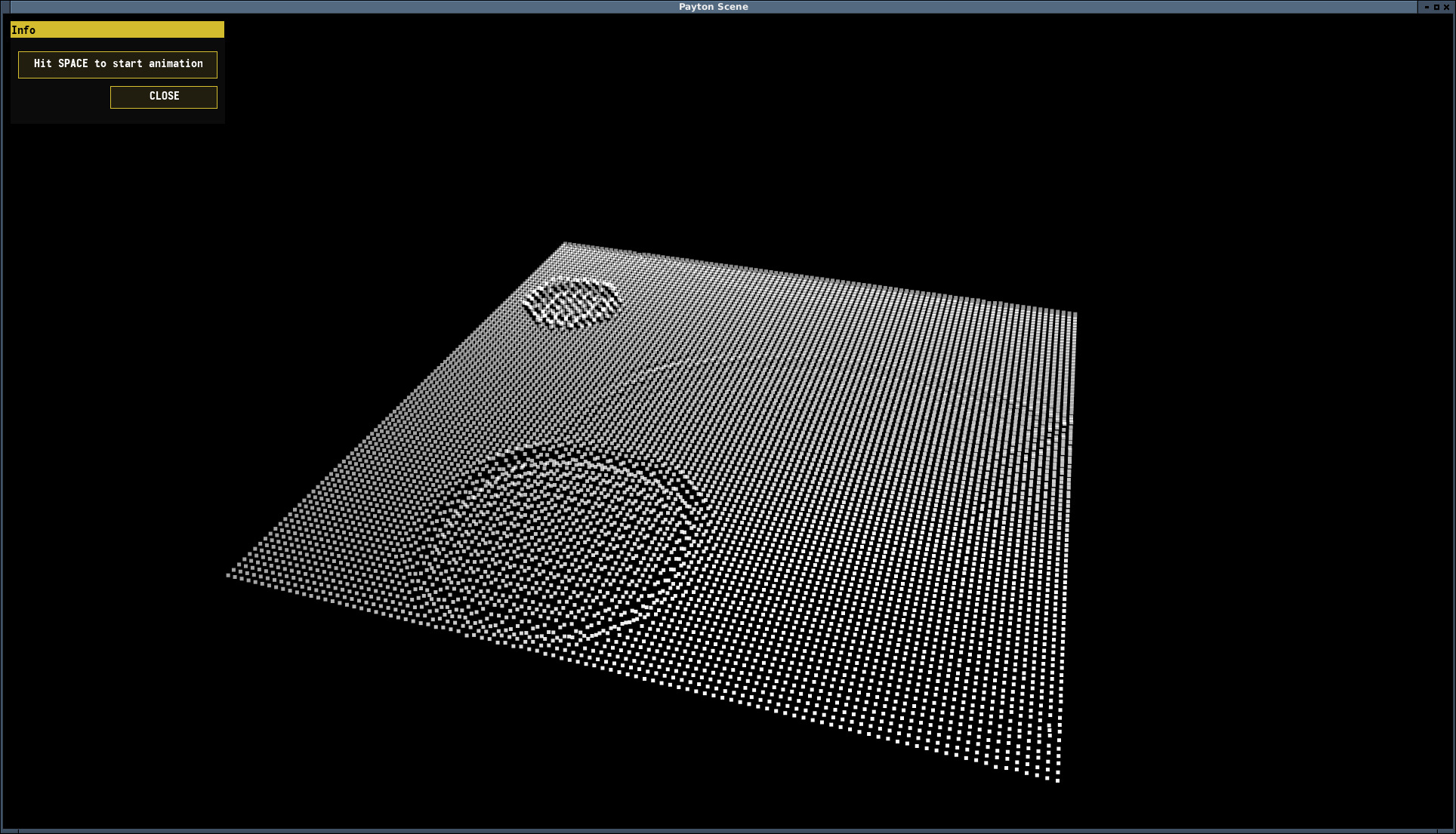 + + +## Some free-thoughts and decisions: + +I've choosen to use `List[float]` type for Vectors because: + +* I needed something mutable. Otherwise, the number of memory copy and swaps would be too much. So, I've crossed out `Tuple` and `NamedTuple`. +* `dataclass` has an overhead to convert to C-type floats and arrays in memory. + +So, to gain some performance, I have created the main library with a risk of non-strict vector lengths. + + +%package -n python3-Payton +Summary: "3D Graphics Programming Toolkit" +Provides: python-Payton +BuildRequires: python3-devel +BuildRequires: python3-setuptools +BuildRequires: python3-pip +%description -n python3-Payton +# Payton 3D SDK + + +[](https://pepy.tech/project/payton) +[](https://pepy.tech/project/payton) + +Payton is a general-purpose 3D Software Development Kit. Simply, a 3D Programming Playground! + +* Payton is a playground. Kickstart any idea fast and easy, grow it. +* Create tools for the next step. Create map editors, small animations, small + algorithms or artificial intelligence for your game. Whenever you need to try a new idea, don't + bother to create a new application with all the details. Payton comes with all the necessary + defaults and that is what makes it unique. Almost everything has a pre-set. +* Game engines and other libraries are way too complex and it takes a long time + to start the initial playground. +* Payton never intends to take place as a game engine or a full-featured 3D + environment. There is already plenty of stuff for that purpose. +* Tools programming is easy. +* Easy to visualize what you want to achieve or do what you want to do. +* You can move forward from Payton to any other place if you like. + +We draw 2D graphs and charts in reports and we generally understand much more +easily when we visualize the data. But in some cases, visualizing exceeds 2 +dimensions. We require to have third and even fourth dimensions. (And on top of +those, the definition of the fourth dimension as time can get foggy in terms of +relativity.) + +Payton gives you the ability to extend your graphics into 4 dimensions. It is not +software but a software development toolkit/library built with Python. +This will give users the ability to read real-time data from sensors, cameras or +any other data sources in realtime and visualize them in real-time. The data source +can be a thermometer, a random number generator, a toy car connected to a speed +sensor, a map, a vehicle port or anything that generates time-based 3D data. +Furthermore, it can be a time-based formula. As this can get too complex, +software with that complexity will probably be too hard to use and understand +where Payton is designed to be as simple as it can be. So easy to program that +a newbie can kick-start it just by following the tutorials. + +## Contents of this Document: + +- [Payton 3D SDK](#payton-3d-sdk) + - [Contents of this Document:](#contents-of-this-document) + - [Features:](#features) + - [Install](#install) + - [Requirements:](#requirements) + - [Install using Pip:](#install-using-pip) + - [AWP3D Format and Exporter](#awp3d-format-and-exporter) + - [Using Payton with Anaconda](#using-payton-with-anaconda) + - [Upgrade to the latest version:](#upgrade-to-the-latest-version) + - [Getting Started](#getting-started) + - [Your first code](#your-first-code) + - [Controls](#controls) + - [Examples](#examples) + - [Example Index](#example-index) + - [Contribution](#contribution) + - [Screenshots and Videos](#screenshots-and-videos) + - [Some free-thoughts and decisions:](#some-free-thoughts-and-decisions) + + +## Features: + +* 3D Math Library +* Various base geometries: + * Cube + * Cylinder + * Triangular Mesh + * Plane + * Lines + * Particle System + * Sphere + * Dynamic Grid +* Clean default scene. +* Pre-defined keyboard-mouse and camera controls +* Pre-defined environment +* Clock system for parallel tasks and time based operations +* Simple collision detection +* Optional Physics Engine + * Basic support for Bullet Physics. _to be extended_ +* Extendable controllers +* Pre-defined lighting with shadows. +* Material support +* Clickable objects and virtual planes +* Shader support +* Basic GUI Support + * Window + * Panel + * Button + * EditBox (Multi-line support) +* 3D File formats: + * AWP3D Animated High-Poly 3D Object + * Wavefront OBJ + * Quake 2 MD2 with Animations +* Mesh Generation Tools + * Extrude Line in 3D + * Rotate Line around an axis in 3D + * Fill between lines +* Mesh modifiers: + * Merge Mesh + * Subdivide Mesh +* Extensive examples for every feature + + +## Install + +### Requirements: + +- LibSDL2 `sudo apt install libsdl2-dev` for debian/ubuntu based linux distros. For other platforms, you can see your favourite package manager. +- imagemagick `sudo apt install imagemagick` for debian/ubuntu based linux distros. For other platforms, you can see your favourite package manager. +- Python 3.7+ +- A Graphics card that supports OpenGL 3.3+ + +### Install using Pip: + +From a bash terminal: +```bash +pip3 install payton +``` + +This should install all dependencies. If you get any permission errors, you are probably installing the library to system-global so missing some permissions. If you do not want to use pipenv or virtualenv, then you might want to run above command as `sudo pip3 install payton` + +### Optional Bullet Physics Integration + +Payton supports Bullet Physics at a basic level for solid geometries. + +```bash +pip3 install pybullet +``` + +Once bullet physics is successfully installed in the same environment as Payton, it will automatically be activated and you will be able to use basic properties of it. +Check out the relevant examples. + +### Optional GTK3 Integration + +Instead of SDL2, you can use GTK3 (along with all nice GTK3 widgets) with Payton. + + +You need to [install Python GTK3 Bindings](https://pygobject.readthedocs.io/en/latest/getting_started.html). + +#### AWP3D Format and Exporter + +AWP3D is simply a ZIP file with every frame as Wavefront object. To export your animated +Blender objects, you can use the exporter add-on here: + +[https://github.com/sinanislekdemir/payton/tree/master/plugins/Blender%202.8-2.9](https://github.com/sinanislekdemir/payton/tree/master/plugins/Blender%202.8-2.9) + +#### Using Payton with Anaconda + +As of version `0.0.10`, Payton is installable on Anaconda. From Anaconda Prompt: + +```bash +pip install payton +``` + +Is sufficient to install Payton and it's dependencies on Anaconda. + +Payton will be available to use with Spyder or JupyterLab on local. + + + +### Upgrade to the latest version: + +Payton is under active maintenance. This means I am spending some time to fix the bugs or make it better. So you might want to upgrade it occasionally. + + pip3 install payton --upgrade + +should do the trick! + +## Getting Started + +### Your first code + +```python +from payton.scene import Scene + +scene = Scene() +scene.run() +``` + +This will create your first empty scene and show it inside an SDL window. + +## Controls + +| Key / Action | Description | +| --- | --- | +| Mouse Wheel | Zoom In - Zoom Out| +| Right Mouse Button Drag | Rotate Scene | +| Middle Mouse Button Drag | Pan Scene | +| Escape | Quit Simulation | +| C | Change Camera Mode (Perspective / Orthographic) | +| Space | UnPause / Pause Scene Clocks | +| G | Show / Hide Grid | +| W | Change Display Mode (Solid / Wireframe / Points) | +| F2 | Previous Camera | +| F3 | Next Camera | +| H | Open / Close Help Window | + +## Environment variables + +Some options can be configured from the environment variables. + +- `SDL_WINDOW_WIDTH`: Set window width. +- `SDL_WINDOW_HEIGHT`: Set window height. +- `GL_MULTISAMPLEBUFFERES`: Set OpenGL multisample buffer count for antialiasing. (usually 1 or 2) +- `GL_MULTISAMPLESAMPLES`: Set OpenGL multisample sampling count for antialiasing. (usually 1-16) + +Without `GL_MULTISAMPLEBUFFERS` AND `GL_MULTISAMPLESAMPLES`, you may notice pixelated graphics. There is no default set for those values because they can vary between graphic cards. + +## Examples + +Personally, I don’t really read the long descriptive documentation unless necessary. I like things simple and self-explaining. Therefore, instead of writing long documentations, I write simple examples to use each feature of Payton without digging much into the internals. + +Examples can be downloaded from [Payton Github Page](https://github.com/sinanislekdemir/payton/tree/master/examples). + +You can either download the whole repository [as a zip file](https://github.com/sinanislekdemir/payton/archive/master.zip) or you can just `git clone` it. + +*Tested in Windows 10 Paperspace, seems to be working as expected* + + +*Supports pyBullet solid geometry physics* +[](https://www.youtube.com/watch?v=Zt2vnUMLYVs) + +## Example Index + +* Basic Examples + * [Scene](https://github.com/sinanislekdemir/payton/blob/master/examples/basics/01_scene.py) + * Objects + * [Adding a cube](https://github.com/sinanislekdemir/payton/blob/master/examples/basics/02_cube.py) + * [Adding multiple cubes](https://github.com/sinanislekdemir/payton/blob/master/examples/basics/03_cubes.py) + * [Object parent-child relations](https://github.com/sinanislekdemir/payton/blob/master/examples/basics/05_children.py) + * [Cylinder object](https://github.com/sinanislekdemir/payton/blob/master/examples/basics/18_cylinder.py) + * [How to load complex triangular objects](https://github.com/sinanislekdemir/payton/blob/master/examples/basics/06_monkey.py) + * [Complex meshes](https://github.com/sinanislekdemir/payton/blob/master/examples/basics/09_mesh.py) + * [Point cloud](https://github.com/sinanislekdemir/payton/blob/master/examples/basics/11_point_cloud.py) + * [Particle System](https://github.com/sinanislekdemir/payton/blob/master/examples/basics/11_particle_system.py) + * [Plane Object](https://github.com/sinanislekdemir/payton/blob/master/examples/basics/13_plane.py) + * [Line object](https://github.com/sinanislekdemir/payton/blob/master/examples/basics/17_line.py) + * [Better Lines Example](https://github.com/sinanislekdemir/payton/blob/master/examples/basics/33_better_lines.py) + * [Mesh plane](https://github.com/sinanislekdemir/payton/blob/master/examples/basics/32_mesh_plane.py) + * [Quake 2 Objects](https://github.com/sinanislekdemir/payton/blob/master/examples/basics/26_quake2.py) + * [Ragdoll Object](https://github.com/sinanislekdemir/payton/blob/master/examples/basics/28_ragdoll.py) + * [How to use "clock"](https://github.com/sinanislekdemir/payton/blob/master/examples/basics/04_clock.py) + * [Object picking using mouse](https://github.com/sinanislekdemir/payton/blob/master/examples/basics/07_picking.py) + * [Load textures](https://github.com/sinanislekdemir/payton/blob/master/examples/basics/08_texture.py) + * [Vertex colors](https://github.com/sinanislekdemir/payton/blob/master/examples/basics/10_vertex_colors.py) + * Collision Detection + * [Simple example](https://github.com/sinanislekdemir/payton/blob/master/examples/basics/12_collision.py) + * [Complex example](https://github.com/sinanislekdemir/payton/blob/master/examples/basics/12_1_collision_detailed.py) + * Physics Engine + * [Cubes example](https://github.com/sinanislekdemir/payton/blob/master/examples/additional/01_bullet_hello.py) + * [Joint example](https://github.com/sinanislekdemir/payton/blob/master/examples/additional/02_joint_p2p.py) + * [GTK3 Python OpenGL Payton Integration](https://github.com/sinanislekdemir/payton/blob/master/examples/additional/03_gtk.py) + * [Rotating Objects](https://github.com/sinanislekdemir/payton/blob/master/examples/basics/14_rotate.py) + * [Graphical User Interface (GUI)](https://github.com/sinanislekdemir/payton/blob/master/examples/basics/15_gui.py) + * [Custom keyboard shortcuts](https://github.com/sinanislekdemir/payton/blob/master/examples/basics/16_keyboard.py) + * [Using multiple cameras](https://github.com/sinanislekdemir/payton/blob/master/examples/basics/19_multiple_cameras.py) + * [Changing background](https://github.com/sinanislekdemir/payton/blob/master/examples/basics/20_background.py) + * [Click plane (get cursor location in world coordinates)](https://github.com/sinanislekdemir/payton/blob/master/examples/basics/21_click_plane.py) + * [Using object motion history](https://github.com/sinanislekdemir/payton/blob/master/examples/basics/22_go_back.py) + * [Object Oriented Approach](https://github.com/sinanislekdemir/payton/blob/master/examples/basics/24_object_oriented.py) + * [Materials](https://github.com/sinanislekdemir/payton/blob/master/examples/basics/25_materials.py) + * [Exporting and importing your scene to json](https://github.com/sinanislekdemir/payton/blob/master/examples/basics/27_json.py) + * [Changing time of day](https://github.com/sinanislekdemir/payton/blob/master/examples/basics/29_day.py) + * [Near and Far Planes](https://github.com/sinanislekdemir/payton/blob/master/examples/basics/30_near_far_plane.py) + * [Spotlight Example](https://github.com/sinanislekdemir/payton/blob/master/examples/basics/31_spotlight.py) + * [Mesh Plane Example](https://github.com/sinanislekdemir/payton/blob/master/examples/basics/32_mesh_playne.py) + * [AWP3D Example](https://github.com/sinanislekdemir/payton/blob/master/examples/basics/34_awp3d.py) + * [AWP3D Example Ranges](https://github.com/sinanislekdemir/payton/blob/master/examples/basics/35_awp3d_range.py) +* Mid Level + * [Popping the baloons game](https://github.com/sinanislekdemir/payton/blob/master/examples/mid-level/balloon.py) + * [Build mesh using heightmap](https://github.com/sinanislekdemir/payton/blob/master/examples/mid-level/engrave.py) + * [Fetch Instagram Images and build 3D Wall](https://github.com/sinanislekdemir/payton/blob/master/examples/mid-level/instagram.py) + * [A bit more complex Quake Example](https://github.com/sinanislekdemir/payton/blob/master/examples/mid-level/quake2.py) + * [Ripple Example (Mesh Grid)](https://github.com/sinanislekdemir/payton/blob/master/examples/mid-level/ripple.py) + * [RPG-like Controls](https://github.com/sinanislekdemir/payton/blob/master/examples/mid-level/rpg.py) + * [Custom Shader](https://github.com/sinanislekdemir/payton/blob/master/examples/mid-level/shader.py) +* High Level + * Multiplayer + * [Server backend for a multiplayer game](https://github.com/sinanislekdemir/payton/blob/master/examples/high-level/multiplayer/server.py) + * [3D Blocks building game multiplayer](https://github.com/sinanislekdemir/payton/blob/master/examples/high-level/multiplayer/client3D.py) + +## Contribution + +* Please keep using type hints in the main library. +* Type hinting can be ignored for examples. +* Example codes should be plain and simple. +* Every new features should include sensible defaults. + * Nothing should be too verbose to use. +* Make sure that `make check` is clear before pushing your code. +* Running `isort .` is not mandatory but highly encouraged. +* Ever new feature should have an example code. +* There is a reason why some methods are longer than they should and complex. + * To reduce code jumps and stack switches. + * To run faster. + +## Screenshots and Videos + +[](https://www.youtube.com/watch?v=bKQ9G1J5JYM) + +[](https://www.youtube.com/watch?v=3ATRVLNuCew) + +## Examples Showcase: + + + + + + + + + + + + + + + +## Some free-thoughts and decisions: + +I've choosen to use `List[float]` type for Vectors because: + +* I needed something mutable. Otherwise, the number of memory copy and swaps would be too much. So, I've crossed out `Tuple` and `NamedTuple`. +* `dataclass` has an overhead to convert to C-type floats and arrays in memory. + +So, to gain some performance, I have created the main library with a risk of non-strict vector lengths. + + +%package help +Summary: Development documents and examples for Payton +Provides: python3-Payton-doc +%description help +# Payton 3D SDK + + +[](https://pepy.tech/project/payton) +[](https://pepy.tech/project/payton) + +Payton is a general-purpose 3D Software Development Kit. Simply, a 3D Programming Playground! + +* Payton is a playground. Kickstart any idea fast and easy, grow it. +* Create tools for the next step. Create map editors, small animations, small + algorithms or artificial intelligence for your game. Whenever you need to try a new idea, don't + bother to create a new application with all the details. Payton comes with all the necessary + defaults and that is what makes it unique. Almost everything has a pre-set. +* Game engines and other libraries are way too complex and it takes a long time + to start the initial playground. +* Payton never intends to take place as a game engine or a full-featured 3D + environment. There is already plenty of stuff for that purpose. +* Tools programming is easy. +* Easy to visualize what you want to achieve or do what you want to do. +* You can move forward from Payton to any other place if you like. + +We draw 2D graphs and charts in reports and we generally understand much more +easily when we visualize the data. But in some cases, visualizing exceeds 2 +dimensions. We require to have third and even fourth dimensions. (And on top of +those, the definition of the fourth dimension as time can get foggy in terms of +relativity.) + +Payton gives you the ability to extend your graphics into 4 dimensions. It is not +software but a software development toolkit/library built with Python. +This will give users the ability to read real-time data from sensors, cameras or +any other data sources in realtime and visualize them in real-time. The data source +can be a thermometer, a random number generator, a toy car connected to a speed +sensor, a map, a vehicle port or anything that generates time-based 3D data. +Furthermore, it can be a time-based formula. As this can get too complex, +software with that complexity will probably be too hard to use and understand +where Payton is designed to be as simple as it can be. So easy to program that +a newbie can kick-start it just by following the tutorials. + +## Contents of this Document: + +- [Payton 3D SDK](#payton-3d-sdk) + - [Contents of this Document:](#contents-of-this-document) + - [Features:](#features) + - [Install](#install) + - [Requirements:](#requirements) + - [Install using Pip:](#install-using-pip) + - [AWP3D Format and Exporter](#awp3d-format-and-exporter) + - [Using Payton with Anaconda](#using-payton-with-anaconda) + - [Upgrade to the latest version:](#upgrade-to-the-latest-version) + - [Getting Started](#getting-started) + - [Your first code](#your-first-code) + - [Controls](#controls) + - [Examples](#examples) + - [Example Index](#example-index) + - [Contribution](#contribution) + - [Screenshots and Videos](#screenshots-and-videos) + - [Some free-thoughts and decisions:](#some-free-thoughts-and-decisions) + + +## Features: + +* 3D Math Library +* Various base geometries: + * Cube + * Cylinder + * Triangular Mesh + * Plane + * Lines + * Particle System + * Sphere + * Dynamic Grid +* Clean default scene. +* Pre-defined keyboard-mouse and camera controls +* Pre-defined environment +* Clock system for parallel tasks and time based operations +* Simple collision detection +* Optional Physics Engine + * Basic support for Bullet Physics. _to be extended_ +* Extendable controllers +* Pre-defined lighting with shadows. +* Material support +* Clickable objects and virtual planes +* Shader support +* Basic GUI Support + * Window + * Panel + * Button + * EditBox (Multi-line support) +* 3D File formats: + * AWP3D Animated High-Poly 3D Object + * Wavefront OBJ + * Quake 2 MD2 with Animations +* Mesh Generation Tools + * Extrude Line in 3D + * Rotate Line around an axis in 3D + * Fill between lines +* Mesh modifiers: + * Merge Mesh + * Subdivide Mesh +* Extensive examples for every feature + + +## Install + +### Requirements: + +- LibSDL2 `sudo apt install libsdl2-dev` for debian/ubuntu based linux distros. For other platforms, you can see your favourite package manager. +- imagemagick `sudo apt install imagemagick` for debian/ubuntu based linux distros. For other platforms, you can see your favourite package manager. +- Python 3.7+ +- A Graphics card that supports OpenGL 3.3+ + +### Install using Pip: + +From a bash terminal: +```bash +pip3 install payton +``` + +This should install all dependencies. If you get any permission errors, you are probably installing the library to system-global so missing some permissions. If you do not want to use pipenv or virtualenv, then you might want to run above command as `sudo pip3 install payton` + +### Optional Bullet Physics Integration + +Payton supports Bullet Physics at a basic level for solid geometries. + +```bash +pip3 install pybullet +``` + +Once bullet physics is successfully installed in the same environment as Payton, it will automatically be activated and you will be able to use basic properties of it. +Check out the relevant examples. + +### Optional GTK3 Integration + +Instead of SDL2, you can use GTK3 (along with all nice GTK3 widgets) with Payton. + + +You need to [install Python GTK3 Bindings](https://pygobject.readthedocs.io/en/latest/getting_started.html). + +#### AWP3D Format and Exporter + +AWP3D is simply a ZIP file with every frame as Wavefront object. To export your animated +Blender objects, you can use the exporter add-on here: + +[https://github.com/sinanislekdemir/payton/tree/master/plugins/Blender%202.8-2.9](https://github.com/sinanislekdemir/payton/tree/master/plugins/Blender%202.8-2.9) + +#### Using Payton with Anaconda + +As of version `0.0.10`, Payton is installable on Anaconda. From Anaconda Prompt: + +```bash +pip install payton +``` + +Is sufficient to install Payton and it's dependencies on Anaconda. + +Payton will be available to use with Spyder or JupyterLab on local. + + + +### Upgrade to the latest version: + +Payton is under active maintenance. This means I am spending some time to fix the bugs or make it better. So you might want to upgrade it occasionally. + + pip3 install payton --upgrade + +should do the trick! + +## Getting Started + +### Your first code + +```python +from payton.scene import Scene + +scene = Scene() +scene.run() +``` + +This will create your first empty scene and show it inside an SDL window. + +## Controls + +| Key / Action | Description | +| --- | --- | +| Mouse Wheel | Zoom In - Zoom Out| +| Right Mouse Button Drag | Rotate Scene | +| Middle Mouse Button Drag | Pan Scene | +| Escape | Quit Simulation | +| C | Change Camera Mode (Perspective / Orthographic) | +| Space | UnPause / Pause Scene Clocks | +| G | Show / Hide Grid | +| W | Change Display Mode (Solid / Wireframe / Points) | +| F2 | Previous Camera | +| F3 | Next Camera | +| H | Open / Close Help Window | + +## Environment variables + +Some options can be configured from the environment variables. + +- `SDL_WINDOW_WIDTH`: Set window width. +- `SDL_WINDOW_HEIGHT`: Set window height. +- `GL_MULTISAMPLEBUFFERES`: Set OpenGL multisample buffer count for antialiasing. (usually 1 or 2) +- `GL_MULTISAMPLESAMPLES`: Set OpenGL multisample sampling count for antialiasing. (usually 1-16) + +Without `GL_MULTISAMPLEBUFFERS` AND `GL_MULTISAMPLESAMPLES`, you may notice pixelated graphics. There is no default set for those values because they can vary between graphic cards. + +## Examples + +Personally, I don’t really read the long descriptive documentation unless necessary. I like things simple and self-explaining. Therefore, instead of writing long documentations, I write simple examples to use each feature of Payton without digging much into the internals. + +Examples can be downloaded from [Payton Github Page](https://github.com/sinanislekdemir/payton/tree/master/examples). + +You can either download the whole repository [as a zip file](https://github.com/sinanislekdemir/payton/archive/master.zip) or you can just `git clone` it. + +*Tested in Windows 10 Paperspace, seems to be working as expected* + + +*Supports pyBullet solid geometry physics* +[](https://www.youtube.com/watch?v=Zt2vnUMLYVs) + +## Example Index + +* Basic Examples + * [Scene](https://github.com/sinanislekdemir/payton/blob/master/examples/basics/01_scene.py) + * Objects + * [Adding a cube](https://github.com/sinanislekdemir/payton/blob/master/examples/basics/02_cube.py) + * [Adding multiple cubes](https://github.com/sinanislekdemir/payton/blob/master/examples/basics/03_cubes.py) + * [Object parent-child relations](https://github.com/sinanislekdemir/payton/blob/master/examples/basics/05_children.py) + * [Cylinder object](https://github.com/sinanislekdemir/payton/blob/master/examples/basics/18_cylinder.py) + * [How to load complex triangular objects](https://github.com/sinanislekdemir/payton/blob/master/examples/basics/06_monkey.py) + * [Complex meshes](https://github.com/sinanislekdemir/payton/blob/master/examples/basics/09_mesh.py) + * [Point cloud](https://github.com/sinanislekdemir/payton/blob/master/examples/basics/11_point_cloud.py) + * [Particle System](https://github.com/sinanislekdemir/payton/blob/master/examples/basics/11_particle_system.py) + * [Plane Object](https://github.com/sinanislekdemir/payton/blob/master/examples/basics/13_plane.py) + * [Line object](https://github.com/sinanislekdemir/payton/blob/master/examples/basics/17_line.py) + * [Better Lines Example](https://github.com/sinanislekdemir/payton/blob/master/examples/basics/33_better_lines.py) + * [Mesh plane](https://github.com/sinanislekdemir/payton/blob/master/examples/basics/32_mesh_plane.py) + * [Quake 2 Objects](https://github.com/sinanislekdemir/payton/blob/master/examples/basics/26_quake2.py) + * [Ragdoll Object](https://github.com/sinanislekdemir/payton/blob/master/examples/basics/28_ragdoll.py) + * [How to use "clock"](https://github.com/sinanislekdemir/payton/blob/master/examples/basics/04_clock.py) + * [Object picking using mouse](https://github.com/sinanislekdemir/payton/blob/master/examples/basics/07_picking.py) + * [Load textures](https://github.com/sinanislekdemir/payton/blob/master/examples/basics/08_texture.py) + * [Vertex colors](https://github.com/sinanislekdemir/payton/blob/master/examples/basics/10_vertex_colors.py) + * Collision Detection + * [Simple example](https://github.com/sinanislekdemir/payton/blob/master/examples/basics/12_collision.py) + * [Complex example](https://github.com/sinanislekdemir/payton/blob/master/examples/basics/12_1_collision_detailed.py) + * Physics Engine + * [Cubes example](https://github.com/sinanislekdemir/payton/blob/master/examples/additional/01_bullet_hello.py) + * [Joint example](https://github.com/sinanislekdemir/payton/blob/master/examples/additional/02_joint_p2p.py) + * [GTK3 Python OpenGL Payton Integration](https://github.com/sinanislekdemir/payton/blob/master/examples/additional/03_gtk.py) + * [Rotating Objects](https://github.com/sinanislekdemir/payton/blob/master/examples/basics/14_rotate.py) + * [Graphical User Interface (GUI)](https://github.com/sinanislekdemir/payton/blob/master/examples/basics/15_gui.py) + * [Custom keyboard shortcuts](https://github.com/sinanislekdemir/payton/blob/master/examples/basics/16_keyboard.py) + * [Using multiple cameras](https://github.com/sinanislekdemir/payton/blob/master/examples/basics/19_multiple_cameras.py) + * [Changing background](https://github.com/sinanislekdemir/payton/blob/master/examples/basics/20_background.py) + * [Click plane (get cursor location in world coordinates)](https://github.com/sinanislekdemir/payton/blob/master/examples/basics/21_click_plane.py) + * [Using object motion history](https://github.com/sinanislekdemir/payton/blob/master/examples/basics/22_go_back.py) + * [Object Oriented Approach](https://github.com/sinanislekdemir/payton/blob/master/examples/basics/24_object_oriented.py) + * [Materials](https://github.com/sinanislekdemir/payton/blob/master/examples/basics/25_materials.py) + * [Exporting and importing your scene to json](https://github.com/sinanislekdemir/payton/blob/master/examples/basics/27_json.py) + * [Changing time of day](https://github.com/sinanislekdemir/payton/blob/master/examples/basics/29_day.py) + * [Near and Far Planes](https://github.com/sinanislekdemir/payton/blob/master/examples/basics/30_near_far_plane.py) + * [Spotlight Example](https://github.com/sinanislekdemir/payton/blob/master/examples/basics/31_spotlight.py) + * [Mesh Plane Example](https://github.com/sinanislekdemir/payton/blob/master/examples/basics/32_mesh_playne.py) + * [AWP3D Example](https://github.com/sinanislekdemir/payton/blob/master/examples/basics/34_awp3d.py) + * [AWP3D Example Ranges](https://github.com/sinanislekdemir/payton/blob/master/examples/basics/35_awp3d_range.py) +* Mid Level + * [Popping the baloons game](https://github.com/sinanislekdemir/payton/blob/master/examples/mid-level/balloon.py) + * [Build mesh using heightmap](https://github.com/sinanislekdemir/payton/blob/master/examples/mid-level/engrave.py) + * [Fetch Instagram Images and build 3D Wall](https://github.com/sinanislekdemir/payton/blob/master/examples/mid-level/instagram.py) + * [A bit more complex Quake Example](https://github.com/sinanislekdemir/payton/blob/master/examples/mid-level/quake2.py) + * [Ripple Example (Mesh Grid)](https://github.com/sinanislekdemir/payton/blob/master/examples/mid-level/ripple.py) + * [RPG-like Controls](https://github.com/sinanislekdemir/payton/blob/master/examples/mid-level/rpg.py) + * [Custom Shader](https://github.com/sinanislekdemir/payton/blob/master/examples/mid-level/shader.py) +* High Level + * Multiplayer + * [Server backend for a multiplayer game](https://github.com/sinanislekdemir/payton/blob/master/examples/high-level/multiplayer/server.py) + * [3D Blocks building game multiplayer](https://github.com/sinanislekdemir/payton/blob/master/examples/high-level/multiplayer/client3D.py) + +## Contribution + +* Please keep using type hints in the main library. +* Type hinting can be ignored for examples. +* Example codes should be plain and simple. +* Every new features should include sensible defaults. + * Nothing should be too verbose to use. +* Make sure that `make check` is clear before pushing your code. +* Running `isort .` is not mandatory but highly encouraged. +* Ever new feature should have an example code. +* There is a reason why some methods are longer than they should and complex. + * To reduce code jumps and stack switches. + * To run faster. + +## Screenshots and Videos + +[](https://www.youtube.com/watch?v=bKQ9G1J5JYM) + +[](https://www.youtube.com/watch?v=3ATRVLNuCew) + +## Examples Showcase: + + + + + + + + + + + + + + + +## Some free-thoughts and decisions: + +I've choosen to use `List[float]` type for Vectors because: + +* I needed something mutable. Otherwise, the number of memory copy and swaps would be too much. So, I've crossed out `Tuple` and `NamedTuple`. +* `dataclass` has an overhead to convert to C-type floats and arrays in memory. + +So, to gain some performance, I have created the main library with a risk of non-strict vector lengths. + + +%prep +%autosetup -n Payton-1.1.8 + +%build +%py3_build + +%install +%py3_install +install -d -m755 %{buildroot}/%{_pkgdocdir} +if [ -d doc ]; then cp -arf doc %{buildroot}/%{_pkgdocdir}; fi +if [ -d docs ]; then cp -arf docs %{buildroot}/%{_pkgdocdir}; fi +if [ -d example ]; then cp -arf example %{buildroot}/%{_pkgdocdir}; fi +if [ -d examples ]; then cp -arf examples %{buildroot}/%{_pkgdocdir}; fi +pushd %{buildroot} +if [ -d usr/lib ]; then + find usr/lib -type f -printf "/%h/%f\n" >> filelist.lst +fi +if [ -d usr/lib64 ]; then + find usr/lib64 -type f -printf "/%h/%f\n" >> filelist.lst +fi +if [ -d usr/bin ]; then + find usr/bin -type f -printf "/%h/%f\n" >> filelist.lst +fi +if [ -d usr/sbin ]; then + find usr/sbin -type f -printf "/%h/%f\n" >> filelist.lst +fi +touch doclist.lst +if [ -d usr/share/man ]; then + find usr/share/man -type f -printf "/%h/%f.gz\n" >> doclist.lst +fi +popd +mv %{buildroot}/filelist.lst . +mv %{buildroot}/doclist.lst . + +%files -n python3-Payton -f filelist.lst +%dir %{python3_sitelib}/* + +%files help -f doclist.lst +%{_docdir}/* + +%changelog +* Fri May 05 2023 Python_Bot <Python_Bot@openeuler.org> - 1.1.8-1 +- Package Spec generated @@ -0,0 +1 @@ +479faf2a217ee0f9a98695a094f58a96 Payton-1.1.8.tar.gz |