
diff options
| author | CoprDistGit <infra@openeuler.org> | 2023-05-05 07:59:58 +0000 |
|---|---|---|
| committer | CoprDistGit <infra@openeuler.org> | 2023-05-05 07:59:58 +0000 |
| commit | c84cdb02f8bb6c061cf6c9d5676e5dc1fda05ac4 (patch) | |
| tree | e3206ae619ed390ab5d3997b59089e29d8a149ef | |
| parent | 9f4fc77e2f6d8d64f5f5a9bbf91a2cd817e7759d (diff) | |
automatic import of python-textualopeneuler20.03
| -rw-r--r-- | .gitignore | 1 | ||||
| -rw-r--r-- | python-textual.spec | 577 | ||||
| -rw-r--r-- | sources | 1 |
3 files changed, 579 insertions, 0 deletions
@@ -0,0 +1 @@ +/textual-0.23.0.tar.gz diff --git a/python-textual.spec b/python-textual.spec new file mode 100644 index 0000000..3d764ea --- /dev/null +++ b/python-textual.spec @@ -0,0 +1,577 @@ +%global _empty_manifest_terminate_build 0 +Name: python-textual +Version: 0.23.0 +Release: 1 +Summary: Modern Text User Interface framework +License: MIT +URL: https://github.com/Textualize/textual +Source0: https://mirrors.nju.edu.cn/pypi/web/packages/49/4f/37c3fad901cbe657f174cf3974d5c24d957930c69e93210d91f9e39afc03/textual-0.23.0.tar.gz +BuildArch: noarch + +Requires: python3-rich +Requires: python3-markdown-it-py[linkify,plugins] +Requires: python3-importlib-metadata +Requires: python3-typing-extensions +Requires: python3-aiohttp +Requires: python3-click +Requires: python3-msgpack + +%description + + + +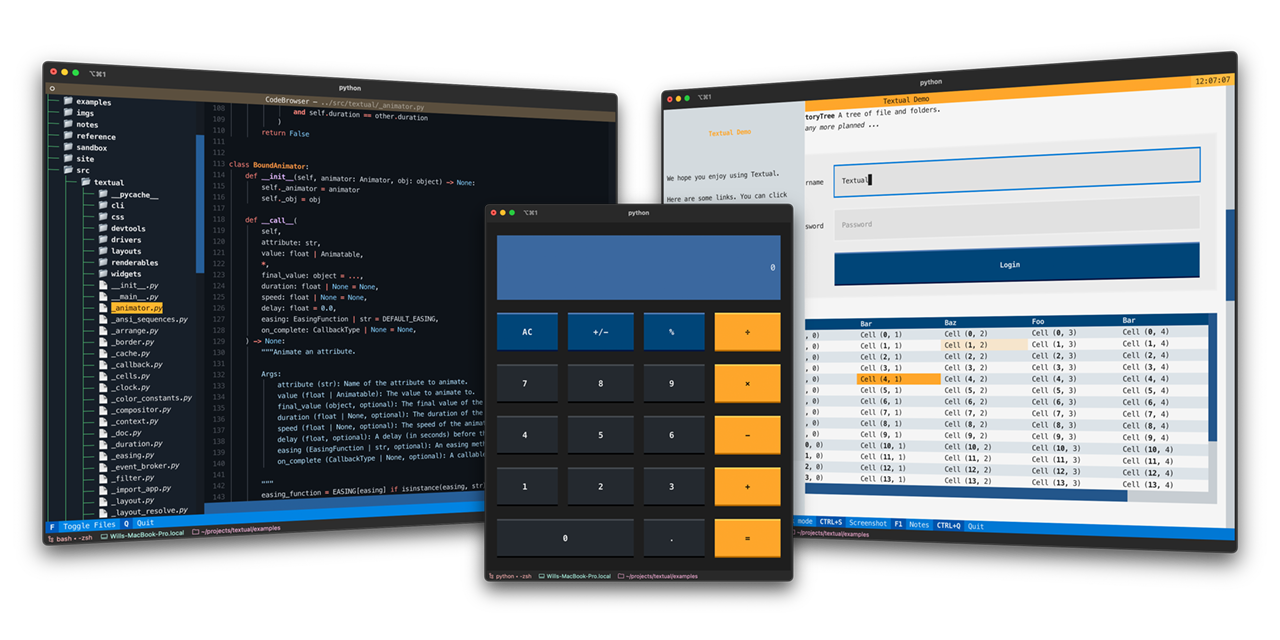 + +[](https://discord.gg/Enf6Z3qhVr) + + +# Textual + +Textual is a *Rapid Application Development* framework for Python. + +Build sophisticated user interfaces with a simple Python API. Run your apps in the terminal and (coming soon) a web browser! + + +<details> + <summary> 🎬 Demonstration </summary> + <hr> + +A quick run through of some Textual features. + + + +https://user-images.githubusercontent.com/554369/197355913-65d3c125-493d-4c05-a590-5311f16c40ff.mov + + + + </details> + + +## About + +Textual adds interactivity to [Rich](https://github.com/Textualize/rich) with an API inspired by modern web development. + +On modern terminal software (installed by default on most systems), Textual apps can use **16.7 million** colors with mouse support and smooth flicker-free animation. A powerful layout engine and re-usable components makes it possible to build apps that rival the desktop and web experience. + +## Compatibility + +Textual runs on Linux, macOS, and Windows. Textual requires Python 3.7 or above. + +## Installing + +Install Textual via pip: + +``` +pip install "textual[dev]" +``` + +The addition of `[dev]` installs Textual development tools. See the [docs](https://textual.textualize.io/getting_started/) if you need help getting started. + +## Demo + +Run the following command to see a little of what Textual can do: + +``` +python -m textual +``` + +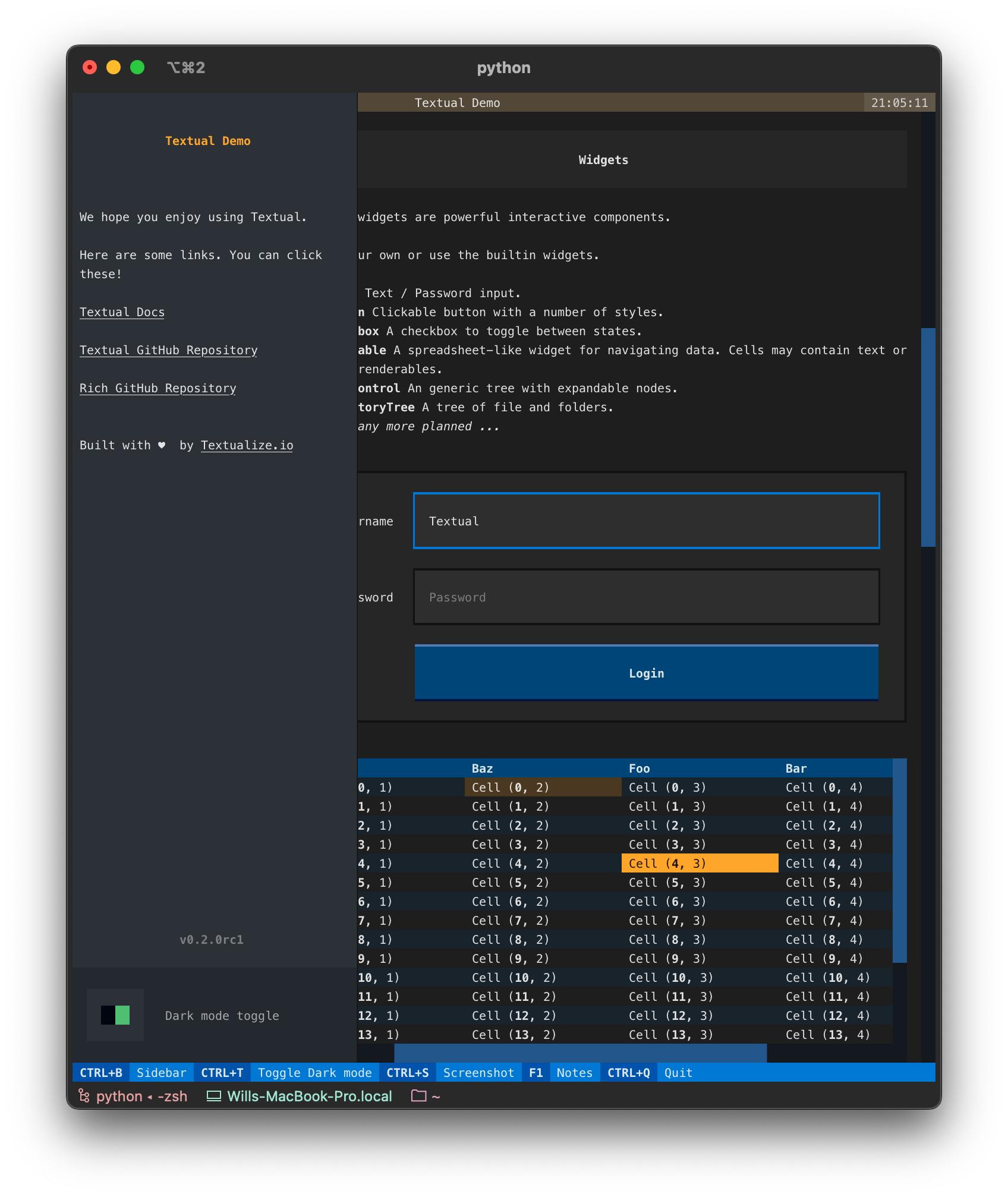 + +## Documentation + +Head over to the [Textual documentation](http://textual.textualize.io/) to start building! + +## Join us on Discord + +Join the Textual developers and community on our [Discord Server](https://discord.gg/Enf6Z3qhVr). + +## Examples + +The Textual repository comes with a number of examples you can experiment with or use as a template for your own projects. + + +<details> + <summary> 🎬 Code browser </summary> + <hr> + + This is the [code_browser.py](https://github.com/Textualize/textual/blob/main/examples/code_browser.py) example which clocks in at 61 lines (*including* docstrings and blank lines). + +https://user-images.githubusercontent.com/554369/197188237-88d3f7e4-4e5f-40b5-b996-c47b19ee2f49.mov + + </details> + + +<details> + <summary> 📷 Calculator </summary> + <hr> + +This is [calculator.py](https://github.com/Textualize/textual/blob/main/examples/calculator.py) which demonstrates Textual grid layouts. + +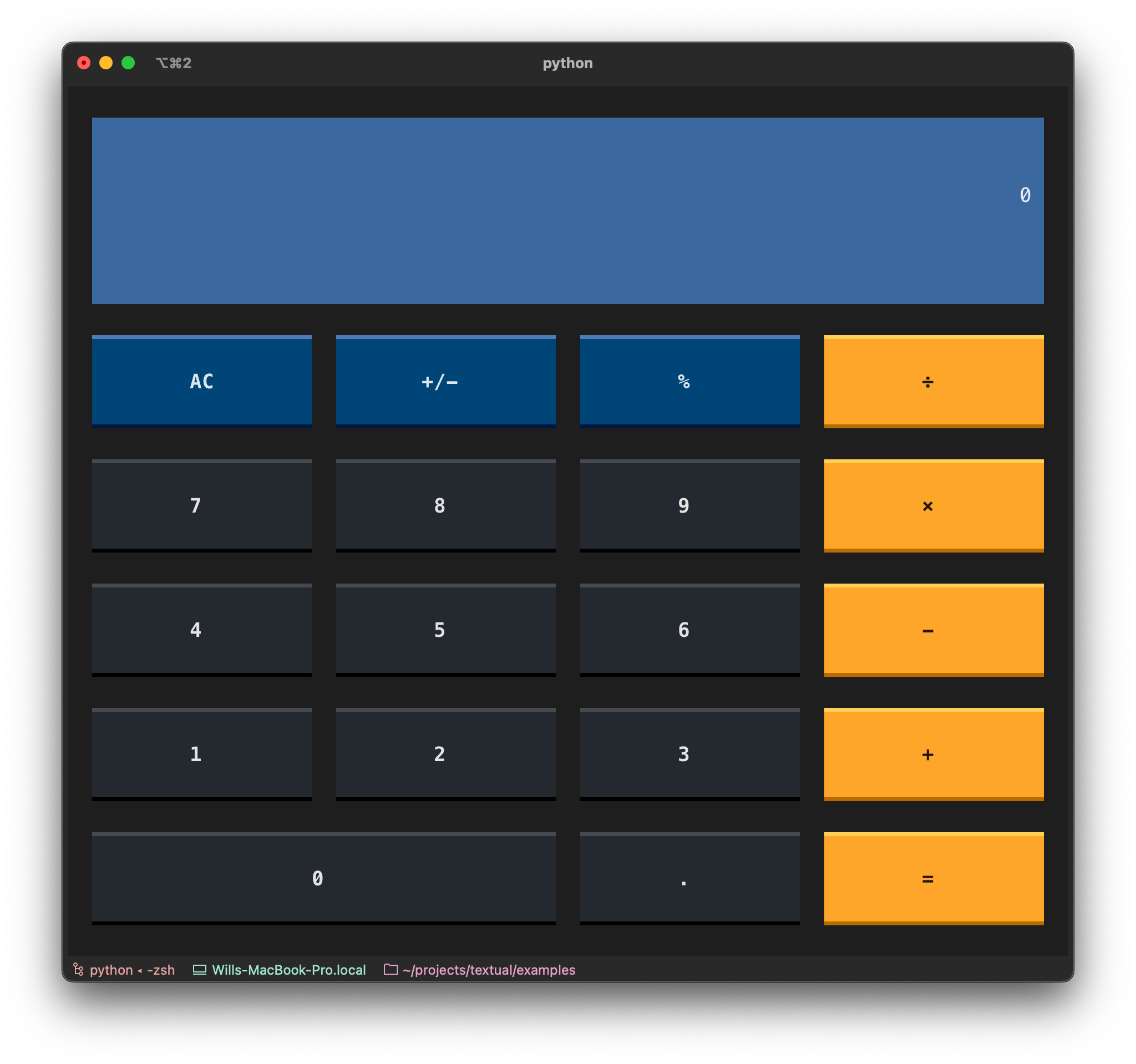 +</details> + + +<details> + <summary> 🎬 Stopwatch </summary> + <hr> + + This is the Stopwatch example from the [tutorial](https://textual.textualize.io/tutorial/). + + + +https://user-images.githubusercontent.com/554369/197360718-0c834ef5-6285-4d37-85cf-23eed4aa56c5.mov + + + +</details> + + + +## Reference commands + +The `textual` command has a few sub-commands to preview Textual styles. + +<details> + <summary> 🎬 Easing reference </summary> + <hr> + +This is the *easing* reference which demonstrates the easing parameter on animation, with both movement and opacity. You can run it with the following command: + +```bash +textual easing +``` + + +https://user-images.githubusercontent.com/554369/196157100-352852a6-2b09-4dc8-a888-55b53570aff9.mov + + + </details> + +<details> + <summary> 🎬 Borders reference </summary> + <hr> + +This is the borders reference which demonstrates some of the borders styles in Textual. You can run it with the following command: + +```bash +textual borders +``` + + +https://user-images.githubusercontent.com/554369/196158235-4b45fb78-053d-4fd5-b285-e09b4f1c67a8.mov + + +</details> + + +<details> + <summary> 🎬 Colors reference </summary> + <hr> + +This is a reference for Textual's color design system. + +```bash +textual colors +``` + + + +https://user-images.githubusercontent.com/554369/197357417-2d407aac-8969-44d3-8250-eea45df79d57.mov + + + + +</details> + + + +%package -n python3-textual +Summary: Modern Text User Interface framework +Provides: python-textual +BuildRequires: python3-devel +BuildRequires: python3-setuptools +BuildRequires: python3-pip +%description -n python3-textual + + + + + +[](https://discord.gg/Enf6Z3qhVr) + + +# Textual + +Textual is a *Rapid Application Development* framework for Python. + +Build sophisticated user interfaces with a simple Python API. Run your apps in the terminal and (coming soon) a web browser! + + +<details> + <summary> 🎬 Demonstration </summary> + <hr> + +A quick run through of some Textual features. + + + +https://user-images.githubusercontent.com/554369/197355913-65d3c125-493d-4c05-a590-5311f16c40ff.mov + + + + </details> + + +## About + +Textual adds interactivity to [Rich](https://github.com/Textualize/rich) with an API inspired by modern web development. + +On modern terminal software (installed by default on most systems), Textual apps can use **16.7 million** colors with mouse support and smooth flicker-free animation. A powerful layout engine and re-usable components makes it possible to build apps that rival the desktop and web experience. + +## Compatibility + +Textual runs on Linux, macOS, and Windows. Textual requires Python 3.7 or above. + +## Installing + +Install Textual via pip: + +``` +pip install "textual[dev]" +``` + +The addition of `[dev]` installs Textual development tools. See the [docs](https://textual.textualize.io/getting_started/) if you need help getting started. + +## Demo + +Run the following command to see a little of what Textual can do: + +``` +python -m textual +``` + + + +## Documentation + +Head over to the [Textual documentation](http://textual.textualize.io/) to start building! + +## Join us on Discord + +Join the Textual developers and community on our [Discord Server](https://discord.gg/Enf6Z3qhVr). + +## Examples + +The Textual repository comes with a number of examples you can experiment with or use as a template for your own projects. + + +<details> + <summary> 🎬 Code browser </summary> + <hr> + + This is the [code_browser.py](https://github.com/Textualize/textual/blob/main/examples/code_browser.py) example which clocks in at 61 lines (*including* docstrings and blank lines). + +https://user-images.githubusercontent.com/554369/197188237-88d3f7e4-4e5f-40b5-b996-c47b19ee2f49.mov + + </details> + + +<details> + <summary> 📷 Calculator </summary> + <hr> + +This is [calculator.py](https://github.com/Textualize/textual/blob/main/examples/calculator.py) which demonstrates Textual grid layouts. + + +</details> + + +<details> + <summary> 🎬 Stopwatch </summary> + <hr> + + This is the Stopwatch example from the [tutorial](https://textual.textualize.io/tutorial/). + + + +https://user-images.githubusercontent.com/554369/197360718-0c834ef5-6285-4d37-85cf-23eed4aa56c5.mov + + + +</details> + + + +## Reference commands + +The `textual` command has a few sub-commands to preview Textual styles. + +<details> + <summary> 🎬 Easing reference </summary> + <hr> + +This is the *easing* reference which demonstrates the easing parameter on animation, with both movement and opacity. You can run it with the following command: + +```bash +textual easing +``` + + +https://user-images.githubusercontent.com/554369/196157100-352852a6-2b09-4dc8-a888-55b53570aff9.mov + + + </details> + +<details> + <summary> 🎬 Borders reference </summary> + <hr> + +This is the borders reference which demonstrates some of the borders styles in Textual. You can run it with the following command: + +```bash +textual borders +``` + + +https://user-images.githubusercontent.com/554369/196158235-4b45fb78-053d-4fd5-b285-e09b4f1c67a8.mov + + +</details> + + +<details> + <summary> 🎬 Colors reference </summary> + <hr> + +This is a reference for Textual's color design system. + +```bash +textual colors +``` + + + +https://user-images.githubusercontent.com/554369/197357417-2d407aac-8969-44d3-8250-eea45df79d57.mov + + + + +</details> + + + +%package help +Summary: Development documents and examples for textual +Provides: python3-textual-doc +%description help + + + + + +[](https://discord.gg/Enf6Z3qhVr) + + +# Textual + +Textual is a *Rapid Application Development* framework for Python. + +Build sophisticated user interfaces with a simple Python API. Run your apps in the terminal and (coming soon) a web browser! + + +<details> + <summary> 🎬 Demonstration </summary> + <hr> + +A quick run through of some Textual features. + + + +https://user-images.githubusercontent.com/554369/197355913-65d3c125-493d-4c05-a590-5311f16c40ff.mov + + + + </details> + + +## About + +Textual adds interactivity to [Rich](https://github.com/Textualize/rich) with an API inspired by modern web development. + +On modern terminal software (installed by default on most systems), Textual apps can use **16.7 million** colors with mouse support and smooth flicker-free animation. A powerful layout engine and re-usable components makes it possible to build apps that rival the desktop and web experience. + +## Compatibility + +Textual runs on Linux, macOS, and Windows. Textual requires Python 3.7 or above. + +## Installing + +Install Textual via pip: + +``` +pip install "textual[dev]" +``` + +The addition of `[dev]` installs Textual development tools. See the [docs](https://textual.textualize.io/getting_started/) if you need help getting started. + +## Demo + +Run the following command to see a little of what Textual can do: + +``` +python -m textual +``` + + + +## Documentation + +Head over to the [Textual documentation](http://textual.textualize.io/) to start building! + +## Join us on Discord + +Join the Textual developers and community on our [Discord Server](https://discord.gg/Enf6Z3qhVr). + +## Examples + +The Textual repository comes with a number of examples you can experiment with or use as a template for your own projects. + + +<details> + <summary> 🎬 Code browser </summary> + <hr> + + This is the [code_browser.py](https://github.com/Textualize/textual/blob/main/examples/code_browser.py) example which clocks in at 61 lines (*including* docstrings and blank lines). + +https://user-images.githubusercontent.com/554369/197188237-88d3f7e4-4e5f-40b5-b996-c47b19ee2f49.mov + + </details> + + +<details> + <summary> 📷 Calculator </summary> + <hr> + +This is [calculator.py](https://github.com/Textualize/textual/blob/main/examples/calculator.py) which demonstrates Textual grid layouts. + + +</details> + + +<details> + <summary> 🎬 Stopwatch </summary> + <hr> + + This is the Stopwatch example from the [tutorial](https://textual.textualize.io/tutorial/). + + + +https://user-images.githubusercontent.com/554369/197360718-0c834ef5-6285-4d37-85cf-23eed4aa56c5.mov + + + +</details> + + + +## Reference commands + +The `textual` command has a few sub-commands to preview Textual styles. + +<details> + <summary> 🎬 Easing reference </summary> + <hr> + +This is the *easing* reference which demonstrates the easing parameter on animation, with both movement and opacity. You can run it with the following command: + +```bash +textual easing +``` + + +https://user-images.githubusercontent.com/554369/196157100-352852a6-2b09-4dc8-a888-55b53570aff9.mov + + + </details> + +<details> + <summary> 🎬 Borders reference </summary> + <hr> + +This is the borders reference which demonstrates some of the borders styles in Textual. You can run it with the following command: + +```bash +textual borders +``` + + +https://user-images.githubusercontent.com/554369/196158235-4b45fb78-053d-4fd5-b285-e09b4f1c67a8.mov + + +</details> + + +<details> + <summary> 🎬 Colors reference </summary> + <hr> + +This is a reference for Textual's color design system. + +```bash +textual colors +``` + + + +https://user-images.githubusercontent.com/554369/197357417-2d407aac-8969-44d3-8250-eea45df79d57.mov + + + + +</details> + + + +%prep +%autosetup -n textual-0.23.0 + +%build +%py3_build + +%install +%py3_install +install -d -m755 %{buildroot}/%{_pkgdocdir} +if [ -d doc ]; then cp -arf doc %{buildroot}/%{_pkgdocdir}; fi +if [ -d docs ]; then cp -arf docs %{buildroot}/%{_pkgdocdir}; fi +if [ -d example ]; then cp -arf example %{buildroot}/%{_pkgdocdir}; fi +if [ -d examples ]; then cp -arf examples %{buildroot}/%{_pkgdocdir}; fi +pushd %{buildroot} +if [ -d usr/lib ]; then + find usr/lib -type f -printf "/%h/%f\n" >> filelist.lst +fi +if [ -d usr/lib64 ]; then + find usr/lib64 -type f -printf "/%h/%f\n" >> filelist.lst +fi +if [ -d usr/bin ]; then + find usr/bin -type f -printf "/%h/%f\n" >> filelist.lst +fi +if [ -d usr/sbin ]; then + find usr/sbin -type f -printf "/%h/%f\n" >> filelist.lst +fi +touch doclist.lst +if [ -d usr/share/man ]; then + find usr/share/man -type f -printf "/%h/%f.gz\n" >> doclist.lst +fi +popd +mv %{buildroot}/filelist.lst . +mv %{buildroot}/doclist.lst . + +%files -n python3-textual -f filelist.lst +%dir %{python3_sitelib}/* + +%files help -f doclist.lst +%{_docdir}/* + +%changelog +* Fri May 05 2023 Python_Bot <Python_Bot@openeuler.org> - 0.23.0-1 +- Package Spec generated @@ -0,0 +1 @@ +d4e03098b89b29940a582e942c5e5697 textual-0.23.0.tar.gz |