
diff options
| -rw-r--r-- | .gitignore | 1 | ||||
| -rw-r--r-- | python-wagtail-tag-manager.spec | 819 | ||||
| -rw-r--r-- | sources | 1 |
3 files changed, 821 insertions, 0 deletions
@@ -0,0 +1 @@ +/wagtail-tag-manager-1.6.0.tar.gz diff --git a/python-wagtail-tag-manager.spec b/python-wagtail-tag-manager.spec new file mode 100644 index 0000000..c70d17e --- /dev/null +++ b/python-wagtail-tag-manager.spec @@ -0,0 +1,819 @@ +%global _empty_manifest_terminate_build 0 +Name: python-wagtail-tag-manager +Version: 1.6.0 +Release: 1 +Summary: A Wagtail add-on for managing tags. +License: BSD 3-Clause +URL: https://github.com/jberghoef/wagtail-tag-manager +Source0: https://mirrors.nju.edu.cn/pypi/web/packages/ad/15/70275573fec0211f09bb7e65193b17f40b728b13c58669072858f2e121cd/wagtail-tag-manager-1.6.0.tar.gz +BuildArch: noarch + +Requires: python3-wagtail +Requires: python3-selenium +Requires: python3-sphinx +Requires: python3-factory-boy +Requires: python3-Faker +Requires: python3-flake8-blind-except +Requires: python3-flake8-debugger +Requires: python3-flake8-imports +Requires: python3-flake8 +Requires: python3-freezegun +Requires: python3-pycodestyle +Requires: python3-pytest-cov +Requires: python3-pytest-django +Requires: python3-pytest-pythonpath +Requires: python3-pytest-randomly +Requires: python3-pytest-sugar +Requires: python3-pytest +Requires: python3-wagtail-factories + +%description +### `wtm_cookie_bar` + + +```html+django +{% load wtm_tags %} +<body> + {% wtm_cookie_bar %} ... +</body> +``` +### `wtm_include` +WTM comes with the `wtm_include` template tag to accommodate loading of +resources and markup based on the tag strategy and consent given. It can be +used as a way to load html, css or javascript files. +```html+django +{% load wtm_tags %} +<body> + wtm_include "necessary" "content.html" %} ... +</body> +``` +Alternatively, you can use it as a block: +```html+django +{% load wtm_tags %} +<body> + <script> + console.log("Included conditionally"); + </script> + {% wtm_endinclude %} ... +</body> +``` +### Preference management +You can use the following provided template tags to render a tag status +overview, a table with cookie declarations or a consent form. +```html+django +{% wtm_tag_table %} {% wtm_declaration_table %} {% wtm_manage_form %} +``` +## Context processors +To enable the context processors, add the following to your settings: +```python +"context_processors": [ + # ... + "wagtail_tag_manager.context_processors.consent_state", +] +``` +You can now use the following value in your templates: +```html+django +{{ wtm_consent_state.necessary }} {{ wtm_consent_state.preferences }} {{ +wtm_consent_state.statistics }} {{ wtm_consent_state.marketing }} +``` +These will return a boolean indicating wether or not tags specific to the +corresponding state should load. +## Settings +### `WTM_TAG_TYPES` +```python +WTM_TAG_TYPES = { + # key, verbose name, setting + "necessary": (_("Necessary"), "required"), + "preferences": (_("Preferences"), "initial"), + "statistics": (_("Statistics"), "initial"), + "marketing": (_("Marketing"), ""), +} +``` +Allows you to define the tag types available. This can be helpful if you'd like +the change the terminology used, or when you'd prefer to split a type in +multiple sections. Notice the two keywords (`required` and `initial`) used. +Tags marked as `required` can not be disabled and will always be included on +every page. +Tags marked as `initial` will be included as long as no explicit consent has +been given by the end user, provided the browser allows cookies. While no +consent has been given, these tags will be loaded lazily to honor the browser +settings (which we can only read using javascript). +The third option is to mark a tag as `delayed`. This will ensure the tag will +not load on the first page load, but only from the second load forward. +### `WTM_INJECT_TAGS` +```python +WTM_INJECT_TAGS = True +``` +Instructs the middleware to inject all tags marked "instant load" in the +document. Disable this if you would rather use the `{% wtm_instant_tags %}` +template tags. +### `WTM_MANAGE_VIEW` +```python +WTM_MANAGE_VIEW = True +``` +Allows you to enable or disable the included "manage" view allowing users to +get insight in the tags running on your site and adjust their preferences. +The view is enabled by default. +### `WTM_COOKIE_EXPIRE` +```python +WTM_COOKIE_EXPIRE = 365 +``` +Sets the expiration time in days of WTM's cookies. Notice that this is only +applicable to the consent cookies used by WTM, not any cookies placed by tags. +### `WTM_CACHE_TIMEOUT` +```python +WTM_CACHE_TIMEOUT = 1800 +``` +Sets the amount of seconds the cache will be preserved. At the moment, +caching is only applied to constants, which will refresh when a constant is +saved. Default is 30 minutes. +### `WTM_PRESERVE_VARIABLES` +```python +WTM_PRESERVE_VARIABLES = True +``` +Configures whether the variables are preserved for each request, or refreshed +for each tag applied to a response. When set to `False`, a query will be done +for each single tag which will add up quickly. +### `WTM_INJECT_STYLE` +```python +WTM_INJECT_STYLE = True +``` +Change to `False` to prevent WTM's included styles from loading. This is useful +if you wish to style the cookiebar yourself. +### `WTM_INJECT_SCRIPT` +```python +WTM_INJECT_SCRIPT = True +``` +Change to `False` to prevent WTM's included scripts from loading. This is +useful if you don't want to use the inlcuded lazy loading and cookie bar +functionality. +### `WTM_SUMMARY_PANELS` +```python +WTM_SUMMARY_PANELS = False +``` +Disables or enables the summary panels visible on the Wagtail admin dashboard. + +### `WTM_ENABLE_SCANNER` +**This is an experimental feature.** +```python +WTM_ENABLE_SCANNER = False +``` +When enabled, allows scanning of cookies placed on the website. Use this to +automatically generate cookie declarations. Will attempt to use Chrome Driver +when available, and will fall back to regular requests if not. +### `WTM_CHROMEDRIVER_URL` +**This is an experimental feature.** +```python +WTM_CHROMEDRIVER_URL = "http://0.0.0.0:4444/wd/hub" +``` +Allows configuration of the docker container running an instance of +`selenium/standalone-chrome`. +When developing, use the following command to run the docker container and +ensure that your site is configured be accessible over your computer's public +ip. Otherwise the docker container won't be able to access the website. +https://hub.docker.com/r/selenium/standalone-chrome/ +## Custom variables +In addition to managing variables in the admin interface, variables can also be +created in your source code by registering a `CustomVariable`. +```python +from wagtail_tag_manager.decorators import register_variable +from wagtail_tag_manager.options import CustomVariable +@register_variable +class Variable(CustomVariable): + name = "Custom variable" + description = "Returns a custom value." + key = "custom" + def get_value(self, request): + return "This is a custom variable." +``` + +## Page tag mixin +If you would like to include tags on a page, include the `TagMixin` mixin. +Under the "Settings" tab of the corresponding page type a list of tags will be +shown. By selecting these, these tags will be included when the page loads. +Additionally, by selecting the "Include children" field, all descending pages +of the configured page will also load the chosen tags. +Note that the consent state is being applied to these tags. If the selected tag +is marked as, for example, "marketing", the end-user still must allow this type +of tags before is is being injected. +```python +from wagtail_tag_manager.mixins import TagMixin +class HomePage(TagMixin, Page): + pass +``` + +## Lazy triggers +Triggers allow you to monitor events on the frontend of your website and load a +tag after a specified event has occurred. By using conditions you are able to +harness (custom) variables to only trigger a tag once your event complies with +the conditions that you specified. + +## Sandbox +To experiment with the package you can use the sandbox provided in this +repository. To install this you will need to create and activate a +virtualenv and then run `make sandbox`. This will start a fresh Wagtail +install, with the tag manager module enabled, on http://localhost:8000 +and http://localhost:8000/cms/. The superuser credentials are +`superuser` with the password `testing`. +Various types of tags, constants and variables are enabled out of the box. +Check out the console in your browser to see them in action. +## Concept +WTM comes with the following tag types pre-configured: +| Name | Setting | +| ----------- | -------- | +| Necessary | Required | +| Preferences | Initial | +| Statistics | Initial | +| Marketing | Default | +These types correspond to the segmentation made by the EU [here](https://gdpr.eu/cookies/). +| State | Required | Initial | Delayed | Default | +| ------------------------------------------------------------ | -------- | ------- | ------- | ------- | +| No cookies accepted. | yes | no | no | no | +| Cookies implicitly accepted through browser settings. | yes | yes | yes¹ | no | +| Cookies explicitly accepted, noting tracking functionality.² | yes | yes | yes¹ | yes | +_¹ From the second page load onward._ +_² According to the ePrivacy regulation, mentioning that you are using tracking functionality is mandatory._ +Note that in the case of Statistics cookies or local storage, you are obliged +to still show a notification at least once, noting that you are using cookies +for analytical and performance measurement purposes. +When implementing Marketing cookies, the user has to explicitly give permission +for you to enable them for their session. When asking for permission, you must +explicitly state the tracking functionality of the script you are using. +To ease the implementation by this concept, Wagtail Tag Manager allows you to +define a tag as "Necessary", "Preferences", "Statistics" or "Marketing". +When properly configured, it'll take care of loading the correct tag at +the correct time, taking in account the following scenario's: +1. The user has not accepted cookies. + | | Required | Initial | Delayed | Default | + | ------- | -------- | ------- | ------- | ------- | + | Instant | yes | no | no | no | + | Lazy | yes | no | no | no | +2. The user has accepted cookies through browser settings. + | | Required | Initial | Delayed | Default | + | ------- | -------- | ------- | ------- | ------- | + | Instant | yes | yes¹ | yes² | no | + | Lazy | yes | yes | yes² | no | + _¹ Will be loaded lazily._ + _² From the second page load onward._ + As the acceptance of "Initial" tags can only be verified client side, we'll + first load all the "Initial" tags lazy (whether they are instant or not). + Please note that we still have to show a message stating that we are using + tags with analytical purposes. +3. The user has explicitly accepted cookies for your site. + | | Required | Initial | Delayed | Default | + | ------- | -------- | ------- | ------- | ------- | + | Instant | yes | yes | yes | yes | + | Lazy | yes | yes | yes | yes | +## Who’s using it? +I'd love to hear from sites and applications where WTM is being used. Please +contact me if you'd like your implementation to be listed here! +## License +To make Wagtail Tag Manager accessible, it's is published under the BSD 3-Clause +"New" or "Revised" License. For more information, please refer to the +[LICENSE](LICENSE) file in this repository. +[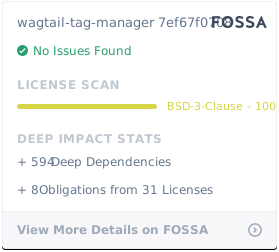](https://app.fossa.com/projects/git%2Bgithub.com%2Fjberghoef%2Fwagtail-tag-manager?ref=badge_large) + +%package -n python3-wagtail-tag-manager +Summary: A Wagtail add-on for managing tags. +Provides: python-wagtail-tag-manager +BuildRequires: python3-devel +BuildRequires: python3-setuptools +BuildRequires: python3-pip +%description -n python3-wagtail-tag-manager +### `wtm_cookie_bar` + + +```html+django +{% load wtm_tags %} +<body> + {% wtm_cookie_bar %} ... +</body> +``` +### `wtm_include` +WTM comes with the `wtm_include` template tag to accommodate loading of +resources and markup based on the tag strategy and consent given. It can be +used as a way to load html, css or javascript files. +```html+django +{% load wtm_tags %} +<body> + wtm_include "necessary" "content.html" %} ... +</body> +``` +Alternatively, you can use it as a block: +```html+django +{% load wtm_tags %} +<body> + <script> + console.log("Included conditionally"); + </script> + {% wtm_endinclude %} ... +</body> +``` +### Preference management +You can use the following provided template tags to render a tag status +overview, a table with cookie declarations or a consent form. +```html+django +{% wtm_tag_table %} {% wtm_declaration_table %} {% wtm_manage_form %} +``` +## Context processors +To enable the context processors, add the following to your settings: +```python +"context_processors": [ + # ... + "wagtail_tag_manager.context_processors.consent_state", +] +``` +You can now use the following value in your templates: +```html+django +{{ wtm_consent_state.necessary }} {{ wtm_consent_state.preferences }} {{ +wtm_consent_state.statistics }} {{ wtm_consent_state.marketing }} +``` +These will return a boolean indicating wether or not tags specific to the +corresponding state should load. +## Settings +### `WTM_TAG_TYPES` +```python +WTM_TAG_TYPES = { + # key, verbose name, setting + "necessary": (_("Necessary"), "required"), + "preferences": (_("Preferences"), "initial"), + "statistics": (_("Statistics"), "initial"), + "marketing": (_("Marketing"), ""), +} +``` +Allows you to define the tag types available. This can be helpful if you'd like +the change the terminology used, or when you'd prefer to split a type in +multiple sections. Notice the two keywords (`required` and `initial`) used. +Tags marked as `required` can not be disabled and will always be included on +every page. +Tags marked as `initial` will be included as long as no explicit consent has +been given by the end user, provided the browser allows cookies. While no +consent has been given, these tags will be loaded lazily to honor the browser +settings (which we can only read using javascript). +The third option is to mark a tag as `delayed`. This will ensure the tag will +not load on the first page load, but only from the second load forward. +### `WTM_INJECT_TAGS` +```python +WTM_INJECT_TAGS = True +``` +Instructs the middleware to inject all tags marked "instant load" in the +document. Disable this if you would rather use the `{% wtm_instant_tags %}` +template tags. +### `WTM_MANAGE_VIEW` +```python +WTM_MANAGE_VIEW = True +``` +Allows you to enable or disable the included "manage" view allowing users to +get insight in the tags running on your site and adjust their preferences. +The view is enabled by default. +### `WTM_COOKIE_EXPIRE` +```python +WTM_COOKIE_EXPIRE = 365 +``` +Sets the expiration time in days of WTM's cookies. Notice that this is only +applicable to the consent cookies used by WTM, not any cookies placed by tags. +### `WTM_CACHE_TIMEOUT` +```python +WTM_CACHE_TIMEOUT = 1800 +``` +Sets the amount of seconds the cache will be preserved. At the moment, +caching is only applied to constants, which will refresh when a constant is +saved. Default is 30 minutes. +### `WTM_PRESERVE_VARIABLES` +```python +WTM_PRESERVE_VARIABLES = True +``` +Configures whether the variables are preserved for each request, or refreshed +for each tag applied to a response. When set to `False`, a query will be done +for each single tag which will add up quickly. +### `WTM_INJECT_STYLE` +```python +WTM_INJECT_STYLE = True +``` +Change to `False` to prevent WTM's included styles from loading. This is useful +if you wish to style the cookiebar yourself. +### `WTM_INJECT_SCRIPT` +```python +WTM_INJECT_SCRIPT = True +``` +Change to `False` to prevent WTM's included scripts from loading. This is +useful if you don't want to use the inlcuded lazy loading and cookie bar +functionality. +### `WTM_SUMMARY_PANELS` +```python +WTM_SUMMARY_PANELS = False +``` +Disables or enables the summary panels visible on the Wagtail admin dashboard. + +### `WTM_ENABLE_SCANNER` +**This is an experimental feature.** +```python +WTM_ENABLE_SCANNER = False +``` +When enabled, allows scanning of cookies placed on the website. Use this to +automatically generate cookie declarations. Will attempt to use Chrome Driver +when available, and will fall back to regular requests if not. +### `WTM_CHROMEDRIVER_URL` +**This is an experimental feature.** +```python +WTM_CHROMEDRIVER_URL = "http://0.0.0.0:4444/wd/hub" +``` +Allows configuration of the docker container running an instance of +`selenium/standalone-chrome`. +When developing, use the following command to run the docker container and +ensure that your site is configured be accessible over your computer's public +ip. Otherwise the docker container won't be able to access the website. +https://hub.docker.com/r/selenium/standalone-chrome/ +## Custom variables +In addition to managing variables in the admin interface, variables can also be +created in your source code by registering a `CustomVariable`. +```python +from wagtail_tag_manager.decorators import register_variable +from wagtail_tag_manager.options import CustomVariable +@register_variable +class Variable(CustomVariable): + name = "Custom variable" + description = "Returns a custom value." + key = "custom" + def get_value(self, request): + return "This is a custom variable." +``` + +## Page tag mixin +If you would like to include tags on a page, include the `TagMixin` mixin. +Under the "Settings" tab of the corresponding page type a list of tags will be +shown. By selecting these, these tags will be included when the page loads. +Additionally, by selecting the "Include children" field, all descending pages +of the configured page will also load the chosen tags. +Note that the consent state is being applied to these tags. If the selected tag +is marked as, for example, "marketing", the end-user still must allow this type +of tags before is is being injected. +```python +from wagtail_tag_manager.mixins import TagMixin +class HomePage(TagMixin, Page): + pass +``` + +## Lazy triggers +Triggers allow you to monitor events on the frontend of your website and load a +tag after a specified event has occurred. By using conditions you are able to +harness (custom) variables to only trigger a tag once your event complies with +the conditions that you specified. + +## Sandbox +To experiment with the package you can use the sandbox provided in this +repository. To install this you will need to create and activate a +virtualenv and then run `make sandbox`. This will start a fresh Wagtail +install, with the tag manager module enabled, on http://localhost:8000 +and http://localhost:8000/cms/. The superuser credentials are +`superuser` with the password `testing`. +Various types of tags, constants and variables are enabled out of the box. +Check out the console in your browser to see them in action. +## Concept +WTM comes with the following tag types pre-configured: +| Name | Setting | +| ----------- | -------- | +| Necessary | Required | +| Preferences | Initial | +| Statistics | Initial | +| Marketing | Default | +These types correspond to the segmentation made by the EU [here](https://gdpr.eu/cookies/). +| State | Required | Initial | Delayed | Default | +| ------------------------------------------------------------ | -------- | ------- | ------- | ------- | +| No cookies accepted. | yes | no | no | no | +| Cookies implicitly accepted through browser settings. | yes | yes | yes¹ | no | +| Cookies explicitly accepted, noting tracking functionality.² | yes | yes | yes¹ | yes | +_¹ From the second page load onward._ +_² According to the ePrivacy regulation, mentioning that you are using tracking functionality is mandatory._ +Note that in the case of Statistics cookies or local storage, you are obliged +to still show a notification at least once, noting that you are using cookies +for analytical and performance measurement purposes. +When implementing Marketing cookies, the user has to explicitly give permission +for you to enable them for their session. When asking for permission, you must +explicitly state the tracking functionality of the script you are using. +To ease the implementation by this concept, Wagtail Tag Manager allows you to +define a tag as "Necessary", "Preferences", "Statistics" or "Marketing". +When properly configured, it'll take care of loading the correct tag at +the correct time, taking in account the following scenario's: +1. The user has not accepted cookies. + | | Required | Initial | Delayed | Default | + | ------- | -------- | ------- | ------- | ------- | + | Instant | yes | no | no | no | + | Lazy | yes | no | no | no | +2. The user has accepted cookies through browser settings. + | | Required | Initial | Delayed | Default | + | ------- | -------- | ------- | ------- | ------- | + | Instant | yes | yes¹ | yes² | no | + | Lazy | yes | yes | yes² | no | + _¹ Will be loaded lazily._ + _² From the second page load onward._ + As the acceptance of "Initial" tags can only be verified client side, we'll + first load all the "Initial" tags lazy (whether they are instant or not). + Please note that we still have to show a message stating that we are using + tags with analytical purposes. +3. The user has explicitly accepted cookies for your site. + | | Required | Initial | Delayed | Default | + | ------- | -------- | ------- | ------- | ------- | + | Instant | yes | yes | yes | yes | + | Lazy | yes | yes | yes | yes | +## Who’s using it? +I'd love to hear from sites and applications where WTM is being used. Please +contact me if you'd like your implementation to be listed here! +## License +To make Wagtail Tag Manager accessible, it's is published under the BSD 3-Clause +"New" or "Revised" License. For more information, please refer to the +[LICENSE](LICENSE) file in this repository. +[](https://app.fossa.com/projects/git%2Bgithub.com%2Fjberghoef%2Fwagtail-tag-manager?ref=badge_large) + +%package help +Summary: Development documents and examples for wagtail-tag-manager +Provides: python3-wagtail-tag-manager-doc +%description help +### `wtm_cookie_bar` + + +```html+django +{% load wtm_tags %} +<body> + {% wtm_cookie_bar %} ... +</body> +``` +### `wtm_include` +WTM comes with the `wtm_include` template tag to accommodate loading of +resources and markup based on the tag strategy and consent given. It can be +used as a way to load html, css or javascript files. +```html+django +{% load wtm_tags %} +<body> + wtm_include "necessary" "content.html" %} ... +</body> +``` +Alternatively, you can use it as a block: +```html+django +{% load wtm_tags %} +<body> + <script> + console.log("Included conditionally"); + </script> + {% wtm_endinclude %} ... +</body> +``` +### Preference management +You can use the following provided template tags to render a tag status +overview, a table with cookie declarations or a consent form. +```html+django +{% wtm_tag_table %} {% wtm_declaration_table %} {% wtm_manage_form %} +``` +## Context processors +To enable the context processors, add the following to your settings: +```python +"context_processors": [ + # ... + "wagtail_tag_manager.context_processors.consent_state", +] +``` +You can now use the following value in your templates: +```html+django +{{ wtm_consent_state.necessary }} {{ wtm_consent_state.preferences }} {{ +wtm_consent_state.statistics }} {{ wtm_consent_state.marketing }} +``` +These will return a boolean indicating wether or not tags specific to the +corresponding state should load. +## Settings +### `WTM_TAG_TYPES` +```python +WTM_TAG_TYPES = { + # key, verbose name, setting + "necessary": (_("Necessary"), "required"), + "preferences": (_("Preferences"), "initial"), + "statistics": (_("Statistics"), "initial"), + "marketing": (_("Marketing"), ""), +} +``` +Allows you to define the tag types available. This can be helpful if you'd like +the change the terminology used, or when you'd prefer to split a type in +multiple sections. Notice the two keywords (`required` and `initial`) used. +Tags marked as `required` can not be disabled and will always be included on +every page. +Tags marked as `initial` will be included as long as no explicit consent has +been given by the end user, provided the browser allows cookies. While no +consent has been given, these tags will be loaded lazily to honor the browser +settings (which we can only read using javascript). +The third option is to mark a tag as `delayed`. This will ensure the tag will +not load on the first page load, but only from the second load forward. +### `WTM_INJECT_TAGS` +```python +WTM_INJECT_TAGS = True +``` +Instructs the middleware to inject all tags marked "instant load" in the +document. Disable this if you would rather use the `{% wtm_instant_tags %}` +template tags. +### `WTM_MANAGE_VIEW` +```python +WTM_MANAGE_VIEW = True +``` +Allows you to enable or disable the included "manage" view allowing users to +get insight in the tags running on your site and adjust their preferences. +The view is enabled by default. +### `WTM_COOKIE_EXPIRE` +```python +WTM_COOKIE_EXPIRE = 365 +``` +Sets the expiration time in days of WTM's cookies. Notice that this is only +applicable to the consent cookies used by WTM, not any cookies placed by tags. +### `WTM_CACHE_TIMEOUT` +```python +WTM_CACHE_TIMEOUT = 1800 +``` +Sets the amount of seconds the cache will be preserved. At the moment, +caching is only applied to constants, which will refresh when a constant is +saved. Default is 30 minutes. +### `WTM_PRESERVE_VARIABLES` +```python +WTM_PRESERVE_VARIABLES = True +``` +Configures whether the variables are preserved for each request, or refreshed +for each tag applied to a response. When set to `False`, a query will be done +for each single tag which will add up quickly. +### `WTM_INJECT_STYLE` +```python +WTM_INJECT_STYLE = True +``` +Change to `False` to prevent WTM's included styles from loading. This is useful +if you wish to style the cookiebar yourself. +### `WTM_INJECT_SCRIPT` +```python +WTM_INJECT_SCRIPT = True +``` +Change to `False` to prevent WTM's included scripts from loading. This is +useful if you don't want to use the inlcuded lazy loading and cookie bar +functionality. +### `WTM_SUMMARY_PANELS` +```python +WTM_SUMMARY_PANELS = False +``` +Disables or enables the summary panels visible on the Wagtail admin dashboard. + +### `WTM_ENABLE_SCANNER` +**This is an experimental feature.** +```python +WTM_ENABLE_SCANNER = False +``` +When enabled, allows scanning of cookies placed on the website. Use this to +automatically generate cookie declarations. Will attempt to use Chrome Driver +when available, and will fall back to regular requests if not. +### `WTM_CHROMEDRIVER_URL` +**This is an experimental feature.** +```python +WTM_CHROMEDRIVER_URL = "http://0.0.0.0:4444/wd/hub" +``` +Allows configuration of the docker container running an instance of +`selenium/standalone-chrome`. +When developing, use the following command to run the docker container and +ensure that your site is configured be accessible over your computer's public +ip. Otherwise the docker container won't be able to access the website. +https://hub.docker.com/r/selenium/standalone-chrome/ +## Custom variables +In addition to managing variables in the admin interface, variables can also be +created in your source code by registering a `CustomVariable`. +```python +from wagtail_tag_manager.decorators import register_variable +from wagtail_tag_manager.options import CustomVariable +@register_variable +class Variable(CustomVariable): + name = "Custom variable" + description = "Returns a custom value." + key = "custom" + def get_value(self, request): + return "This is a custom variable." +``` + +## Page tag mixin +If you would like to include tags on a page, include the `TagMixin` mixin. +Under the "Settings" tab of the corresponding page type a list of tags will be +shown. By selecting these, these tags will be included when the page loads. +Additionally, by selecting the "Include children" field, all descending pages +of the configured page will also load the chosen tags. +Note that the consent state is being applied to these tags. If the selected tag +is marked as, for example, "marketing", the end-user still must allow this type +of tags before is is being injected. +```python +from wagtail_tag_manager.mixins import TagMixin +class HomePage(TagMixin, Page): + pass +``` + +## Lazy triggers +Triggers allow you to monitor events on the frontend of your website and load a +tag after a specified event has occurred. By using conditions you are able to +harness (custom) variables to only trigger a tag once your event complies with +the conditions that you specified. + +## Sandbox +To experiment with the package you can use the sandbox provided in this +repository. To install this you will need to create and activate a +virtualenv and then run `make sandbox`. This will start a fresh Wagtail +install, with the tag manager module enabled, on http://localhost:8000 +and http://localhost:8000/cms/. The superuser credentials are +`superuser` with the password `testing`. +Various types of tags, constants and variables are enabled out of the box. +Check out the console in your browser to see them in action. +## Concept +WTM comes with the following tag types pre-configured: +| Name | Setting | +| ----------- | -------- | +| Necessary | Required | +| Preferences | Initial | +| Statistics | Initial | +| Marketing | Default | +These types correspond to the segmentation made by the EU [here](https://gdpr.eu/cookies/). +| State | Required | Initial | Delayed | Default | +| ------------------------------------------------------------ | -------- | ------- | ------- | ------- | +| No cookies accepted. | yes | no | no | no | +| Cookies implicitly accepted through browser settings. | yes | yes | yes¹ | no | +| Cookies explicitly accepted, noting tracking functionality.² | yes | yes | yes¹ | yes | +_¹ From the second page load onward._ +_² According to the ePrivacy regulation, mentioning that you are using tracking functionality is mandatory._ +Note that in the case of Statistics cookies or local storage, you are obliged +to still show a notification at least once, noting that you are using cookies +for analytical and performance measurement purposes. +When implementing Marketing cookies, the user has to explicitly give permission +for you to enable them for their session. When asking for permission, you must +explicitly state the tracking functionality of the script you are using. +To ease the implementation by this concept, Wagtail Tag Manager allows you to +define a tag as "Necessary", "Preferences", "Statistics" or "Marketing". +When properly configured, it'll take care of loading the correct tag at +the correct time, taking in account the following scenario's: +1. The user has not accepted cookies. + | | Required | Initial | Delayed | Default | + | ------- | -------- | ------- | ------- | ------- | + | Instant | yes | no | no | no | + | Lazy | yes | no | no | no | +2. The user has accepted cookies through browser settings. + | | Required | Initial | Delayed | Default | + | ------- | -------- | ------- | ------- | ------- | + | Instant | yes | yes¹ | yes² | no | + | Lazy | yes | yes | yes² | no | + _¹ Will be loaded lazily._ + _² From the second page load onward._ + As the acceptance of "Initial" tags can only be verified client side, we'll + first load all the "Initial" tags lazy (whether they are instant or not). + Please note that we still have to show a message stating that we are using + tags with analytical purposes. +3. The user has explicitly accepted cookies for your site. + | | Required | Initial | Delayed | Default | + | ------- | -------- | ------- | ------- | ------- | + | Instant | yes | yes | yes | yes | + | Lazy | yes | yes | yes | yes | +## Who’s using it? +I'd love to hear from sites and applications where WTM is being used. Please +contact me if you'd like your implementation to be listed here! +## License +To make Wagtail Tag Manager accessible, it's is published under the BSD 3-Clause +"New" or "Revised" License. For more information, please refer to the +[LICENSE](LICENSE) file in this repository. +[](https://app.fossa.com/projects/git%2Bgithub.com%2Fjberghoef%2Fwagtail-tag-manager?ref=badge_large) + +%prep +%autosetup -n wagtail-tag-manager-1.6.0 + +%build +%py3_build + +%install +%py3_install +install -d -m755 %{buildroot}/%{_pkgdocdir} +if [ -d doc ]; then cp -arf doc %{buildroot}/%{_pkgdocdir}; fi +if [ -d docs ]; then cp -arf docs %{buildroot}/%{_pkgdocdir}; fi +if [ -d example ]; then cp -arf example %{buildroot}/%{_pkgdocdir}; fi +if [ -d examples ]; then cp -arf examples %{buildroot}/%{_pkgdocdir}; fi +pushd %{buildroot} +if [ -d usr/lib ]; then + find usr/lib -type f -printf "/%h/%f\n" >> filelist.lst +fi +if [ -d usr/lib64 ]; then + find usr/lib64 -type f -printf "/%h/%f\n" >> filelist.lst +fi +if [ -d usr/bin ]; then + find usr/bin -type f -printf "/%h/%f\n" >> filelist.lst +fi +if [ -d usr/sbin ]; then + find usr/sbin -type f -printf "/%h/%f\n" >> filelist.lst +fi +touch doclist.lst +if [ -d usr/share/man ]; then + find usr/share/man -type f -printf "/%h/%f.gz\n" >> doclist.lst +fi +popd +mv %{buildroot}/filelist.lst . +mv %{buildroot}/doclist.lst . + +%files -n python3-wagtail-tag-manager -f filelist.lst +%dir %{python3_sitelib}/* + +%files help -f doclist.lst +%{_docdir}/* + +%changelog +* Wed May 10 2023 Python_Bot <Python_Bot@openeuler.org> - 1.6.0-1 +- Package Spec generated @@ -0,0 +1 @@ +4d0fd6553db7c108412bbc4b449b9d0f wagtail-tag-manager-1.6.0.tar.gz |